Setting up your garage profile correctly is one of the most important steps to run your business smoothly. In Autodots, the shop settings section allows you to manage everything from your basic details to payments and services. A proper garage profile setup in Autodots ensures that customers can easily find, trust, and book your garage.
Table of Contents
Why Garage Profile Setup Matters
When your shop details are complete and accurate, it creates a strong first impression. Customers rely on the information they see before booking any service. Garage profile setup in Autodots helps you control how your business appears and operates on the platform.
Better Customer Experience
A complete profile makes it easy for customers to contact you, understand your services, and book appointments without confusion.
Improved Visibility
When your garage visibility is turned on, customers can discover your shop and book services directly.
Smooth Operations
Proper settings help manage invoices, payments, and reports without errors.
Managing General Shop Information
The General section is where you control your garage’s identity and basic details.
Garage Contact Details
Here, you can add your name, email, phone number, and address. This information is visible to customers, so it should always be accurate. A well-maintained garage profile setup in Autodots ensures customers can reach you easily.
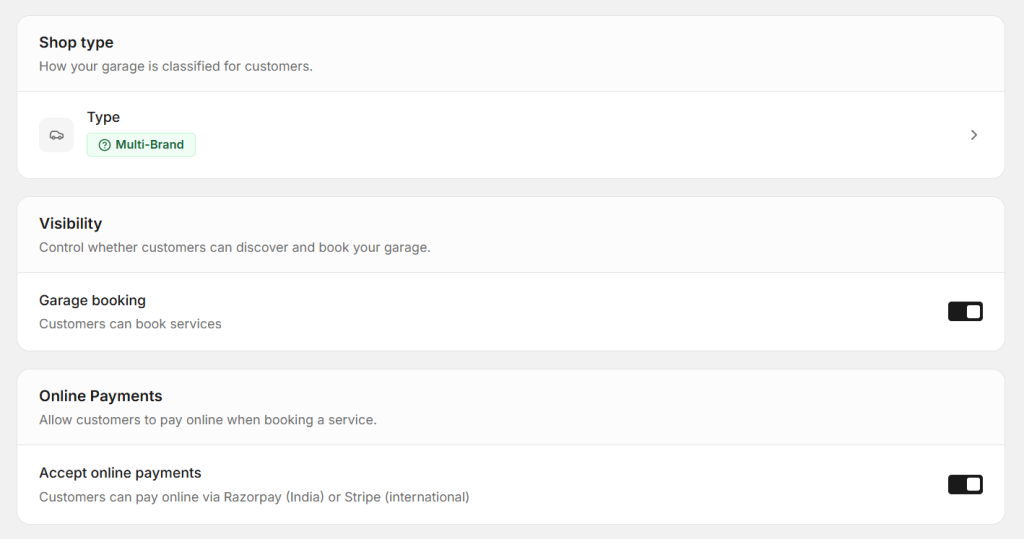
Shop Type
You can define your garage type, such as multi-brand. This helps customers understand what kind of services you provide.
Controlling Visibility and Booking
Visibility settings decide whether customers can find and book your garage.
Garage Booking Option
You can enable or disable booking using a simple toggle. When enabled, customers can directly book services from your profile. This feature is an important part of garage profile setup in Autodots because it directly impacts your bookings.
Visibility Control
Turning visibility on allows your garage to appear in search results. If turned off, customers won’t be able to discover your shop online.
Start using Autodots for free and grow your garage faster
–> autodots.io/partners
Online Payment Settings
Autodots allows you to accept online payments, making transactions faster and more convenient.
Accept Online Payments
You can enable online payments so customers can pay while booking services. Payment options include Razorpay for India and Stripe for international customers. Including this in your garage profile setup in Autodots helps improve cash flow and customer trust.
Start using Autodots for free and grow your garage faster
–> autodots.io/partners
Shop Default Settings
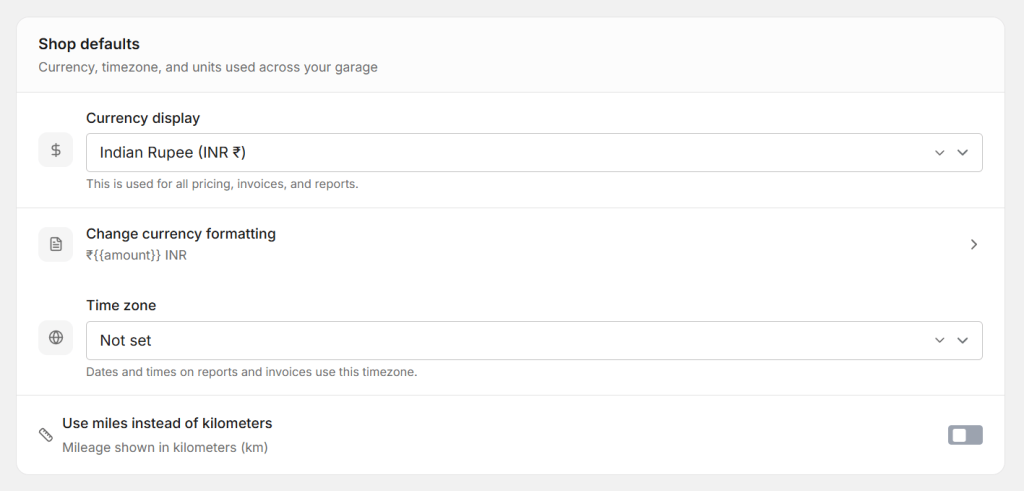
These settings define how your system works internally.
Currency Settings
You can set your preferred currency, such as INR. This will be used for pricing, invoices, and reports.
Time Zone
Setting the correct time zone ensures that all reports and invoices show accurate dates and times.
Units and Measurement
You can choose whether to display mileage in kilometers or miles based on your preference.
Invoice Settings
Invoice settings are important for maintaining professional billing.
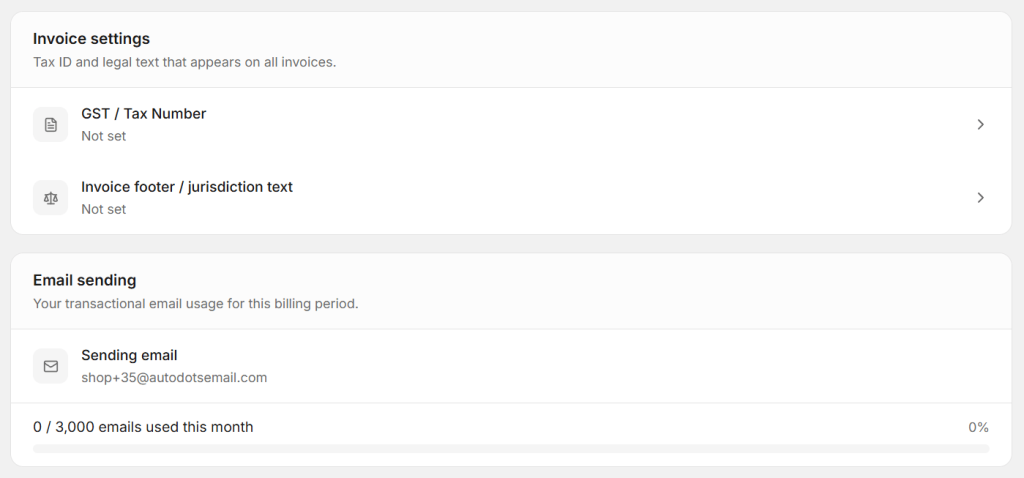
GST or Tax Number
You can add your tax number, which will appear on all invoices.
Invoice Footer Text
You can include legal or additional information that will be shown at the bottom of every invoice. A proper garage profile setup in Autodots ensures your invoices look professional and compliant.
Email Sending Settings
Autodots also tracks your email usage.
Email Usage Tracking
You can see how many emails you have sent in the current billing period. This helps you manage communication effectively.
Managing Vehicle Types
You can select the types of vehicles your garage services.
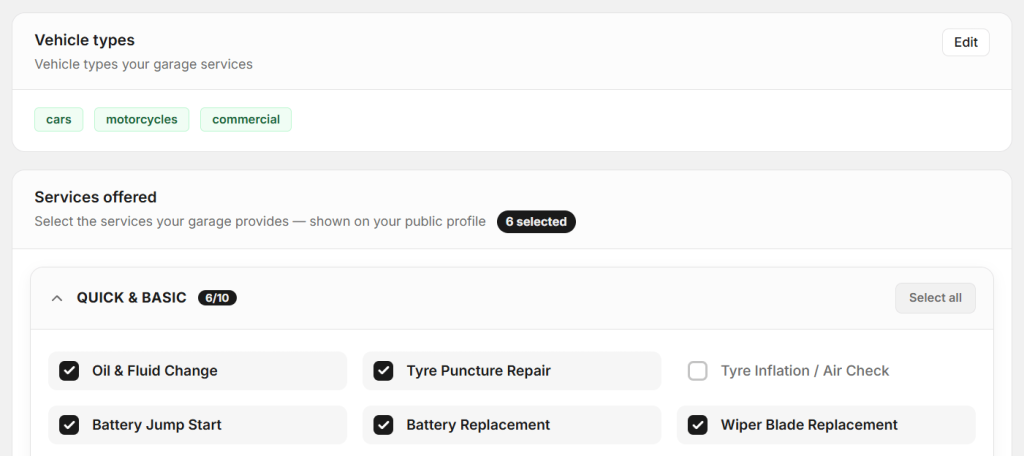
Vehicle Categories
Options like cars, motorcycles, and commercial vehicles can be selected. This helps customers know whether your garage fits their needs.
Services Offered Section
This section allows you to choose the services your garage provides.
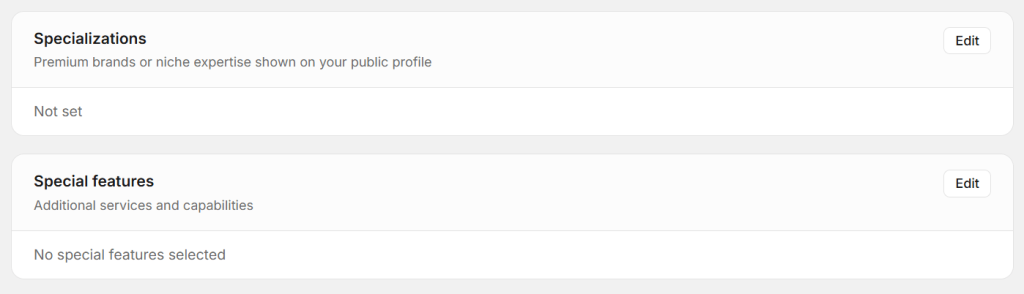
Selecting Services
You can select multiple services such as oil change, tyre repair, battery replacement, and more. These services are shown on your public profile. While service management is covered in detail separately, selecting the right services is still a key part of garage profile setup in Autodots.
Start using Autodots for free and grow your garage faster
–> autodots.io/partners
Best Practices for Garage Profile Setup
To get the most out of your settings, follow a few simple practices.
Keep Information Updated
Always update your contact details and services whenever there are changes.
Enable Key Features
Make sure booking and online payments are enabled to maximize customer convenience.
Use Proper Defaults
Set correct currency, time zone, and units to avoid confusion in reports and invoices.
Common Mistakes to Avoid
Avoiding small mistakes can make a big difference.
Incomplete Profile
Missing details can reduce customer trust and lead to fewer bookings.
Disabled Visibility
If your garage is not visible, customers won’t be able to find you.
Incorrect Settings
Wrong currency or time zone can create issues in billing and reporting.
Conclusion
Garage profile setup in Autodots is not just a one-time task but an essential part of running your garage efficiently. By properly configuring your shop details, visibility, payments, and settings, you can create a smooth experience for both you and your customers. A well-optimized garage profile setup in Autodots helps increase bookings, improve customer trust, and grow your business effectively.
Start using Autodots for free and grow your garage faster
–> autodots.io/partners
Looking to grow your garage business?
Want to learn more?
- How to Do Garage Marketing: Complete Guide for Garage Owners (Autodots)
- How to Create Discount Offers for Garage Services with Autodots (Complete Guide)
- How to Manage Parts Inventory with Autodots: Complete Guide for Garage Owners (2026)
- How to Accept Online Bookings with Autodots: Complete Guide for Garage Owners (2026)
- How to Set Up Vehicle Passport for Customers with Autodots: Complete Guide (2026)