
Here is complete guide for “How to Get More Customers for Your Garage with autodots”.
If your garage is already listed on Autodots but you want to reach more customers and grow your business further, the Audiences feature is exactly what you need. This guide will show you how to get more customers for your garage with Autodots by creating smart customer segments and targeting the right people at the right time.
Table of Contents
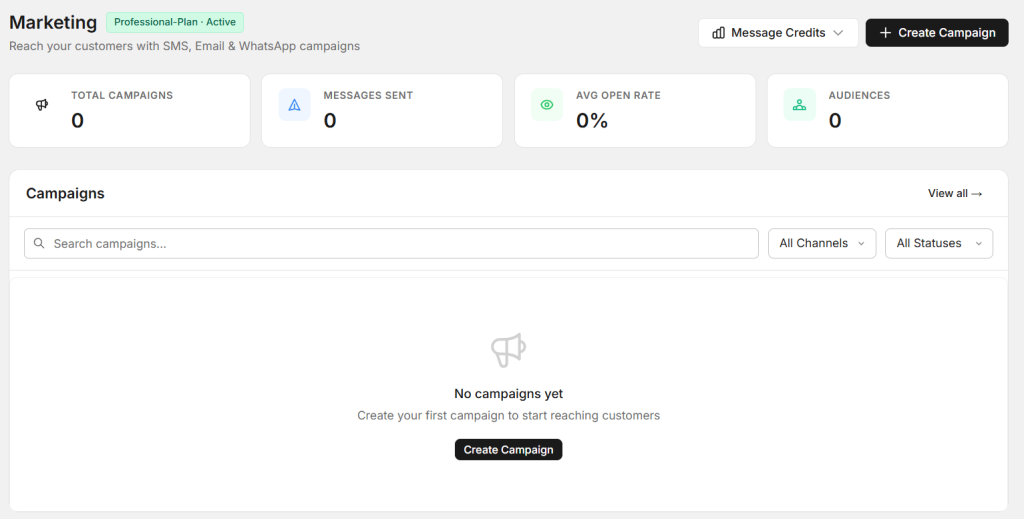
What is the Audiences Feature on Autodots?
The Audiences feature in Autodots Marketing lets you group your existing customers into specific segments based on their behavior, spending, visit history, and contact details. When you get more customers for your garage with Autodots, you can send targeted messages to each group — making your marketing more effective and personal.
Simple Example
Instead of sending the same message to all customers, you can create a specific audience of customers whose service is due soon and send them a reminder — bringing them back to your garage automatically.
Where to Find the Audiences Section
Log in to your Autodots partner dashboard. Click on “Marketing” in the left navigation menu, then click on “Audiences”. This is where you get more customers for your garage with Autodots by building and managing your customer segments.
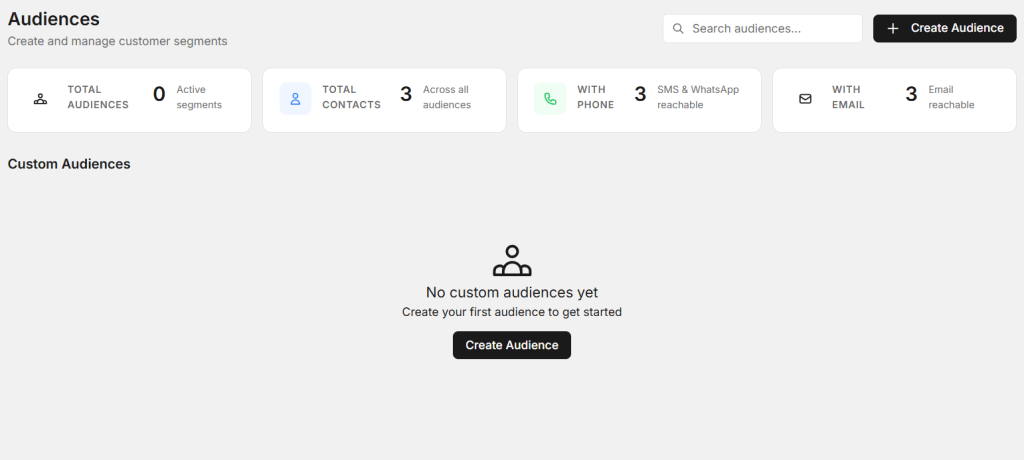
Audiences Dashboard Overview
At the top of the Audiences page you will see four summary cards:
- Total Audiences — Number of active customer segments created
- Total Contacts — Total customers across all audiences
- With Phone — Customers reachable via SMS and WhatsApp
- With Email — Customers reachable via Email
How to Create a New Audience
To get more customers for your garage with Autodots, click the “+ Create Audience” button in the top right corner of the Audiences page. This opens the Create Audience form.
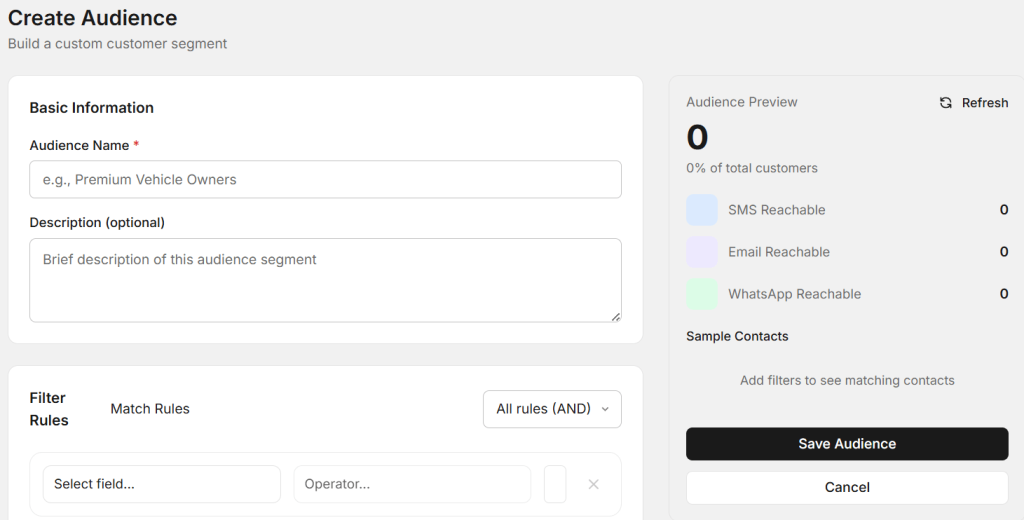
Step 1 — Fill in Basic Information
Audience Name
Give your audience a clear name so you can identify it easily. For example:
- “Service Due Soon Customers”
- “High Spending Customers”
- “Inactive Customers — 6 Months”
- “New Customers — Last 30 Days”
Description (Optional)
Add a brief description of what this audience segment represents. This helps your team understand the purpose of each audience when you get more customers for your garage with Autodots.
Step 2 — Set Filter Rules
Filter Rules are the most powerful part of the Create Audience form. They let you define exactly who belongs to this audience based on specific conditions.
How Filter Rules Work
- Click “Select field…” to choose what to filter by (e.g., last visit date, total spending, vehicle type)
- Set the Operator (e.g., is, is not, greater than, less than)
- Click “+ Add Filter Rule” to add multiple conditions
- Use “All rules (AND)” to match customers who meet every condition
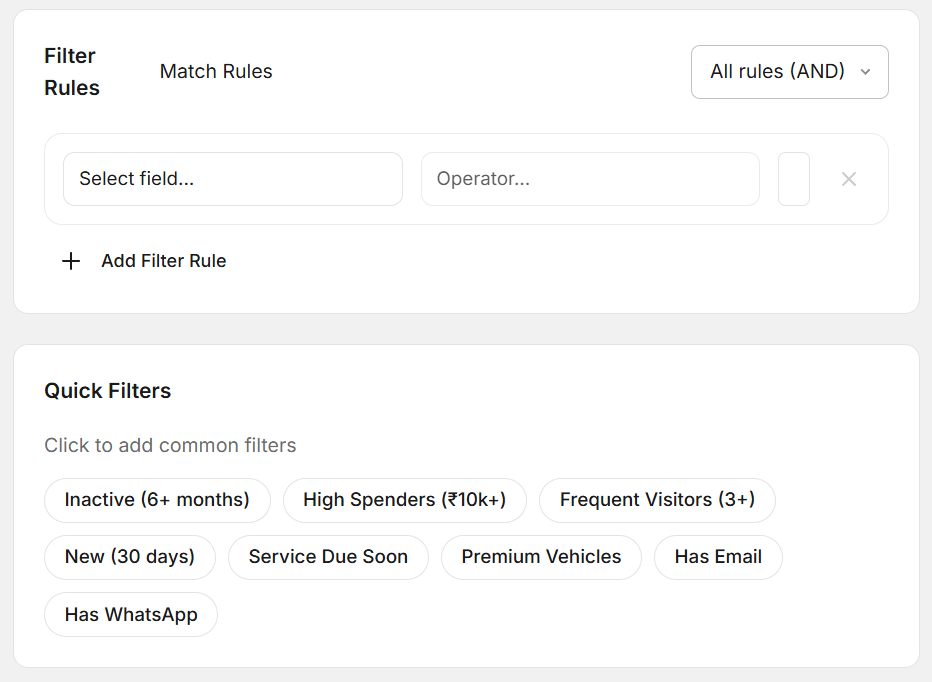
Step 3 — Use Quick Filters
Quick Filters are pre-built, one-click audience segments that make it even faster to get more customers for your garage with Autodots. Simply click any Quick Filter to instantly add it as a rule:
Available Quick Filters
- Inactive (6+ months) — Customers who have not visited in over 6 months. Perfect for win-back campaigns.
- High Spenders (₹10k+) — Customers who have spent ₹10,000 or more. Ideal for premium offers.
- Frequent Visitors (3+) — Customers who have visited 3 or more times. Your most loyal customers.
- New (30 days) — Customers who joined in the last 30 days. Great for welcome messages.
- Service Due Soon — Customers whose next service is coming up. Perfect for service reminders.
- Premium Vehicles — Customers with premium or luxury vehicles. Ideal for high-value service promotions.
- Has Email — Customers with email addresses. Use for email marketing campaigns.
- Has WhatsApp — Customers reachable on WhatsApp. Use for WhatsApp marketing campaigns.
Step 4 — Check Audience Preview
On the right side of the Create Audience form, the Audience Preview updates in real time as you add filter rules. It shows:
Preview Details
- Total matching customers — How many customers match your filters
- % of total customers — What percentage of your customer base this audience represents
- SMS Reachable — How many can be reached via SMS
- Email Reachable — How many can be reached via Email
- WhatsApp Reachable — How many can be reached via WhatsApp
- Sample Contacts — Preview of actual matching customers
Always check the Audience Preview before saving to make sure your filters are correct when you get more customers for your garage with Autodots.
Step 5 — Save the Audience
Once you are satisfied with the filter rules and preview, click “Save Audience”. Your audience segment is now saved and ready to use in marketing campaigns. Click “Cancel” if you want to discard the changes.
How to Use Audiences for Marketing Campaigns
After creating audiences, you can use them in the Campaigns section of Marketing to send targeted messages. This is how you truly get more customers for your garage with Autodots — by sending the right message to the right people:
Campaign Ideas by Audience
- Inactive customers → Send a “We miss you” offer with a discount
- Service due soon → Send a service reminder with booking link
- New customers → Send a welcome message with first-visit offer
- High spenders → Send an exclusive loyalty reward or premium service offer
- Frequent visitors → Send a loyalty program invitation
Why Audiences Help You Get More Customers
Here is why using the Audiences feature is the smartest way to get more customers for your garage with Autodots:
Benefits for Garage Owners
- Target specific customer groups — not everyone gets the same message
- Bring back inactive customers with win-back campaigns
- Reward loyal and high-spending customers
- Remind customers when their service is due
- Reach customers via SMS, Email, or WhatsApp
- Real-time audience preview before sending
- Quick Filters save time — no complex setup needed
- Works with your existing customer database automatically
Final Thoughts
Getting more customers does not always mean finding new ones — sometimes it means re-engaging the ones you already have. The Audiences feature on Autodots makes it simple to get more customers for your garage with Autodots by sending smart, targeted messages to the right people at the right time.
Log in to your Autodots partner dashboard at autodots.io/partners, go to Marketing → Audiences, and create your first customer segment today.
Start using Autodots for free and grow your garage faster
–> autodots.io/partners
Looking to grow your garage business?
Want to learn more?