
Garage Service Discounts Guide with Autodots
Offering discounts is one of the easiest ways to attract more customers and increase bookings.
If you want to grow your garage, creating smart garage service discounts can make a big difference.
In this guide, you will learn how to create and manage garage service discounts using Autodots step by step.
Table of Contents
What are Garage Service Discounts?
Garage service discounts are special offers that reduce the price of services for customers.
These can include coupon codes, bundle offers, or special pricing for selected services.
Using garage service discounts, you can attract new customers and increase repeat visits.
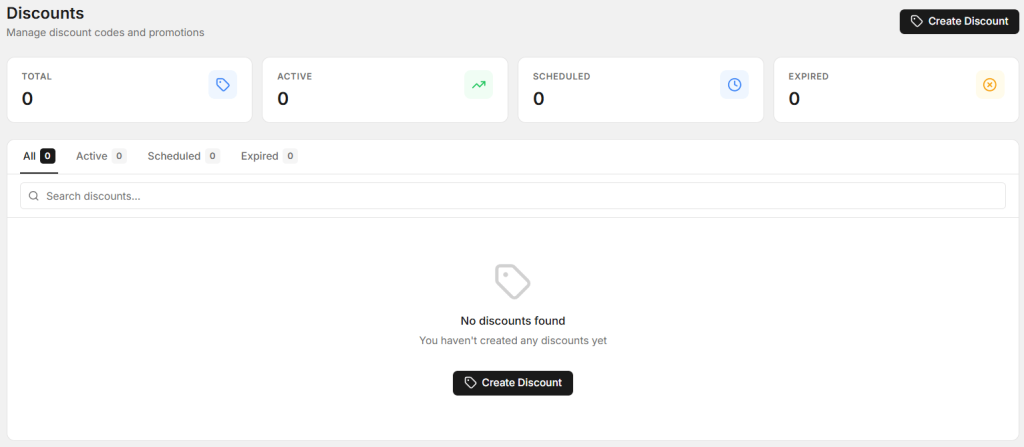
Discounts Section in Autodots
Go to the Discounts section in your dashboard.
Here you can manage all your garage service discounts in one place.
You will see:
- Total discounts
- Active discounts
- Scheduled discounts
- Expired discounts
If no discounts are created, you will see an option to Create Discount.
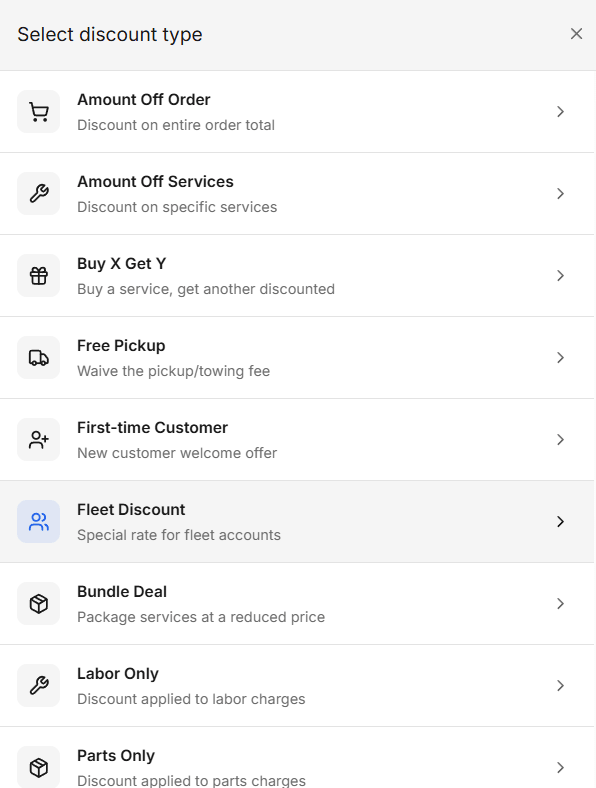
Types of Discounts You Can Create
Autodots gives you multiple options to create garage service discounts.
Amount Off Order
Discount on the total order amount.
Amount Off Services
Discount on selected services only.
Buy X Get Y
Buy one service and get another at a discount.
Free Pickup
Offer free pickup or towing service.
First-time Customer
Special discount for new customers.
Fleet Discount
Special pricing for business or fleet clients.
Bundle Deal
Combine multiple services at a reduced price.
Labor Only / Parts Only
Apply discount only on labor or parts.
Step-by-Step: How to Create Discount
Step 1: Click on Create Discount
Go to Discounts → Click on Create Discount.
Step 2: Select Discount Type
Choose the type of garage service discounts you want to create.
For example: Bundle Deal, Amount Off, or Free Pickup.
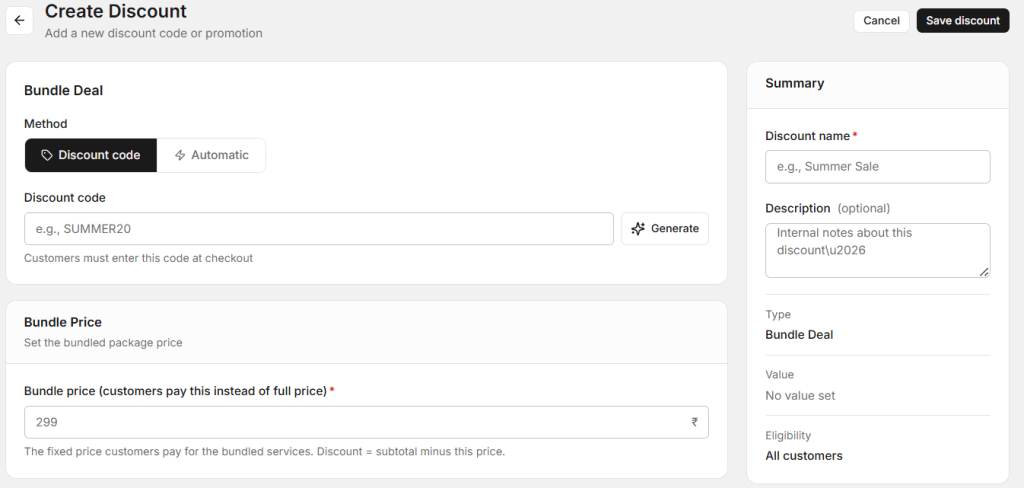
Step 3: Choose Method
You can choose:
- Discount Code – Customer enters code (e.g., SUMMER20)
- Automatic – Applied automatically
Step 4: Set Discount Value
Example for bundle:
- Set bundle price (e.g., ₹299)
- Define included services
This defines how your garage service discounts will work.
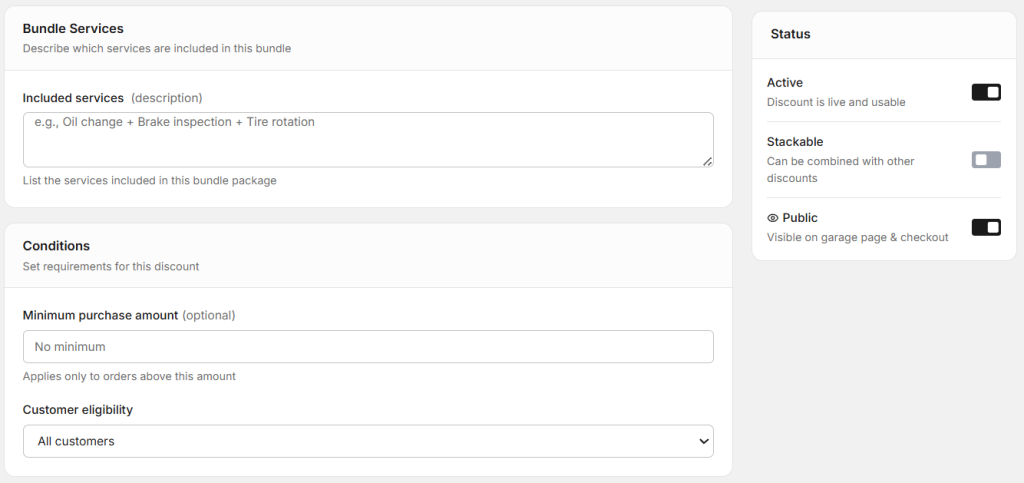
Step 5: Add Conditions
You can set rules like:
- Minimum purchase amount
- Customer eligibility
This helps control your discounts.
Step 6: Set Usage Limits
You can limit:
- Total number of uses
- Usage per customer
Step 7: Set Active Dates
Choose start and end dates for your discount.
You can also leave it open without restrictions.
Step 8: Add Summary Details
- Discount name (e.g., Summer Sale)
- Description (optional)
- Status (Active)
Once done, click Save Discount.
Best Use Cases for Discounts
Festival Offers
Attract more customers during festive seasons.
Slow Days
Boost bookings during low business days.
New Customer Offers
Encourage first-time visits.
These are practical ways to use garage service discounts.
Start using Autodots for free and grow your garage faster
–> autodots.io/partners
Best Practices
Keep Discounts Simple
Avoid complicated conditions.
Use Clear Pricing
Customers should easily understand the offer.
Limit Usage
Avoid overusing discounts.
These tips help you manage garage service discounts effectively.
Common Mistakes to Avoid
- Giving too many discounts
- Not setting limits
- Unclear offer details
Avoid these mistakes while creating garage service discounts.
Summary
Now you know how to create garage service discounts using Autodots.
From selecting discount type to setting conditions and usage limits, everything is simple and flexible.
Start creating smart discounts today and grow your garage business faster.
Start now: Discounts → Create Discount → Launch Offer
Start using Autodots for free and grow your garage faster
–> autodots.io/partners
Looking to grow your garage business?
Want to learn more?