Managing appointments is an important part of running a busy automotive workshop. Every day, customers may call, message, or visit to book vehicle servicing, repairs, inspections, and other work. When bookings are managed through notebooks, phone calls, or scattered messages, it can become difficult to keep track of schedules. Mechanic Appointment Software can help workshops organize bookings and create a smoother daily workflow.
A good booking system can help staff see upcoming appointments, manage customer information, reduce scheduling confusion, and plan technician workloads. Instead of spending too much time checking different records, the team can use a more organized digital process.
In this guide, we will explore seven smart ways Mechanic Appointment Software can help workshops manage bookings and improve their everyday operations.
Table of Contents
What Is Mechanic Appointment Software?
Mechanic Appointment Software is a digital tool that helps garages and automotive workshops manage customer bookings. It can help staff record appointment details, customer information, vehicle details, requested services, preferred dates, and other useful information.
Instead of keeping appointments only in a paper diary or separate calendar, workshops can use a digital system to keep booking information organized. Depending on the software, customers may also be able to request appointments online.
The main goal is simple: make it easier for the workshop and customers to manage appointments without unnecessary calls, messages, or manual records.
1. Keep All Appointments in One Place
One of the easiest ways to improve booking management is to keep all appointments in one central place. When bookings are written in different notebooks or stored across messages, staff can easily miss important information.
With Mechanic Appointment Software, the workshop team can maintain a digital appointment schedule. Staff can check upcoming bookings and see important details related to each appointment.
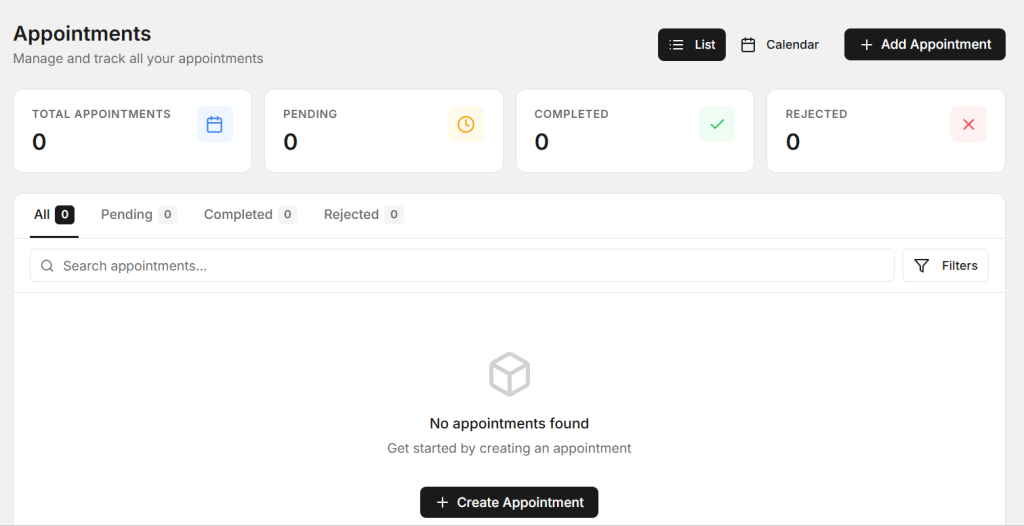
This gives the front desk a clearer view of the day’s work. It can also help managers understand how many vehicles are expected and plan the workshop accordingly.
A central booking record is especially useful when several team members handle customer calls or bookings. Everyone can follow the same schedule instead of maintaining separate records.
2. Reduce Double Bookings
Double bookings can create problems for both customers and mechanics. If two customers are booked for the same time when the workshop does not have enough capacity, staff may have to call one customer and change the appointment.
A digital booking system can make scheduled appointments easier to view. Before adding a new booking, staff can check the existing schedule and choose a suitable available time.
Mechanic Appointment Software can therefore help workshops create a more organized booking process. The exact scheduling features will depend on the software, but having a shared digital calendar can make appointment planning easier.
Clear scheduling can also help improve customer confidence. Customers are more likely to have a positive experience when their booking is properly recorded and the workshop is prepared for their visit.
3. Manage Technician Workloads
Appointments are not only about customer schedules. They also affect technician workloads. If too many jobs arrive at the same time, technicians may become overloaded while other periods remain quiet.
A booking system can help workshop managers understand the expected workload for each day. They can review upcoming services and consider how much technician time may be required.
Using Mechanic Appointment Software can help create a better connection between customer bookings and workshop planning. Managers can use appointment information when deciding how to organize their team’s work.

This can be particularly useful for workshops that offer different types of services. A basic inspection may require less time than a major repair, so understanding the planned work can help with scheduling.
4. Collect Customer and Vehicle Details Before the Visit
Good appointment management starts with collecting the right information. If staff only record a customer’s name and appointment time, they may need to ask many questions when the vehicle arrives.
A digital booking process can allow the workshop to record useful details such as the customer’s contact information, vehicle registration, vehicle model, requested service, and customer notes.

Mechanic Appointment Software can help keep this information connected with the booking when the system supports these features.
Having the basic information before the appointment can help staff prepare for the visit. It can also make the customer’s arrival smoother because the team already has important details available.
5. Send Appointment Reminders
Missed appointments can affect workshop schedules. A customer may forget a booking because it was made several days or weeks earlier.
Appointment reminders can help customers remember their scheduled visit. Depending on the system, reminders may be available through different communication methods.
A reminder can include useful information such as the appointment date, time, workshop details, and vehicle information. This gives customers a simple reference before visiting the garage.
For the workshop, reminders can help create a more predictable schedule. However, reminder features and communication options can vary between software platforms.
6. Make Rescheduling Easier
Customers sometimes need to change their appointment. They may have a work commitment, travel plans, or another unexpected situation. A workshop needs a simple way to manage these changes without losing the original booking information.
A digital scheduling system can make it easier for staff to update appointment dates and times. Instead of crossing out information in a paper diary, the team can update the digital booking record.
Mechanic Appointment Software can help keep the schedule updated when appointments are moved, cancelled, or changed.
This can also help staff understand the current day’s workload. When a booking changes, the updated schedule gives the team a clearer picture of what work is expected.
7. Improve the Overall Customer Experience
The booking process is often the first interaction a customer has with a workshop. A confusing booking process can create a poor first impression, while a simple process can make the business feel more organized.
Customers want to know when they should bring their vehicle and what information the workshop needs. A clear digital booking process can make these steps easier to understand.
A well-organized appointment system can also help staff respond to customer questions more quickly. They can check the booking details instead of searching through different messages or paper notes.
Why Appointment Management Matters for Workshops
Good appointment management can affect many areas of workshop operations. When bookings are organized, staff can plan their time, prepare for incoming vehicles, and understand the expected workload.
It can also help reduce unnecessary interruptions. Instead of answering repeated questions about appointment times or searching through different records, staff can use one organized schedule.
For growing workshops, a structured booking process can become even more important. More customers usually mean more appointments, and managing those bookings manually can become difficult over time.
Features to Look for in Appointment Software
Before choosing a booking system, think about the actual needs of your workshop. A useful system should be simple enough for staff to use every day and should support the booking process from start to finish.
- Digital appointment calendar
- Customer and vehicle information
- Service selection
- Technician scheduling
- Appointment reminders
- Rescheduling and cancellation management
- Booking history
- Easy access to upcoming appointments
The right features will depend on the size of your workshop and the type of services you provide. A small garage may need a simple calendar, while a larger workshop may need more detailed scheduling tools.
How AutoDots Can Help Your Workshop
AutoDots provides digital tools designed to help automotive workshops organize different parts of their daily operations. Workshops can manage areas such as customers, vehicles, services, technicians, job cards, inventory, and invoices through digital processes.
If you are considering Mechanic Appointment Software, it is useful to look for a platform that can connect booking information with the wider workshop workflow. This can help reduce the need to manage appointments separately from customer and vehicle records.
You can learn more about workshop opportunities through the AutoDots partner program. For more automotive and workshop management guides, tips, and useful information, visit the AutoDots blog.
Tips for Better Appointment Management
Good software works best when the workshop also follows a clear booking process. A few simple habits can make appointment management more effective.
- Record the customer’s correct contact details.
- Add accurate vehicle information to every booking.
- Clearly note the service requested by the customer.
- Check technician availability before confirming a booking.
- Allow enough time for different types of repair jobs.
- Update the schedule when appointments are changed.
- Send reminders when the system supports them.
- Review the next day’s bookings before closing the workshop.
These simple steps can help your team stay prepared and reduce scheduling confusion.
Common Booking Mistakes to Avoid
One common mistake is booking every service for the same amount of time. Different repairs can require different amounts of technician time, so workshops should consider the type of work before confirming appointments.
Another mistake is failing to update cancelled or rescheduled appointments. Old bookings can make the schedule confusing and may lead to unnecessary calls.
Workshops should also avoid recording incomplete customer or vehicle information. Accurate details can help staff prepare for the appointment and provide better service.
Frequently Asked Questions
What is mechanic appointment software?
It is a digital system that helps automotive workshops manage customer bookings, appointment times, vehicle information, services, and scheduling activities.
Can appointment software reduce missed bookings?
Reminder features can help customers remember upcoming appointments. The effectiveness depends on the system and how the workshop uses its communication tools.
Can small garages use digital appointment management?
Yes. Small garages can use digital booking tools to organize customer appointments and reduce dependence on paper calendars or scattered messages.
Can appointments be connected with vehicle information?
Many workshop management systems allow appointment records to be connected with customer and vehicle details. This can help staff prepare before the vehicle arrives.
Why should workshops manage technician availability?
Understanding technician availability can help workshops plan appointments more realistically. It can reduce the risk of accepting more work than the team can handle at a particular time.
Conclusion
Mechanic Appointment Software can help workshops manage bookings in a more organized and professional way. From keeping appointments in one place to managing technician workloads, collecting vehicle details, sending reminders, and handling schedule changes, digital tools can simplify many daily tasks.
A better booking process can also improve the customer experience. When customers receive clear appointment information and the workshop is prepared for their arrival, the entire service journey can become smoother.
The best approach is to choose a simple system that fits your workshop’s needs. Keep booking information accurate, train your staff, and connect appointments with the wider workshop workflow. With a consistent process, your garage can spend less time managing schedules and more time focusing on quality vehicle service.