
Choosing the right software can make daily garage work easier and more organized. Many garage owners first search for a free solution because they want to reduce paperwork without making a large investment. A free tool can be a useful starting point, but it is important to understand what you are getting before making a decision.
garage management software free options can help with basic tasks such as customer records, vehicle details, appointments, job cards, invoices, and service history. However, every garage has different requirements, so a solution that works for one business may not be suitable for another.
Before choosing any software, think about your daily garage workflow. Check whether the system is easy to use, whether important features are included, and whether it can support your business as it grows. This guide explains five important things to check before choosing a garage management solution.
Table of Contents
Why garage management software free Can Be Useful
A busy garage handles many activities every day. Service advisors may need to manage appointments, technicians may be working on several vehicles, and the owner may need to monitor invoices, spare parts, and customer payments.
When all these activities are handled through notebooks, paper job cards, or separate spreadsheets, finding information can take extra time. Records can also become difficult to update and maintain.
garage management software free can give a garage an opportunity to start managing important information digitally. It can reduce some manual work and make records easier to find when customers return for another service.
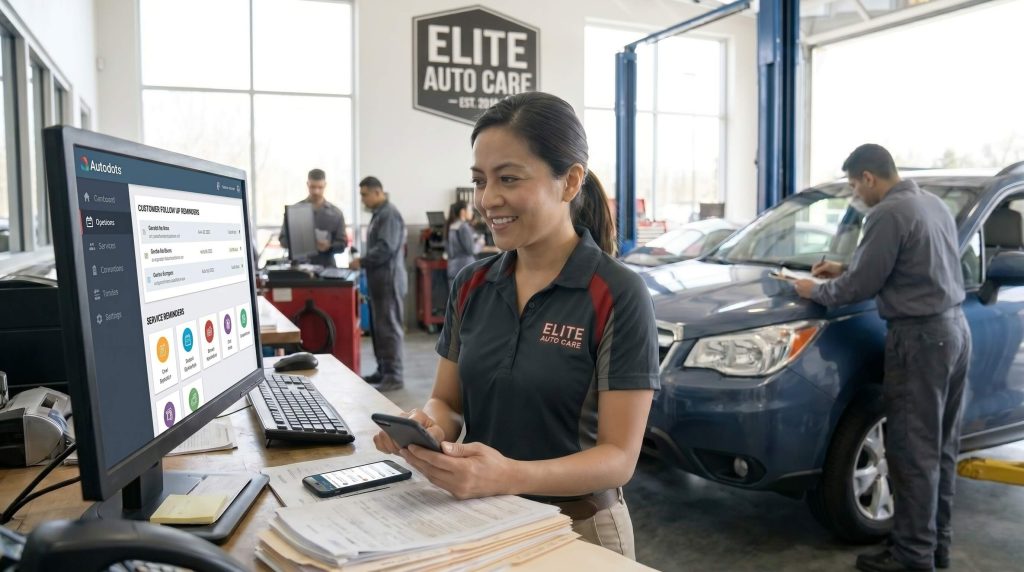
5 Things to Check Before You Choose
1. Check the Features You Actually Need
The first thing to check is the feature list. Do not choose software only because it is free. First understand what your garage needs every day.
Make a list of your regular activities. This may include customer registration, vehicle management, appointment booking, inspection, job cards, technician updates, estimates, spare parts, invoices, payments, and service history.
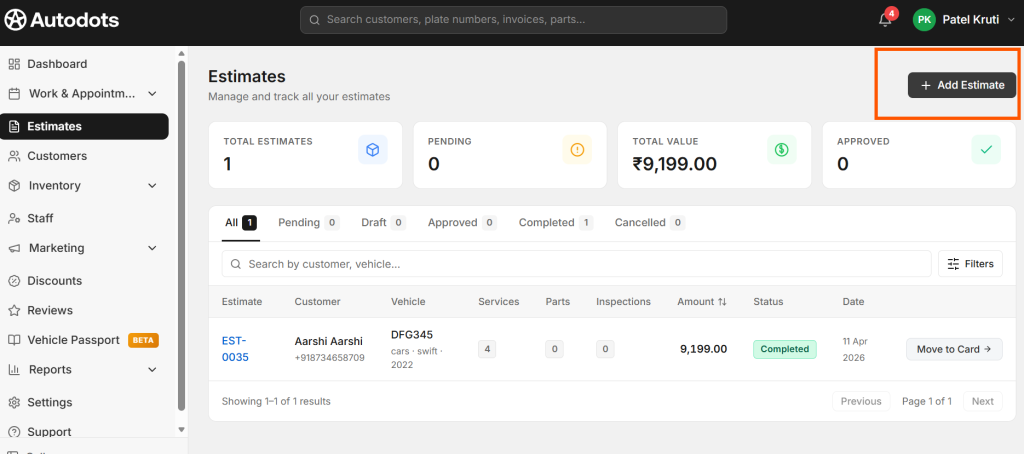
garage management software free options can be compared against this list. If a free solution only provides customer records but your garage also needs job cards and billing, it may not be enough for your daily work.
You should also check which features are included in the free version and which features require an upgrade. This can help you avoid choosing a tool that becomes difficult to use once your requirements increase.
2. Make Sure the Software Is Easy to Use
A software system should make garage work easier, not more complicated. If employees need too many steps to complete simple tasks, they may find it difficult to use the system consistently.
Look for a simple interface where staff can quickly find customers, vehicles, appointments, job cards, and invoices. The service advisor should be able to create a record without needing advanced computer skills.
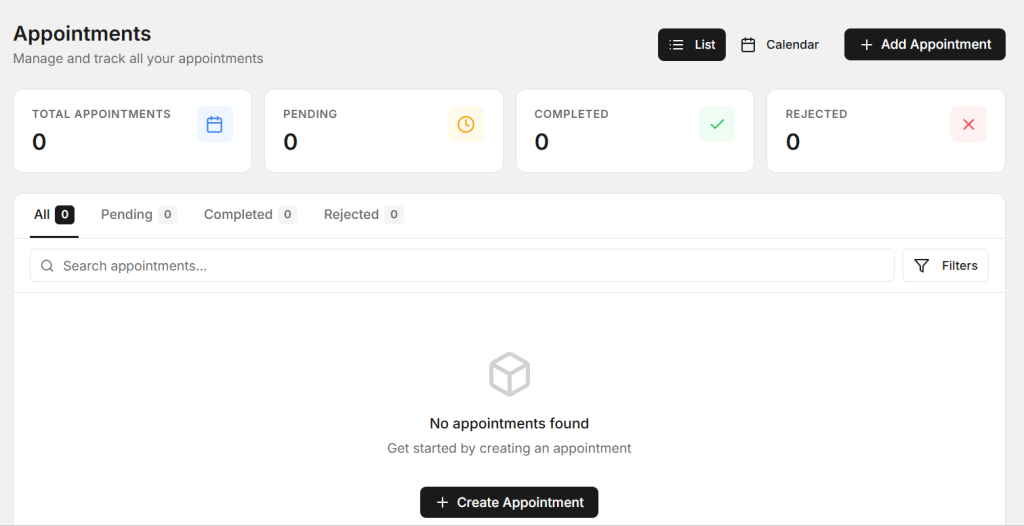
When testing garage management software free, involve the people who will use it every day. Let your service advisor and other staff try common tasks such as creating a customer, adding a vehicle, opening a job card, and preparing an invoice.
Their feedback can help you understand whether the system is practical for your actual garage workflow.
3. Check Customer and Vehicle Management
Customer and vehicle records are important for every garage. A useful system should allow you to store information such as customer name, phone number, vehicle registration number, vehicle model, mileage, service dates, and previous repair details.
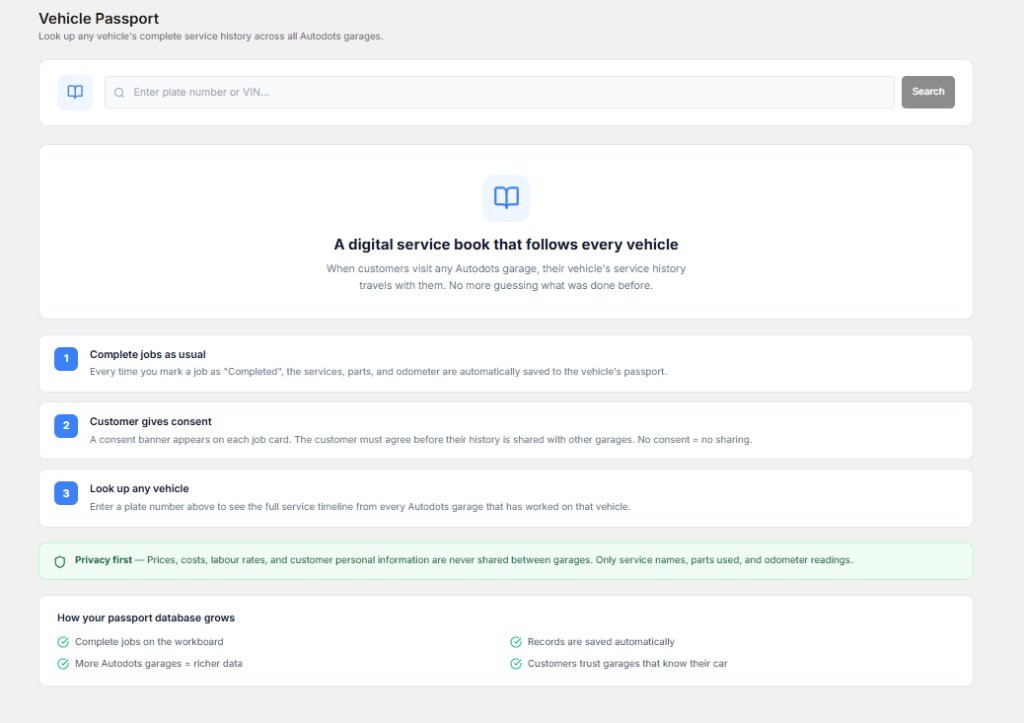
When a customer returns, the team should be able to find the vehicle record quickly. This can save time and help employees understand the customer’s previous service history.
garage management software free solutions should make it simple to search and update customer and vehicle records. If employees have to search through multiple files to find an old job, the software may not be solving the main problem.
Vehicle history can also help technicians. Previous repairs, replaced parts, inspection findings, and recommendations may provide useful information when diagnosing a new problem.
4. Review Job Cards, Billing, and Inventory
A garage management system should support more than customer records. Job cards are a key part of the repair process because they contain customer complaints, inspection results, services, technician notes, parts used, and repair status.

Billing is also connected to the repair process. The final invoice may include labor charges, services, spare parts, taxes, discounts, and other amounts. If these details can be managed in one workflow, the service team can reduce repeated data entry.
garage management software free should therefore be checked for job card, billing, and inventory features. If these features are missing, think about how much additional manual work your team will still need to do.
Inventory is another important area. Garages may keep filters, engine oil, brake pads, batteries, bulbs, belts, sensors, and many other parts. Proper stock records can help reduce shortages and unnecessary purchases.
5. Think About Future Garage Growth
Your garage may be small today, but the business can grow over time. You may have more customers, more vehicles, more technicians, more invoices, and more spare parts to manage.
Before choosing a free system, check whether it can support your future requirements. Find out if more users can be added and whether there are options for additional features or higher usage limits.
garage management software free can be a good starting point, but it should not become a limitation when your business grows. A system that provides a clear upgrade path can be more useful in the long term.
Also check how your data can be handled if you decide to change plans or move to another system later. Understanding this before starting can save time and avoid problems in the future.
Free Does Not Always Mean Complete
Free software can be helpful, especially for small garages that are starting their digital journey. However, free plans often have limits. These limits may apply to users, vehicles, invoices, storage, reports, or available features.
This does not mean a free plan is not useful. It simply means that you should understand what is included before making it part of your daily operations.
garage management software free should be evaluated according to the complete service process. Think about how customers move from appointment to vehicle check-in, inspection, job card, repair, parts usage, billing, and delivery.
A system that supports this complete process can provide more value than a tool that only handles one small part of garage management.
Check Data Security and Backup
Garage software stores useful business information. Customer contact details, vehicle records, invoices, repair history, and other data should be handled carefully.
Before choosing a software solution, understand how your information is stored and protected. It is also useful to check whether backups are available and what happens to your records if you stop using the service.
garage management software free options should not be selected only because they have no starting cost. Data security and reliability are also important when choosing software for long-term business use.
Check Reports and Business Visibility
Reports can help garage owners understand how their business is performing. Useful information may include completed jobs, pending repairs, invoices, revenue, parts usage, and customer activity.
Good reports can help owners identify busy periods, popular services, frequently used parts, and other patterns. This information can support better decisions about staffing, inventory, and customer service.
When comparing garage management software free options, check whether reports are available in the free version or whether they require an upgrade. Knowing this early can help you plan for future needs.
Connect Different Garage Activities
Garage activities are connected to each other. An appointment can lead to a vehicle check-in, inspection, job card, repair, parts usage, invoice, payment, and vehicle delivery.
If every stage is managed separately, employees may have to enter the same information multiple times. This increases work and can create mistakes.
garage management software free can be more useful when it helps connect these activities. A service advisor can start with the customer and vehicle record, create a job card, add repair information, and use the same information during billing.
A connected workflow can make the daily process easier for both service advisors and technicians.
How AutoDots Can Help Modern Garages
AutoDots provides digital solutions designed to help automotive businesses organize important garage and workshop activities. Modern garage tools can help teams manage customer information, vehicles, appointments, job cards, inspections, inventory, billing, and other daily operations.
garage management software free can be a useful starting point for garage owners who want to explore digital management. However, it is important to compare the complete workflow and understand whether the software can support your actual business requirements.
If you are interested in automotive technology and partnership opportunities, you can learn more through the AutoDots partner program.
For more automotive business guides, garage tips, and workshop technology information, visit the AutoDots blog.
Simple Checklist Before Choosing Garage Software
- Check the available features
- Test the software with your team
- Review customer and vehicle management
- Check job card functionality
- Review invoice and billing features
- Check spare parts and inventory management
- Understand free-plan limitations
- Review data security and backup options
- Check reporting features
- Think about future business growth
This checklist can help you compare different software options based on your real garage requirements. Price is important, but the software should also save time and reduce daily work.
Common Mistakes to Avoid
One common mistake is choosing software only because it is free. A free plan may not include the features your garage needs.
Another mistake is not testing the software with employees. The people using the system every day should be comfortable with the process.
Garages should also avoid ignoring data management. Customer and vehicle records are valuable, so it is important to understand how information is stored and protected.
Finally, do not forget future growth. Your requirements may change as the garage becomes busier, so the software should ideally provide a practical way to add users, records, and features later.
Frequently Asked Questions
What is garage management software free?
garage management software free refers to a garage management solution that can be used without an initial subscription cost, usually with certain feature or usage limits depending on the provider.
Is free garage software useful for small garages?
Yes. Free software can be useful for small garages that want to move from paper records to digital management. However, the garage should first check whether the available features match its daily requirements.
What features should garage management software have?
Important features may include customer management, vehicle records, appointment scheduling, inspections, job cards, technician updates, inventory, estimates, invoices, payments, service history, and reports.
Can I upgrade from a free plan later?
Some software providers offer paid plans that can be used when a business needs more features or capacity. Before choosing a solution, check the available upgrade options and understand how your existing data will be handled.
Why should I check the limitations of free software?
Free plans may have limits on users, vehicles, transactions, storage, reports, or features. Understanding these limits helps you choose software that can support both your current needs and future plans.
Conclusion
Choosing garage software should be based on more than just whether the software is free. A good solution should make daily work easier, organize information, reduce repeated tasks, and support better customer service.
garage management software free options can be a useful starting point for small garages, but it is important to check features, ease of use, customer and vehicle management, job cards, billing, inventory, security, reports, and future growth.
The best approach is to understand your garage requirements first, test the software with your team, and compare the complete workflow before making a decision. With the right digital solution, your garage can reduce paperwork, stay organized, and provide a smoother experience for both employees and customers.