Running a garage involves many daily tasks. Staff need to manage customers, vehicle bookings, inspections, job cards, repair approvals, spare parts, billing, payments, and vehicle delivery. When these activities are handled manually, employees can spend a lot of time on repetitive work instead of focusing on customers and vehicle repairs.
If you are wondering How to Automate a Garage, the good news is that you do not need to change every process at once. You can start with simple tasks that take the most time and gradually move more workshop activities into a digital system.
Garage automation is not only about saving time. It can also help reduce mistakes, improve customer communication, organize workshop information, and give managers a clearer view of daily operations. With the right approach, automation can help a garage handle more work without adding unnecessary manual effort.
Table of Contents
What Does Garage Automation Mean?
Garage automation means using digital tools and organized workflows to reduce repetitive manual tasks in a workshop. These tasks can include entering customer information, creating job cards, managing appointments, sending updates, tracking repair progress, preparing invoices, and following up with customers.

The goal is not to replace technicians or service advisors. Instead, automation helps them spend less time on paperwork and repetitive administration. This gives the team more time to focus on vehicle repairs and customer service.
When a garage uses a connected digital workflow, information can move from one stage to another more easily. Customer details can be used for appointments, vehicle information can be linked to job cards, and completed repair details can support billing.
Why Should Garages Automate Their Work?
Manual processes can create small delays throughout the day. An employee may need to search for a customer record, find an old job card, call a customer for approval, check repair progress with a technician, and then enter information again for billing.

Each task may only take a few minutes, but the total time can become significant when repeated across many vehicles.
A digital workflow can reduce these repeated tasks and make information easier to access. This can help the garage improve productivity while also creating a better experience for customers.
7 Smart Ways to Automate Your Garage
1. Digitize Customer and Vehicle Records
The first step is to organize customer and vehicle information digitally. A garage may need to store customer names, phone numbers, vehicle registration numbers, vehicle models, service history, previous repairs, and other useful information.
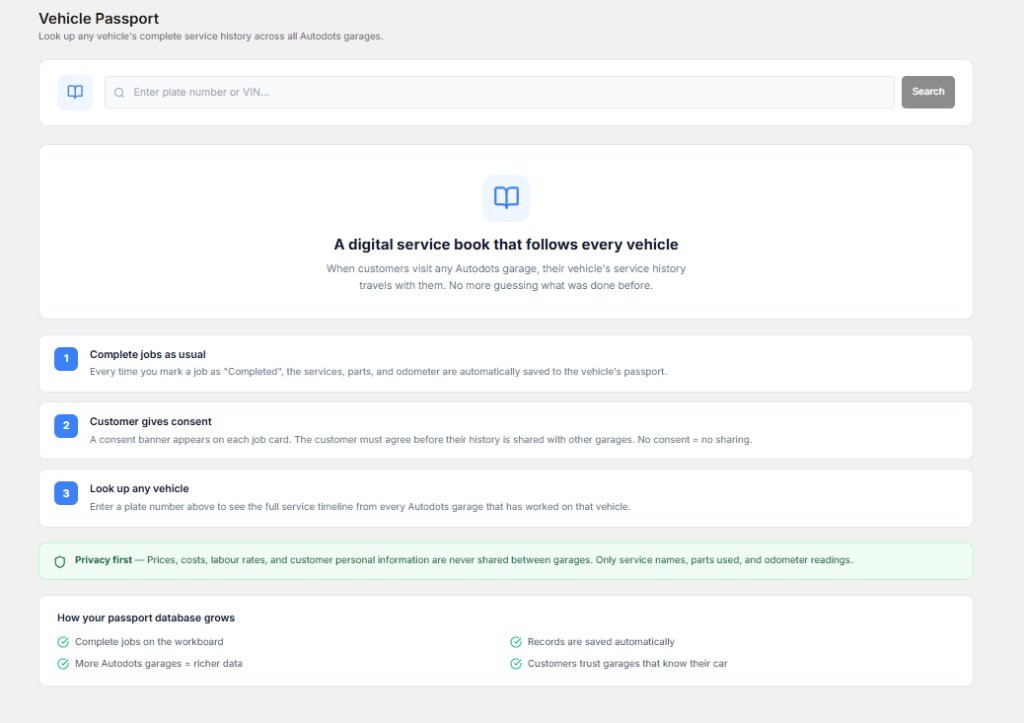
Paper registers and separate spreadsheets can make this information difficult to find. Employees may also enter the same details multiple times.
A digital customer record keeps important information organized in one place. When a customer returns, the service team can quickly check the vehicle history instead of searching through old files.
This is one of the simplest answers to How to Automate a Garage because organized customer records create a strong base for other digital processes.
2. Automate Appointment Scheduling
Appointments help a garage plan its daily workload. Without proper scheduling, several vehicles may arrive at the same time, creating pressure on service advisors and technicians.
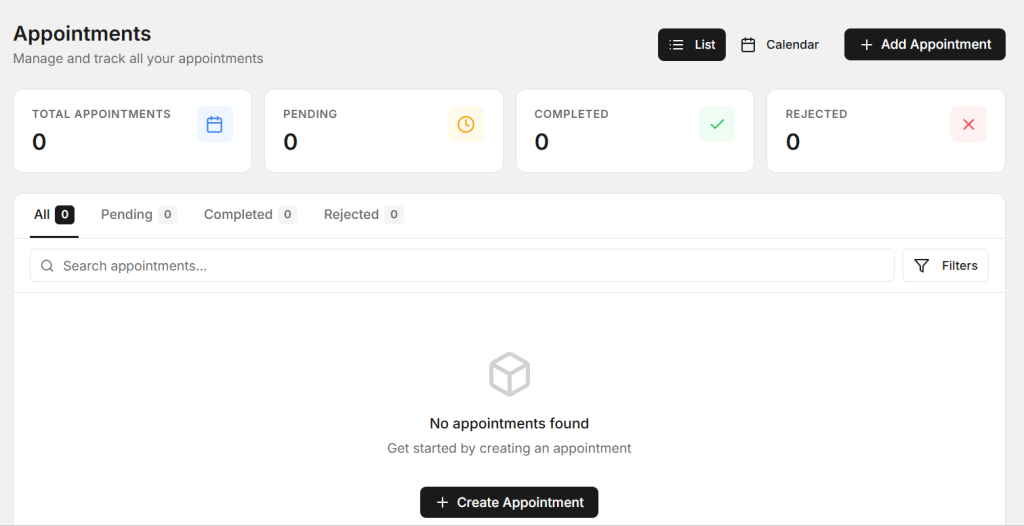
Digital appointment management can help the team see upcoming bookings and understand what work customers are expecting. This makes it easier to prepare technicians, service bays, and other resources.
It can also reduce the number of calls required to confirm or organize appointments. Customers can receive clearer information about their service visit.
3. Use Digital Job Cards
Job cards are a central part of vehicle repair. They can include customer complaints, inspection findings, recommended repairs, technician notes, parts information, and job status.
Paper job cards can be lost or damaged, and employees may have difficulty finding the latest update. Digital job cards make information easier to access and update.
Service advisors can check job progress, technicians can see repair requirements, and managers can get a better view of vehicles currently inside the workshop.
Digital job cards are an important part of How to Automate a Garage because they connect customer requirements with actual workshop work.
4. Speed Up Repair Approvals
During inspection, technicians may find additional problems that were not part of the original customer request. The garage usually needs customer approval before starting this extra work.
When approval depends only on phone calls, the repair can be delayed if the customer is unavailable. This can leave the vehicle waiting and reduce workshop productivity.
A digital repair approval process can make recommendations easier to communicate and track. Customers can review the required work, while the garage can keep a clear record of approved and pending repairs.
Faster approvals can help technicians continue approved work without unnecessary waiting.
5. Improve Customer Communication
Customers want updates about their vehicles. They may want to know when inspection is complete, whether additional repairs are needed, and when the vehicle will be ready.

If every update is handled manually, service advisors can spend a large part of their day making calls and sending individual messages.
Digital communication can make common updates easier to manage. Appointment confirmations, service reminders, repair updates, and delivery information can follow an organized process.
Better communication also helps build trust. Customers are more likely to feel comfortable when they know what is happening with their vehicle.
6. Organize Parts and Repair Tracking
Spare parts can have a major effect on workshop efficiency. A repair may be delayed when a required part is not available or when employees do not know whether the part has arrived.

Digital tracking can help the team understand which parts are required and which vehicles are waiting for parts. This gives service advisors and managers better visibility.
Repair progress can also be updated digitally. Managers can quickly identify vehicles waiting for inspection, approval, parts, repair work, or final checks.
Better tracking is another useful step in How to Automate a Garage because it reduces the need for employees to ask for updates repeatedly.
7. Simplify Billing and Vehicle Delivery
The customer journey does not end when the technician finishes the repair. Billing and vehicle delivery are also important.
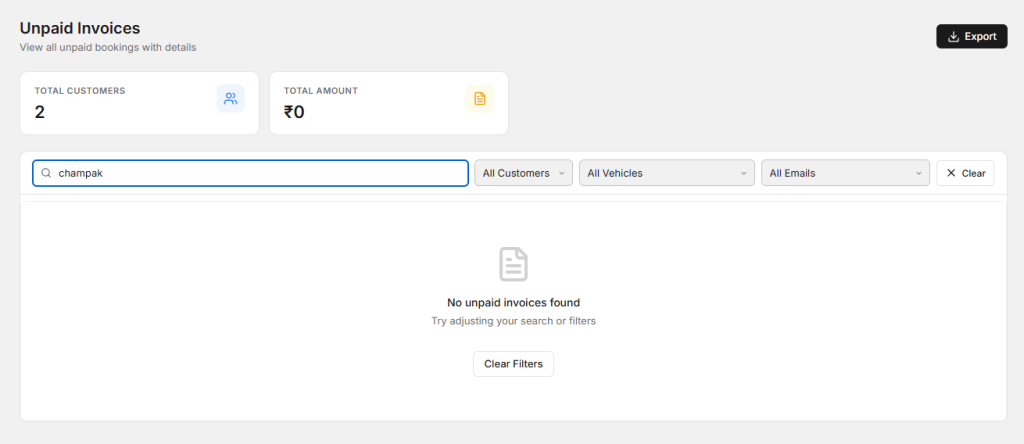
Manual billing can involve repeated calculations and data entry. Employees may need to enter labour charges, parts, taxes, discounts, and other details before creating the final invoice.
A digital billing process can help organize these details and reduce repeated work. Before delivery, the team can also check whether approved repairs are complete and whether the final billing information is ready.
This can reduce last-minute confusion and help customers receive their vehicles more smoothly.
Benefits of Garage Automation
When the right processes are automated, the benefits can be seen across the workshop. Employees spend less time searching for information and repeating administrative tasks.
- Less paperwork and manual data entry.
- Faster access to customer information.
- Better job card management.
- Improved appointment planning.
- Faster repair approvals.
- Better customer communication.
- More organized repair tracking.
- Smoother billing and delivery.
- Better visibility for garage managers.
The main goal is to make the workflow easier for employees while keeping customers informed throughout the service process.
How AutoDots Can Help Automate Garage Operations
AutoDots provides digital solutions designed for automotive businesses. A garage can use a connected digital workflow to organize customer information, vehicle details, service activities, job cards, and other important workshop processes.

Instead of managing different activities through separate notebooks, spreadsheets, and manual records, a digital garage management system can help bring important information together.
For workshop owners researching How to Automate a Garage, choosing a solution designed specifically for automotive businesses can make the transition easier. A dedicated system understands common garage processes and can help teams manage them in a more organized way.
Signs Your Garage Needs Automation
Every garage has busy days, but some problems can indicate that manual processes are slowing down the business.
- Employees spend too much time searching for customer records.
- Paper job cards are frequently misplaced.
- Customers repeatedly call for repair updates.
- Vehicles wait too long for approval.
- Parts-related delays are difficult to track.
- Appointments are sometimes missed or double-booked.
- Billing takes too much time.
- Managers do not have a clear view of vehicle status.
If several of these problems are common in your workshop, automation can help create a more organized daily process.
How to Start the Automation Process
You do not need to automate everything on the first day. Start by identifying the tasks that consume the most time.
For example, if customer records are difficult to manage, begin with digital customer management. If job cards are creating confusion, move them into a digital system. If customer approvals are causing delays, improve the approval process first.
Once the team becomes comfortable with one process, move to another. This gradual approach makes the transition easier and allows the garage to measure the results.
Train Your Garage Team
Technology works best when employees understand how to use it. Before introducing a new system, explain how the process will help service advisors, technicians, managers, and other staff.
Employees should know how to create customer records, update job cards, check appointments, record repair information, and complete other daily tasks.
Keep the workflow simple. If the team sees that the system saves time rather than adding work, adoption becomes much easier.
Measure the Results
After introducing automation, track the improvements. Compare how long common tasks took before and after the new process.
You can monitor appointment handling, job card creation, repair approval time, customer follow-ups, billing, and vehicle delivery.
These measurements can help managers understand which processes are working well and where more improvements are needed.
Common Mistakes to Avoid
Automating a Confusing Process
Technology cannot automatically fix a badly organized workflow. First simplify the process, then move it into a digital system.
Changing Everything at Once
Too many changes at the same time can confuse employees. Start with the most important problems and improve the workflow step by step.
Ignoring Employee Feedback
Technicians and service advisors use the system every day. Their feedback can help identify problems and make the workflow easier.
Not Keeping Information Updated
A digital system is useful only when the information inside it is accurate. Employees should update customer details, job status, repair information, and other records regularly.
Frequently Asked Questions
What does it mean to automate a garage?
Garage automation means using digital tools and organized workflows to reduce repetitive manual work and improve the way a workshop manages customers, vehicles, repairs, and billing.
How can How to Automate a Garage help a workshop?
How to Automate a Garage focuses on using digital customer records, appointment management, job cards, repair approvals, communication, parts tracking, and billing to save time and improve efficiency.
Can a small garage use automation?
Yes. Small garages can start with basic digital processes and add more features as the workshop grows. Automation can be useful even when the team is small.
Can automation reduce customer waiting time?
Yes. Better scheduling, faster approvals, organized repair tracking, and smoother billing can help reduce unnecessary delays during the customer journey.
Are digital job cards useful for garages?
Yes. Digital job cards make customer complaints, repair details, technician notes, and job status easier to access and update.
How can AutoDots help a garage?
AutoDots provides digital solutions that help automotive businesses organize customer records, vehicle information, workshop activities, and service processes.
Conclusion
Garage automation can make a major difference when a workshop is dealing with increasing customers and vehicle workloads. Manual data entry, paper job cards, phone-based approvals, disconnected records, and repetitive communication can consume valuable employee time.
How to Automate a Garage starts with identifying repetitive tasks and replacing them with simple, organized digital processes. Customer records, appointments, job cards, repair approvals, customer communication, parts tracking, and billing are all good areas to improve.
AutoDots can help automotive businesses move toward a more connected digital workflow. With better organization, employees can spend less time on paperwork and more time on customers and vehicle service.
If you want to explore partnership opportunities with AutoDots, visit the AutoDots partner program.
For more automotive business guides, workshop management tips, and industry information, visit the AutoDots blog.