
Set up garage on Autodots and transform your workshop from paper-based chaos to a fully digital operation — in under 30 minutes. Most garage owners assume switching to garage management software takes days of setup, technical knowledge, and expensive training. When you set up garage on Autodots, your workshop is live, verified, and ready to accept its first digital job card in less time than it takes to finish your morning chai.
This complete step by step guide covers everything — from registering your account to running your first fully digital job, collecting your first online payment, and appearing on the Autodots marketplace where real nearby customers search and book auto services every day.
Table of Contents
Why Every Garage Should Set Up Garage on Autodots in 2026
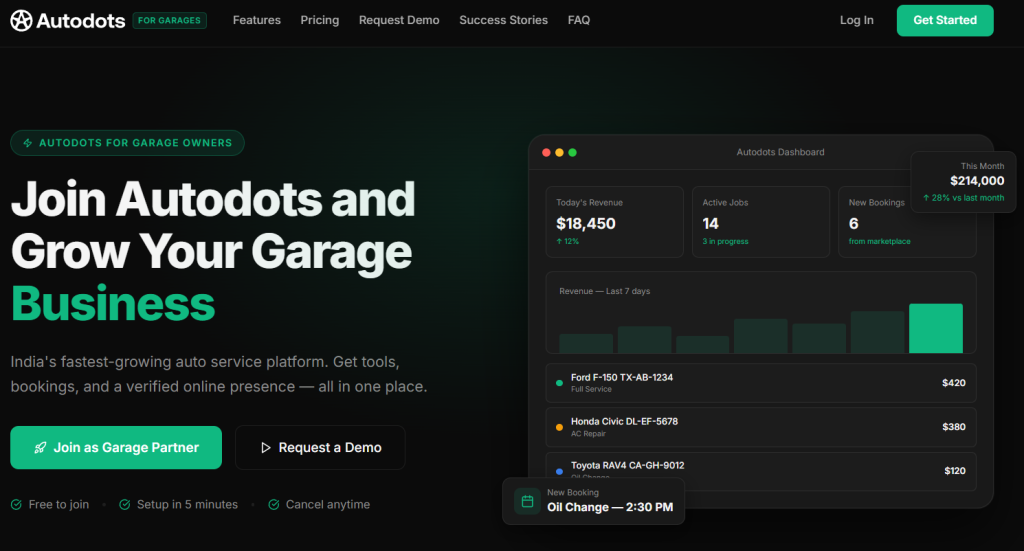
Before we walk through the steps, here is what you are actually setting up. When you set up garage on Autodots, you get two things at once that no other platform gives you together:
1. A complete garage management system — digital job cards, one-click invoicing, inventory tracking, technician management, customer database, WhatsApp notifications, and a live revenue dashboard.
2. A live customer marketplace — your verified garage appears in front of thousands of real customers searching for auto services near them every day. No ads needed. No cold calling. Just bookings directly into your calendar.
Autodots is the only garage management software that combines a complete workshop system with a live customer marketplace — every other platform manages your existing customers, while Autodots does that and actively brings new nearby customers to your garage every single day.
Garages that set up garage on Autodots report an average revenue increase of 65% within six months. Rajesh Kumar from AutoCare Services in Mumbai said his revenue went up 65% in six months after switching from paper and WhatsApp. Priya Sharma from SpeedFix Workshop in Delhi now receives 300 plus new customers per month through the marketplace alone.
What You Need Before You Set Up Garage on Autodots
Setting up your garage on Autodots requires almost nothing. Here is the complete checklist before you set up garage on Autodots:
- Your garage name and address
- Your mobile number and email address
- Your services list — even rough notes are fine
- 30 minutes of your time
No credit card. No IT team. No hardware. No technical knowledge required. Any garage owner can complete the full Autodots garage setup on a mobile phone.
Step 1 — Create Your Free Account to Set Up Garage on Autodots (5 Minutes)
How to Register Your Garage on Autodots
Go to autodots.io/partners and click Get Started in the top right corner. You will be taken to the registration page at admin.autodots.io/register.
Fill in:
- Your full name
- Mobile number
- Email address
- Garage name
- City and location
Click Register — your account is created instantly. No waiting. No approval needed to access your dashboard. This is the first step every time you set up garage on Autodots.
What Happens Immediately After You Set Up Garage on Autodots
Your Autodots partner dashboard activates instantly
- A welcome WhatsApp message arrives from your dedicated onboarding manager
- Your garage verification is queued — most garages are verified and live on the marketplace within 24 hours
- You can start creating digital job cards immediately — before verification is even complete
-> Time taken: 2–3 minutes
Step 2 — Complete Your Garage Profile (5 Minutes)
Set Up Your Garage Details on Autodots
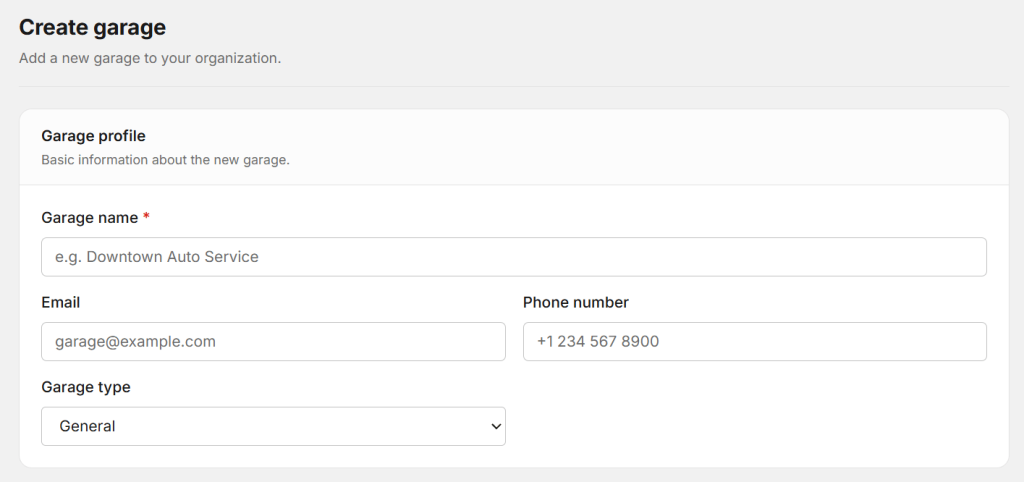
Once inside your dashboard, go to Profile and complete your garage information. This is what customers see on the marketplace when you set up garage on Autodots — so make it count.
Fill in:
- Garage name and full address
- Operating hours — Monday to Saturday, Sunday if applicable
- Contact number and WhatsApp number
- Garage photos — exterior, interior, bay photos if available
- A short description of your garage — what you specialise in and how long you have been operating
Add Your Services and Pricing After You Set Up Garage on Autodots
Go to Services and add every service your garage offers. For each service add:
- Service name — Oil Change, AC Repair, Full Service, Brake Replacement
- Price — fixed or starting from
- Estimated time — 1 hour, 2 hours, half day
Do not worry about being perfect. You can edit prices and services any time. Garages that add 8 or more services with clear pricing get 3 times more marketplace bookings than garages with fewer than 5 services listed.
-> Time taken: 5 minutes
Step 3 — Add Your Technicians When You Set Up Garage on Autodots (3 Minutes)
Set Up Your Workshop Team on Autodots
Go to Staff Management and add your technicians and service advisors. For each team member add:
- Full name and mobile number
- Role — Technician, Service Advisor, Manager
- Access level — what each person can see and do in the dashboard
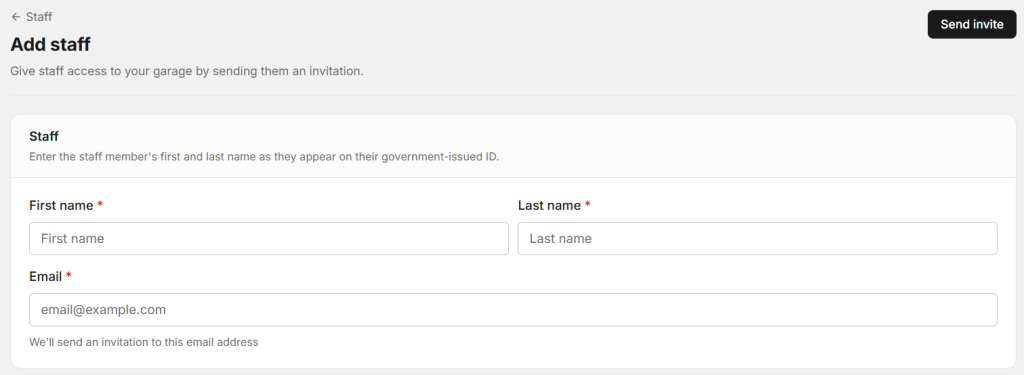
Each technician gets their own login. From their phone or tablet, they can see assigned jobs, update job status, add parts used, and mark jobs complete — in real time. This is one of the most powerful features when you set up garage on Autodots.
-> Time taken: 3 minutes
Step 4 — Set Up Inventory After You Set Up Garage on Autodots (5 Minutes)
Add Your Parts and Inventory to Autodots
Go to Inventory and add the parts and consumables your garage uses most regularly. For each item add:
- Part name
- Current stock quantity
- Cost price and selling price
- Low stock alert level — Autodots notifies you automatically when stock falls below this
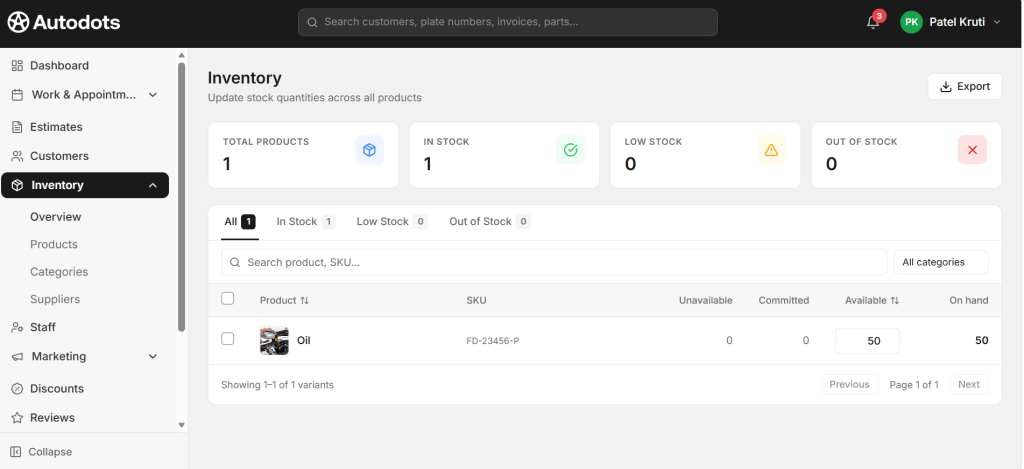
Start with your top 10 to 15 most used items — oil filters, brake pads, spark plugs, coolant, wiper blades. Once parts are in your inventory after you set up garage on Autodots, they appear as options when creating job cards and flow automatically into every invoice.
Why Inventory Setup Matters When You Set Up Garage on Autodots
Your technician adds parts used to the job card — they automatically deduct from stock and flow into the invoice. Zero manual re-entry. Zero forgotten parts on the bill. Zero underbilling from missing parts records.
-> Time taken: 5 minutes
Step 5 — Create Your First Digital Job Card on Autodots (2 Minutes)
Run Your First Job After You Set Up Garage on Autodots
Go to Jobs and click New Job Card. This is the moment everything comes together when you set up garage on Autodots.
Fill in:
- Customer name, mobile number, email
- Vehicle registration number, make, model, year, mileage
- Services requested — select from your services list
- Assigned technician — select which team member will work on this vehicle
Click Create Job — your first digital job card is live. Your assigned technician instantly sees the job on their phone. Your dashboard shows the job as Active. The customer receives automatic WhatsApp updates at every stage — job received, in progress, ready for collection.
The Real Power of Digital Job Cards When You Set Up Garage on Autodots
No manual messages. No missed updates. Complete transparency, automatically — for every single job your garage processes after you set up garage on Autodots.
-> Time taken: 2 minutes per job
Step 6 — Generate Your First Invoice After You Set Up Garage on Autodots (1 Minute)
One-Click Invoicing on Autodots
When a job is marked complete, click Generate Invoice. Autodots automatically pulls in:
- Customer name and vehicle details
- All services completed
- All parts used from inventory
- Labour charges and GST or applicable tax
- Total amount due
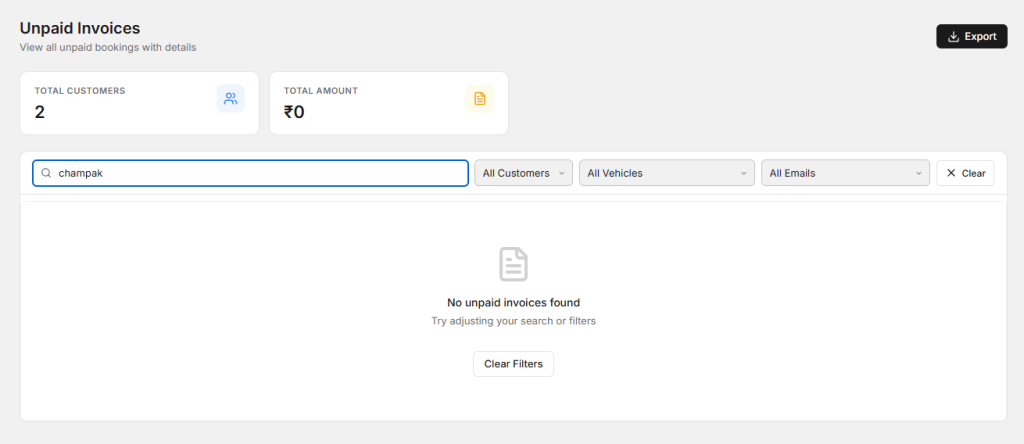
Your invoice is ready in one click — fully formatted, professional, and accurate. Send directly to the customer via WhatsApp, email, or in-app. Collect payment via UPI, Razorpay, Stripe, or cash — all recorded automatically in your dashboard.
-> Time taken: 1 minute per invoice
Step 7 — Go Live on the Autodots Marketplace (Automatic)
Get Real Customers After You Set Up Garage on Autodots
While you completed Steps 1 through 6, your verification was processing in the background. Most garages are verified and live on the Autodots marketplace within 24 hours of when they first set up garage on Autodots.
Once verified, your garage appears in search results when customers in your city search for:
- Car service near me
- Oil change [your city]
- AC repair garage [your area]
- Best mechanic near me
Customers can see your garage profile, services, prices, reviews, and availability — and book directly into your calendar with one tap. You receive an instant WhatsApp and push notification the moment a booking comes in.
This Is What Makes Autodots Different After You Set Up Garage on Autodots
Other platforms give you tools to manage the customers you already have. When you set up garage on Autodots, you get new customers arriving every single day — without spending a single rupee on advertising.
Your First 30 Days After You Set Up Garage on Autodots
| Timeline | What Happens |
|---|---|
| Day 1 | Account live, first job card created, verification submitted |
| Day 2–7 | First marketplace bookings arrive, first digital invoice sent |
| Week 2 | Team fully comfortable with digital job cards |
| Week 3 | Automated WhatsApp reminders going out to customers |
| Month 1 | 50+ digital job cards processed, 15+ verified reviews collected |
| Month 2 | Revenue dashboard becomes daily habit, repeat customers increasing |
| Month 3–6 | Average 65% revenue increase reported by Autodots garages |
Common Questions When You Set Up Garage on Autodots
Is it free to set up garage on Autodots?
Yes — completely free. Zero setup fee, zero credit card required. Autodots offers a free plan for solo mechanics and small workshops. Paid plans start at ₹20 per month for the first three months.
How long does marketplace verification take after I set up garage on Autodots?
Most garages are verified and live on the Autodots marketplace within 24 hours. Your onboarding manager sends you a WhatsApp confirmation the moment your garage goes live.
Can I use Autodots on my mobile phone after I set up garage on Autodots?
Yes. The Autodots Partner app is available on iOS and Android — rated 4.8 stars. Your entire garage dashboard, job cards, invoices, and customer messages are accessible from your phone.
Does Autodots work for multi-location garages?
Yes. When you set up garage on Autodots with multiple locations, you manage jobs, staff, inventory, and revenue across all branches from one single unified dashboard.
Set Up Garage on Autodots Today — Start Free in 5 Minutes
When you set up garage on Autodots, you make the single most impactful 30-minute investment for your workshop in 2026. In the time it takes to complete one manual invoice, you can have a fully digital garage management system running — with a live marketplace listing bringing you new customers every single day.
No paper. No WhatsApp groups for job management. No forgotten invoices. No lost job cards. Just a clean, professional, digital workshop that runs itself — and grows every month.
👉 Register free today → autodots.io/partners
Free to join. Setup in 5 minutes. First digital job card ready in 60 seconds. Cancel anytime.
Also read: