Running a garage involves many tasks every day. Customers bring vehicles for different services, technicians work on multiple jobs, spare parts need to be arranged, job cards need to be updated, and invoices need to be prepared before delivery. When these activities are not properly organized, even a skilled team can face delays and confusion.
Garage Workflow Software can help workshops organize these activities in a more structured way. Instead of depending on paper records, separate spreadsheets, or repeated phone calls, a digital workflow can help employees manage important information and follow each vehicle from booking to delivery.
A better workflow does not always require major changes. Small improvements in appointment handling, job cards, technician tasks, inventory, communication, and billing can make daily operations smoother. In this guide, we will discuss eight smart ways to improve your workshop workflow and make your garage easier to manage.
Table of Contents
Why Workshop Workflow Matters
A workshop workflow is the process a vehicle follows from the moment a customer makes an appointment until the vehicle is repaired and delivered. If any step is unclear, the next step can also become delayed.
Garage Workflow Software can help create a more connected process. Customer information can be recorded when the booking is created, repair details can be added to the job card, technicians can receive tasks, and billing can be prepared after the work is completed.
A clear workflow helps employees understand their responsibilities and gives managers a better view of the work happening inside the garage.
8 Smart Ways to Improve Your Workshop
1. Organize Service Appointments
Appointments are the starting point for many workshop jobs. If bookings are written in notebooks or managed through different messages, employees may struggle to know which vehicles are expected and when.
Create a simple appointment process that records customer details, vehicle information, requested service, and preferred time. This gives the team a better idea of the daily workload.
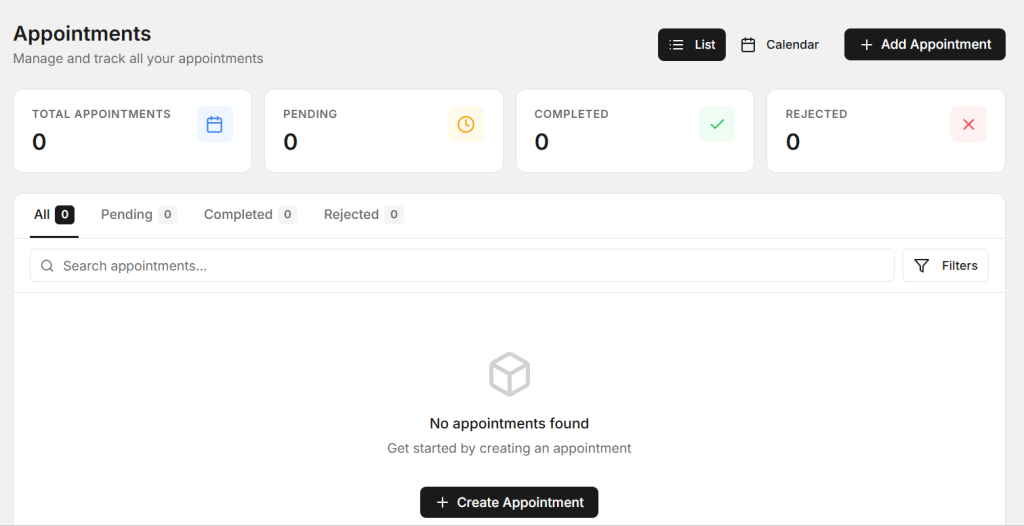
Garage Workflow Software can help organize upcoming appointments and make it easier for service advisors to manage the workshop schedule. Better planning can also reduce overcrowding and unnecessary customer waiting time.
2. Create a Job Card for Every Vehicle
Every vehicle entering the workshop should have a clear record of the work required. A job card can include customer complaints, inspection details, repair instructions, technician notes, parts required, and job status.
A well-maintained job card helps technicians understand what needs to be done. It also gives service advisors a record that can be reviewed when customers ask for updates.

Digital job cards can reduce paperwork and make it easier to update repair information as the vehicle moves through different stages of the workshop.
3. Assign Technician Tasks Clearly
Technicians need clear instructions before starting a repair. If tasks are not assigned properly, employees may waste time asking for information or deciding which vehicle should be handled first.

Managers can assign work based on technician skills, current workload, and vehicle requirements. This can help distribute work more evenly and reduce unnecessary delays.
A clear task assignment process also makes it easier to track whether a job is waiting, in progress, completed, or ready for inspection.
4. Track Repair Progress
Knowing the current status of every vehicle is important in a busy garage. Service advisors should be able to understand whether a vehicle is waiting for inspection, under repair, waiting for parts, ready for quality checking, or ready for delivery.
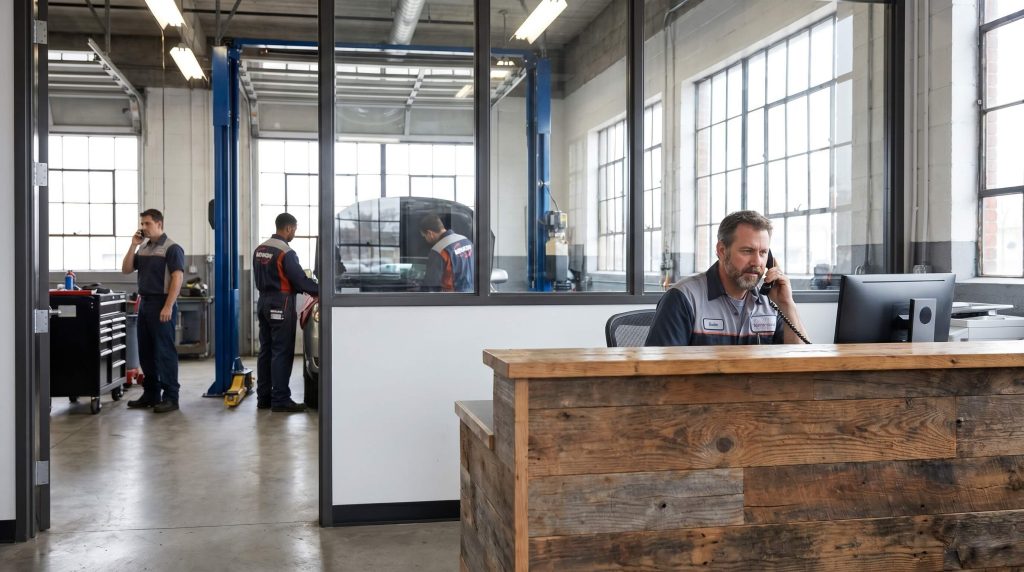
Garage Workflow Software can help workshops organize these job stages and make progress easier to monitor. This can reduce the need for employees to repeatedly ask technicians about the status of different vehicles.
Better visibility also helps service advisors provide customers with more accurate updates.
5. Keep Spare Parts Ready
A repair can be delayed if a required spare part is not available. Before starting important jobs, the workshop should check whether the required parts are available or need to be ordered.

Keep information about commonly used parts organized and update quantities whenever parts are received or used. This helps the team understand what is available.
Connecting parts information with repair jobs can also make billing easier because employees can see which parts were used for a specific vehicle.
6. Improve Communication Between Teams
A workshop usually has several people involved in one repair. Service advisors communicate with customers, technicians work on vehicles, and managers monitor the overall operation.
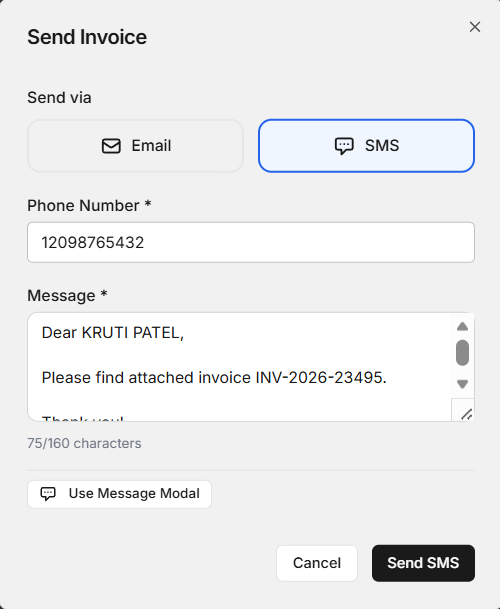
If information is not shared properly, customers may receive incorrect updates or technicians may not know about changes to a repair request.
Use clear internal processes for sharing job updates, additional repair approvals, parts requirements, and delivery information. Good communication helps every employee understand what is happening.
7. Make Billing Part of the Workflow
Billing should not be treated as a completely separate task. When the repair is finished, the final invoice needs to reflect the actual services and parts used.
A connected process can reduce repeated data entry. Information from the job card can help service advisors prepare the invoice with details about labor, services, and spare parts.
Garage Workflow Software can help create a smoother transition from repair completion to billing. This can reduce waiting time for customers at vehicle delivery.
8. Use Reports to Improve Daily Operations
Workshop data can provide useful information about business performance. Managers may want to know how many vehicles are completed each day, which services are common, how long jobs take, and where delays occur.
Simple reports can help identify bottlenecks. For example, if many vehicles are waiting for parts, inventory planning may need improvement. If customers are waiting during billing, the invoice process may need attention.
Using real workshop information allows owners to make practical improvements instead of relying only on assumptions.
How a Digital Workflow Can Save Time
Manual processes often require employees to enter the same information multiple times. Customer details may be written during booking, entered again on a job card, and then typed again while preparing the invoice.
A digital workflow can reduce this repeated work by keeping important information organized. When information moves from one stage to the next, employees can spend less time entering data and more time handling customers and vehicle repairs.
Garage Workflow Software can therefore help reduce administrative work and make the overall workshop process more efficient.
Benefits of a Better Garage Workflow
Improving the workshop workflow can provide several practical benefits. These benefits can help both employees and customers.
- Better appointment planning
- Clearer job card management
- Improved technician task assignment
- Better repair progress tracking
- Improved spare parts planning
- Faster internal communication
- More organized billing
- Less repeated data entry
- Better workshop reporting
Together, these improvements can help the garage handle daily work with less confusion and create a more consistent customer experience.
How Workflow Improvements Can Increase Customer Satisfaction
Customers usually want three things from a garage: clear communication, reasonable service time, and a transparent bill. A well-organized workflow can support all three.
When appointments are planned properly, customers may spend less time waiting. When job progress is tracked, service advisors can provide better updates. When billing information is organized, customers can receive clearer invoices.
Garage Workflow Software can support these processes by helping the workshop maintain better control over the information connected to each vehicle.
How AutoDots Can Help Modern Workshops
AutoDots provides digital solutions designed to help automotive businesses organize their daily operations. Modern workshop tools can help teams manage customer information, vehicle services, appointments, job cards, billing, and other important activities.
Garage Workflow Software can be useful for workshops that want to reduce manual work and create a more connected process from booking to vehicle delivery.
Businesses interested in automotive technology and partnership opportunities can explore the AutoDots partner program to learn more.
For more automotive business guides, workshop tips, and useful technology information, visit the AutoDots blog.
Simple Tips to Improve Your Workshop Workflow
Start by writing down the main steps a vehicle follows in your workshop. For example, the process may include booking, vehicle check-in, inspection, estimate approval, repair, quality check, billing, and delivery.
Once these steps are clear, identify where delays usually happen. You may find that your biggest problem is appointment scheduling, spare parts, technician assignments, customer approvals, or billing.
Improve one problem at a time and train your team to follow the updated process. A consistent workflow is easier to manage than a process where every employee works differently.
Common Workflow Problems to Avoid
One common problem is accepting too many vehicles without checking workshop capacity. Overbooking can create delays and put unnecessary pressure on technicians.
Another problem is failing to update job status. If the actual repair status is different from the recorded status, service advisors may provide incorrect information to customers.
Workshops should also avoid keeping important information only in conversations or employee memory. Customer approvals, repair instructions, parts requirements, and technician notes should be recorded properly.
Frequently Asked Questions
What is garage workflow software?
Garage workflow software is a digital solution that helps workshops organize the different stages of vehicle service, including appointments, job cards, technician tasks, repair progress, parts, billing, and customer communication.
How can Garage Workflow Software improve a workshop?
Garage Workflow Software can improve a workshop by organizing daily tasks, reducing repeated data entry, improving job tracking, supporting better communication, and helping employees manage vehicles more efficiently.
Can small garages use digital workflow tools?
Yes. Small garages can use digital workflow tools to organize their daily operations, reduce paperwork, maintain customer records, and create a more consistent service process.
Why are job cards important in a workshop workflow?
Job cards provide a clear record of customer requirements, inspection findings, repair instructions, parts, technician notes, and job status. They help different team members understand the work being performed.
Can better workflow reduce customer waiting time?
A better workflow can help reduce unnecessary delays by improving appointment planning, technician assignments, parts preparation, repair tracking, and billing coordination.
Conclusion
A well-organized workshop can complete daily tasks more smoothly and provide a better experience for customers. From appointment booking to final vehicle delivery, every stage of the repair process plays an important role.
Garage Workflow Software provides a practical way to organize appointments, job cards, technician tasks, repair progress, spare parts, communication, billing, and reporting. By connecting these activities, workshops can reduce manual work and improve overall efficiency.
The goal is simple: create a workflow that is easy for employees to follow and easy for managers to monitor. With the right process and suitable digital tools, garages can save time, reduce confusion, serve customers better, and build a stronger foundation for future growth.