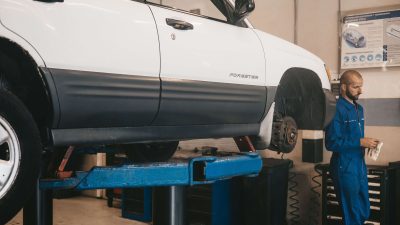
Running a garage involves many daily tasks, and billing is one of the most important ones. After a vehicle is repaired, the customer expects a clear invoice that shows the services completed, spare parts used, labor charges, taxes, discounts, and the final amount. When invoices are prepared manually, the process can take more time and may lead to calculation or data-entry mistakes.
Garage Invoice Software can help workshops make billing faster, simpler, and more organized. Instead of preparing every invoice from scratch, service teams can use a digital process to manage billing information and create professional invoices with less effort.
For small garages as well as growing workshops, a simple billing process can save valuable time. In this guide, we will look at six easy ways to simplify garage billing and improve the overall customer experience.
Table of Contents
Why Garage Billing Needs a Simple Process
Billing is the final step of a vehicle service journey, but it can affect the customer’s overall impression of the garage. If the invoice takes too long to prepare or contains unclear charges, customers may have questions or lose confidence in the service.
Garage Invoice Software helps create a more organized billing workflow. Service advisors can use recorded job details, parts information, and labor charges to prepare invoices more efficiently.
A simple billing process also helps garage owners keep better records of completed jobs and payments. This can make it easier to review past transactions and understand the business’s daily performance.
6 Easy Ways to Simplify Your Garage Billing
1. Create Invoices Faster
Manual invoice preparation can take several minutes for every vehicle. Employees may need to check the job card, calculate labor charges, add spare parts, apply discounts, and calculate taxes before creating the final document.
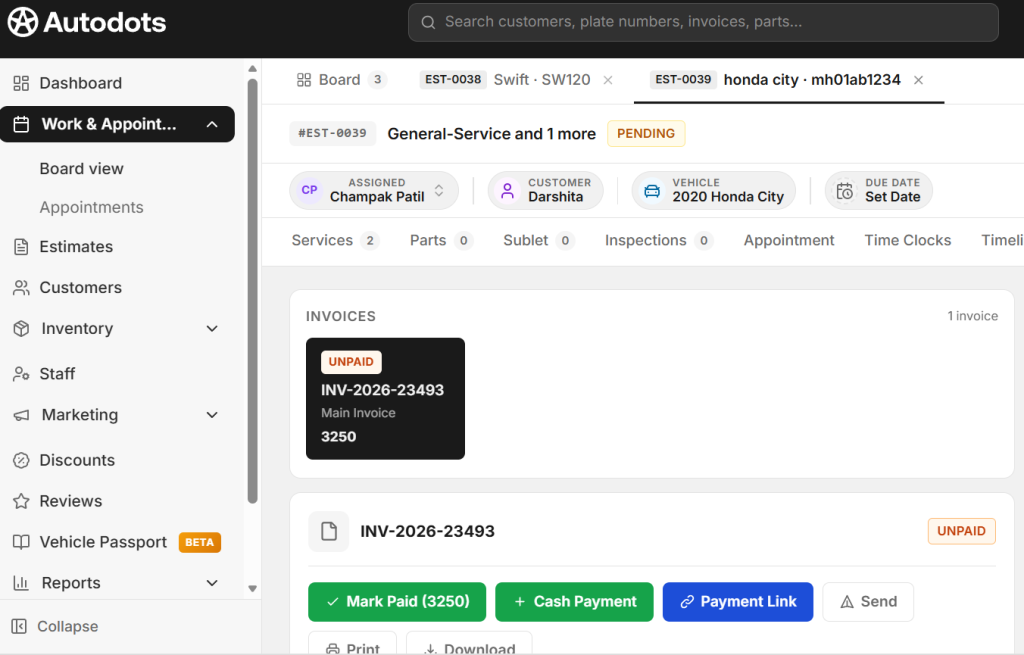
With Garage Invoice Software, much of this information can be organized digitally. Employees can use existing service details instead of entering the same information repeatedly.
Faster invoice creation means customers spend less time waiting at the billing counter. It also gives employees more time to focus on other important workshop activities.
2. Reduce Billing Mistakes
Small billing mistakes can create unnecessary problems. An incorrect quantity, wrong price, missed service charge, or calculation error can result in an invoice that needs to be corrected.
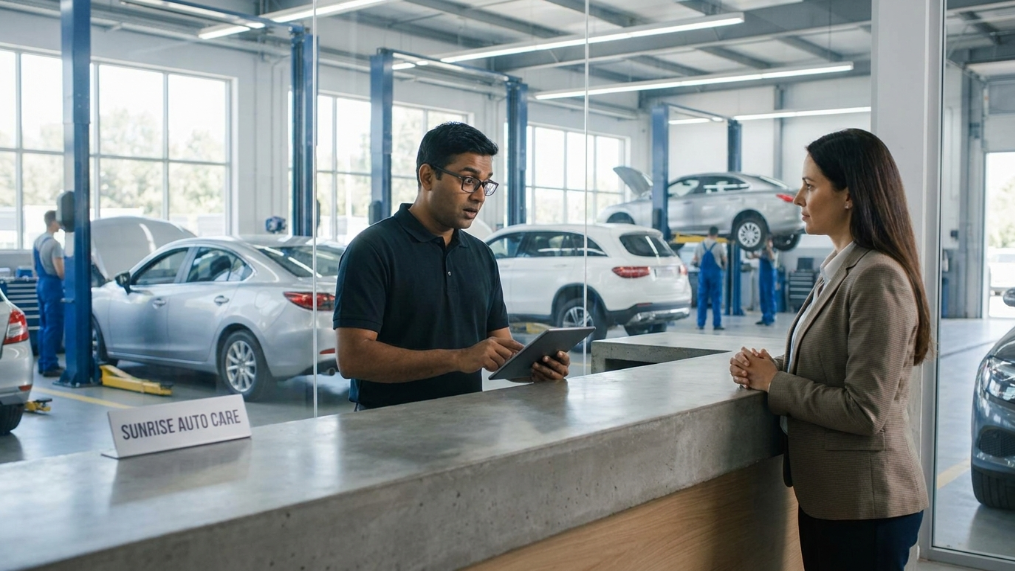
A digital billing process can help reduce these mistakes by keeping product and service information organized. Employees can select the required items and charges instead of calculating everything manually.
This can make invoices more consistent and help the garage maintain better financial records.
3. Keep Parts and Service Charges Organized
A vehicle repair invoice may include several spare parts and different service charges. If these details are maintained separately, employees may need to spend extra time checking records before preparing the final bill.

Garage Invoice Software can help organize information about parts, services, labor, and other charges. This makes it easier for service advisors to prepare a detailed invoice based on the work completed.
A properly organized invoice also helps customers understand exactly what they are paying for. Clear details can improve transparency and reduce unnecessary questions.
4. Make Customer Billing More Transparent
Customers usually want to know why they are being charged a particular amount. A professional invoice should clearly show the work completed, parts used, labor charges, taxes, discounts, and total amount.
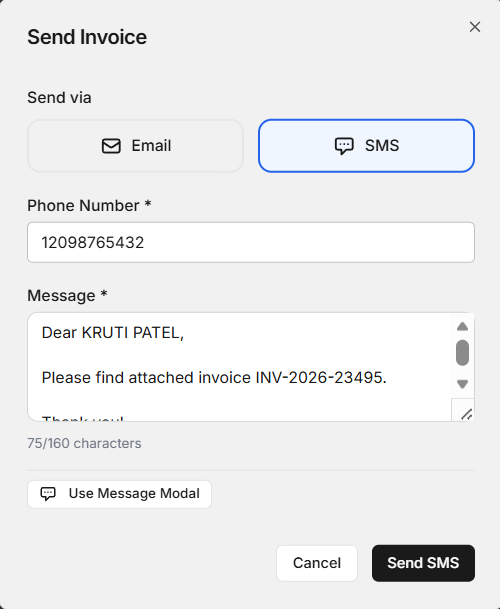
A clear digital invoice makes it easier for service advisors to explain the final bill. Customers can review the charges and understand how the total amount was calculated.
Transparency is especially important when additional repairs or replacement parts are required. The garage can communicate the additional work and include the approved charges in the final invoice.
5. Store Previous Invoices Easily
Keeping old invoices is important for a garage. Customers may return later with questions about previous repairs, parts, payments, or service dates.
When invoices are stored in paper files, finding an old document can take time. Digital records make it easier to search for previous billing information when required.
Garage Invoice Software can support better record keeping by helping workshops maintain billing information in an organized format. This can also help owners review past transactions when managing their business.
6. Improve the Overall Customer Experience
Billing is part of the customer’s complete workshop experience. Even if the repair work is good, a slow or confusing billing process can leave a negative impression.
A faster and more organized billing process can help customers complete their visit smoothly. Employees can prepare invoices faster and explain the charges more clearly.
When customers receive accurate information and timely service, they may feel more confident about returning to the same garage for future maintenance and repairs.
Important Features to Look for in Billing Software
Every garage has different requirements, but there are some useful features that can make billing easier. Before selecting a digital solution, workshop owners should consider how well it fits their daily workflow.
- Easy invoice creation
- Customer and vehicle information
- Spare parts and service details
- Labor charge management
- Discount and tax support
- Previous invoice records
- Simple payment tracking
- Easy-to-understand reports
- User-friendly interface
The software should be simple enough for service advisors and other employees to use without requiring complicated training. A tool that saves time should not create additional work for the team.
How Digital Billing Can Save Time
Time is important in every workshop. Employees already need to handle customers, inspect vehicles, coordinate with technicians, manage parts, and track repairs. Spending too much time on billing can slow down the entire process.
Digital billing can reduce repeated data entry and make invoice preparation more organized. Once customer and vehicle information is available, employees can use it when preparing the bill instead of entering the same details again.
This can help the garage complete more billing tasks during busy hours and reduce waiting time for customers.
How AutoDots Can Help Modern Garages
AutoDots provides digital solutions designed to help automotive businesses manage their daily operations more efficiently. Modern workshop technology can help organize customer details, vehicle service information, job cards, appointments, inventory, and billing activities.
Garage Invoice Software can be part of a wider digital workflow where service information and billing activities are better connected. This can help reduce manual work and make daily workshop operations easier to manage.
If you are interested in automotive technology and business partnership opportunities, explore the AutoDots partner program to learn more about available opportunities.
For more automotive business tips, workshop guides, and useful technology information, visit the AutoDots blog.
Tips for Making Garage Billing Even Easier
Start by creating a standard billing process for every vehicle. Make sure employees record customer information, repair details, parts used, and labor charges correctly before preparing the final invoice.
Review invoices before completing the payment process. Check quantities, prices, discounts, taxes, and the final amount to reduce avoidable corrections.
It is also useful to keep billing records updated regularly. Good records can help the business understand sales, payments, and completed services more easily.
Why Accurate Billing Matters for Garage Owners
Accurate billing is not only important for customers. It also helps garage owners understand how much revenue the business generates and which services or parts contribute to sales.
Proper invoices create a record of completed transactions. These records can support better business tracking and make it easier to review financial information.
A well-organized billing process can also reduce disputes. When customers can clearly see the services, parts, and charges included in the invoice, there is less room for confusion.
Common Billing Problems to Avoid
One common problem is entering the same information multiple times. This increases the amount of work and creates more opportunities for mistakes.
Another issue is unclear invoices. Customers should not have to guess what a particular charge means. Service names, parts, quantities, and prices should be displayed clearly.
Garages should also avoid delaying invoice updates. If a repair or part is added to a job, the billing information should be updated before the final invoice is prepared.
Frequently Asked Questions
What is Garage Invoice Software?
Garage Invoice Software is a digital solution that helps automobile workshops create, manage, and store invoices for vehicle repair and service work. It can help organize customer, service, parts, labor, and payment information.
Can Garage Invoice Software reduce billing time?
Yes. Garage Invoice Software can reduce manual data entry and help employees prepare invoices using organized customer, vehicle, parts, and service information. This can make the billing process faster.
Can digital invoices help improve customer trust?
Yes. Clear invoices show customers the services completed, parts used, labor charges, discounts, taxes, and final amount. This makes billing easier to understand and can improve transparency.
Is digital billing useful for small garages?
Yes. Small garages can benefit from digital billing because it can reduce paperwork, simplify invoice preparation, and make previous billing records easier to find.
Can billing software help maintain old invoice records?
Yes. Digital billing systems can make it easier to store and find previous invoice information. This can be useful when customers return with questions about earlier services or payments.
Conclusion
Billing is an important part of running an efficient garage. Manual invoice preparation can take time, create calculation mistakes, and make it difficult to find previous records. A simple digital process can solve many of these common problems.
Garage Invoice Software can help workshops create invoices faster, reduce mistakes, organize parts and service charges, improve billing transparency, store previous records, and provide a smoother customer experience.
By improving the billing process and connecting it with other workshop activities, garage owners can save time and make daily operations more organized. The right digital approach can help your team work more efficiently while giving customers a clear and professional billing experience.