
Running an auto repair shop involves many daily tasks. The team needs to manage customers, vehicles, appointments, inspections, job cards, spare parts, invoices, payments, and repair updates. When these activities are handled using paper records, phone calls, or separate spreadsheets, the workshop can lose time and important information can become difficult to find.
A digital solution for auto repair shops can help bring these activities into one more organized workflow. Instead of keeping customer information in one place, job cards somewhere else, and billing records in another system, a workshop can use connected digital tools to manage important tasks more easily.
For modern repair shops, better organization can improve daily productivity, reduce manual work, and create a smoother customer experience. In this guide, we will look at eight simple ways digital tools can help an auto repair shop work smarter.
Table of Contents
Why Auto Repair Shops Need Digital Tools
An auto repair shop handles different vehicles, customers, technicians, parts, and services every day. Without a clear process, even simple tasks can become difficult to manage.
A digital solution for auto repair shops can help organize information from the first customer interaction to the final vehicle delivery. This can make it easier for service advisors to find records, technicians to understand repair requirements, and owners to review workshop performance.
Digital management is not only about replacing paper. It is about creating a clear process where important information can move smoothly between different stages of the repair.

8 Ways to Work Smarter
1. Organize Customer and Vehicle Records
Customer records are an important part of every repair shop. Information may include the customer’s name, phone number, vehicle registration number, vehicle model, mileage, and previous service history.
When this information is stored in notebooks or different spreadsheets, employees may spend extra time searching for the right record. Returning customers may also have to provide the same details again.
A digital solution for auto repair shops can keep customer and vehicle information connected. The service advisor can search for a customer and quickly access the related vehicle information.
This can make the check-in process faster and help the workshop provide a more organized customer experience.
2. Improve Appointment Scheduling
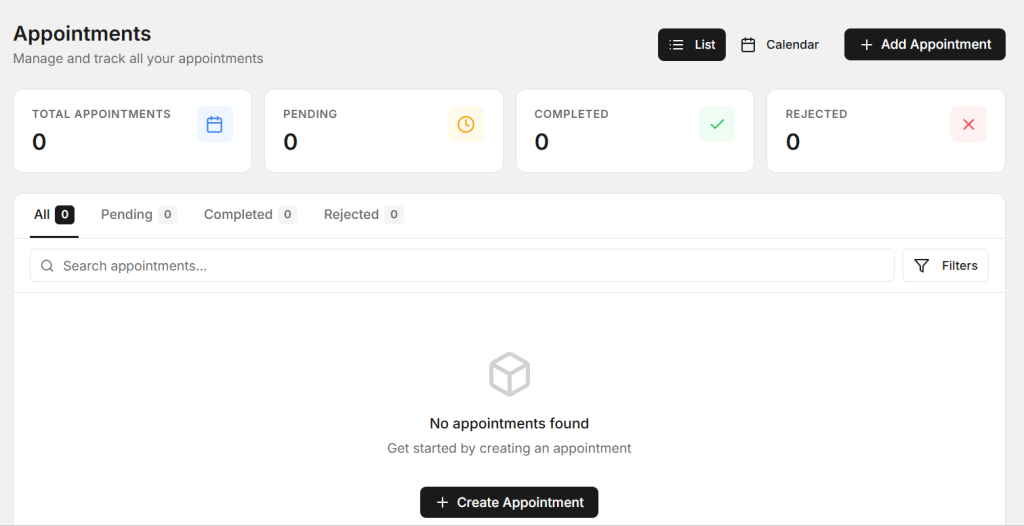
Appointments help workshops plan their daily workload. If several vehicles arrive at the same time without proper planning, technicians can become overloaded and customers may have to wait longer.
A digital appointment system can record customer details, vehicle information, requested service, preferred date, and appointment time.
Using a digital solution for auto repair shops can help the team keep upcoming bookings organized and understand how many vehicles are expected during the day.
This can make it easier to plan technicians, workshop space, and required parts before vehicles arrive.
3. Create Digital Job Cards
Job cards contain important repair information. They can include customer complaints, inspection findings, required repairs, technician notes, spare parts, labor, and job status.
Paper job cards can become difficult to manage when the workshop handles many vehicles. They can be misplaced or separated from other customer records.

A digital solution for auto repair shops can help create digital job cards connected with customer and vehicle records. This allows technicians and service advisors to work with the same repair information.
Clear job statuses can also show whether a vehicle is waiting for inspection, customer approval, spare parts, repair, quality checking, or delivery.
4. Manage Spare Parts More Efficiently
Spare parts have a direct effect on repair time. If an important part is not available, the vehicle may remain in the workshop longer than expected.
Workshops should maintain accurate information about part names, quantities, prices, stock levels, and parts used on repair jobs.

A digital solution for auto repair shops can help connect inventory information with repair jobs. When a part is used, the team can maintain a clearer record of inventory movement.
Better parts control can help reduce unexpected shortages and make it easier for employees to identify what is available before starting a repair.
5. Make Invoicing Faster
Billing is an important final step in the repair process. An invoice may include labor, spare parts, services, taxes, discounts, and other charges.
Manual calculations and repeated data entry can increase the chance of mistakes. Billing delays can also affect vehicle delivery and customer satisfaction.
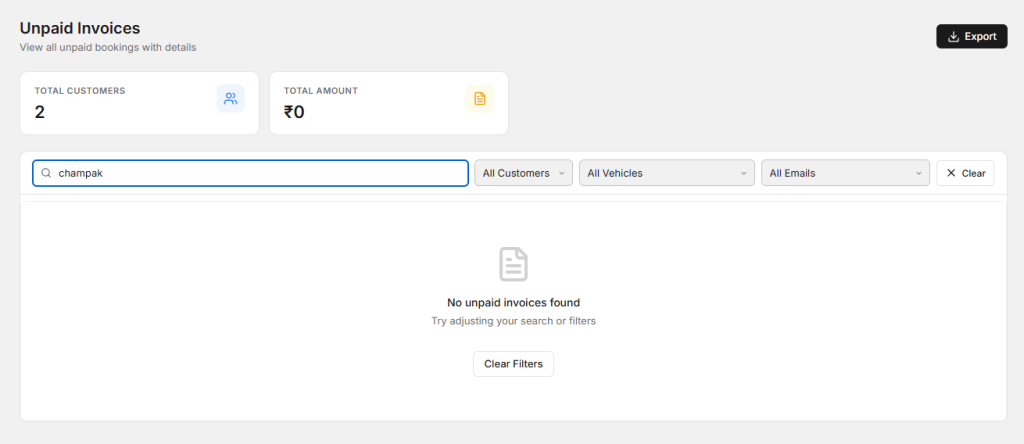
A digital solution for auto repair shops can connect invoice information with the completed job. Services, parts, and labor recorded during the repair can be used when preparing the final invoice.
A clear invoice also helps customers understand exactly what work was completed and what they are paying for.
6. Improve Customer Communication
Customers want updates when their vehicle is being repaired. They may want to know about inspection results, additional repairs, parts availability, repair progress, and expected delivery time.
If customers have to call the workshop repeatedly for updates, service advisors can spend a lot of time answering routine questions.
A digital workflow can keep repair information and job status organized. Service advisors can check the latest information and provide customers with more accurate updates.
This makes communication more consistent and can help customers feel more confident about the repair process.
7. Track Workshop Performance
Workshop owners need more than sales information to understand how their business is performing. They should also review completed jobs, pending repairs, appointment volume, technician workload, parts usage, and repair turnaround time.
A digital solution for auto repair shops can help organize operational information so owners and managers can review workshop activity more easily.
For example, if many vehicles are delayed because parts are unavailable, management can review inventory practices. If repair times are increasing, the owner can look at technician workload and job scheduling.
Using actual workshop information can help owners make better decisions instead of relying only on assumptions.
8. Maintain Complete Vehicle Service History
Vehicle service history can be valuable when a customer returns for another repair. Previous inspections, repairs, replaced parts, and service dates can give technicians useful background information.
For example, if a vehicle returns with a similar complaint, the technician can review previous work before beginning a new inspection.
A digital solution for auto repair shops can keep vehicle history connected with customer records. This makes previous information easier to access during future visits.
Maintaining complete service history can also help service advisors provide customers with a clearer overview of previous work.
Reduce Paperwork in the Workshop
Paperwork can take a surprising amount of time in a busy repair shop. Employees may need to write customer information, create job cards, record parts, prepare invoices, and store old documents.
Digital records can reduce repeated data entry and make information easier to search. Details entered during booking can be reused during check-in, job card creation, and billing.
This can help employees spend more time on customer service and vehicle repairs instead of searching through physical files.
Improve Communication Between Technicians and Service Advisors
Technicians and service advisors need to share information throughout the repair process. The service advisor needs to know what the technician found, what repairs are required, which parts are needed, and whether the vehicle is ready.
If information is shared only through verbal messages or handwritten notes, important details can sometimes be missed.
A connected digital workflow allows technicians to update job information while service advisors can review the latest status. This can reduce confusion and help the team move vehicles through the workshop more efficiently.
Make the Customer Experience Better
Workshop efficiency and customer service are closely connected. Customers appreciate easy booking, quick check-in, clear repair information, timely updates, and transparent invoices.
When customer and vehicle information is organized, employees can provide faster answers. When job status is clear, service advisors can give customers more accurate delivery information.
A smooth digital process can therefore support both internal workshop efficiency and the customer experience.
Benefits of Digital Workshop Management
- Organized customer and vehicle records
- Faster appointment management
- Digital job card creation
- Better spare parts control
- Faster invoice preparation
- Improved customer communication
- Easy access to vehicle service history
- Less paperwork
- Better visibility of pending jobs
- Improved workshop productivity
How to Choose the Right Digital Solution
Every auto repair shop has different needs. Before choosing software, identify the areas where your team loses the most time.
If customer records are difficult to manage, look for strong customer and vehicle management features. If repairs are difficult to track, focus on job cards and job status. If spare parts create delays, choose a system that supports inventory management.
The system should also be simple enough for technicians, service advisors, and other employees to use regularly. A complicated solution can create more work if the team does not understand how to use it.
Choose a system that supports your current workflow and can continue to help as your workshop grows.
How AutoDots Can Help Auto Repair Shops
AutoDots provides digital solutions designed to help automotive businesses manage important workshop activities. These can include customer management, vehicle records, appointments, job cards, inspections, spare parts, invoicing, and other daily operations.
A digital solution for auto repair shops can help bring these activities into a more connected workflow. This can reduce repeated work, improve information sharing, and make important workshop records easier to access.
Automotive businesses interested in partnership opportunities can explore the AutoDots partner program.
For more practical automotive business guides, workshop tips, and useful industry information, visit the AutoDots blog.
Simple Steps to Start Going Digital
Start by reviewing your current workshop process. Look at how customers book services, how vehicles are checked in, how inspections are recorded, how job cards are created, and how invoices are prepared.
Identify the tasks that create the most repeated work. These are often the best areas to improve first.
Next, create one consistent process for your employees. Everyone should know where customer information is stored, how job status is updated, and how completed work is recorded.
Finally, review the results regularly. Ask your team which tasks are still taking too much time and look for simple ways to improve them.
Common Digital Management Mistakes to Avoid
One common mistake is choosing software only because it has many features. More features do not always mean a better solution. The system should solve the actual problems your workshop faces.
Another mistake is keeping digital information in several disconnected systems. This can still create duplicate data and make it difficult for employees to find the correct information.
Workshops should also avoid failing to train employees. Even a useful system will not provide much value if the team does not understand how to use it properly.
Finally, do not try to change everything at once without a plan. Start with the areas that create the most delays and gradually improve the complete workflow.
Frequently Asked Questions
What is a digital solution for an auto repair shop?
A digital solution for auto repair shops is software or a connected set of digital tools that helps workshops manage customers, vehicles, appointments, job cards, inspections, spare parts, invoicing, and other daily activities.
Can digital software improve auto repair shop efficiency?
Yes. Digital tools can reduce paperwork, organize information, improve job tracking, simplify billing, and make customer and vehicle records easier to access.
Can digital tools manage vehicle service history?
Yes. A workshop management system can store previous repair information, service records, inspections, and replaced parts so the team can access useful information during future visits.
Why are digital job cards useful?
Digital job cards keep customer complaints, inspection results, repair details, parts, labor, notes, and job status organized. This can make communication between technicians and service advisors easier.
Can digital workshop software improve customer service?
Yes. Better customer records, easier appointment management, clear repair updates, and transparent invoices can create a smoother experience for vehicle owners.
Conclusion
Running an auto repair shop efficiently requires more than good repair skills. Customer management, appointments, inspections, job cards, spare parts, billing, communication, and vehicle history all need to work together.
A digital solution for auto repair shops can help organize these activities through a connected workflow. By reducing manual work, improving job tracking, managing parts, simplifying invoicing, and making information easier to access, workshops can save time and improve their daily operations.
The best approach is to start with the areas that cause the most delays or repeated work. Build a simple process, train your team, and review the results regularly. With the right digital tools and a clear workflow, an auto repair shop can work smarter, provide better customer service, and create a stronger foundation for future growth.