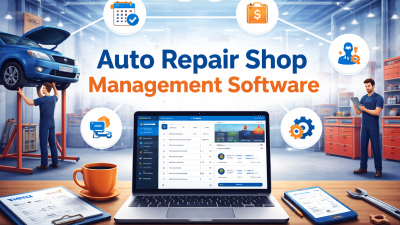
Running a car repair shop involves many daily responsibilities. Workshop owners must manage repair jobs, customer records, mechanic schedules, spare parts, invoices, and service updates. When these activities are handled manually, important information can get lost, repair work can be delayed, and customers may have to wait longer than expected.
Choosing the Best Car Repair Shop Software can help workshops organise these tasks and improve daily operations. The right system can make it easier to track repair jobs, manage customer information, monitor inventory, and understand business performance.
However, not every software solution offers the same features. Some systems focus on repair orders and invoicing, while others provide inventory management, appointment scheduling, customer communication, and detailed reports. Understanding these differences can help you select a solution that fits your workshop’s needs.
In this guide, we will explore nine powerful features to compare before choosing car repair shop software in 2026.
Table of Contents
Why Do Modern Repair Shops Need Digital Software?
Customer expectations are changing. Vehicle owners want clear repair estimates, regular updates, faster service, and accurate invoices. At the same time, workshop owners need to control operating costs, use staff time effectively, and complete repair jobs on schedule.
Traditional paper records can make these responsibilities harder. Employees may spend too much time searching for job cards, checking stock manually, or calling colleagues to understand the status of a vehicle.
Digital software can bring important information into one organised system. When employees can access accurate records and update job progress consistently, the workshop can reduce confusion and coordinate daily activities more effectively.
Before selecting the Best Car Repair Shop Software, identify the main challenges your business faces. This will help you focus on features that solve real problems instead of paying for tools you rarely use.
9 Powerful Features to Compare
1. Repair Order and Job Management
Repair order management is one of the most important features for any automotive workshop. Every vehicle that enters the garage needs a clear record of the customer’s concerns, inspection findings, required repairs, parts, labour, and job status.
Without an organised process, mechanics may receive incomplete instructions or forget important repair details. Workshop managers may also struggle to identify vehicles waiting for approval or parts.

Look for software that allows your team to:
- Create digital repair orders.
- Record customer complaints and inspection findings.
- Assign jobs to mechanics.
- Track pending, active, and completed repairs.
- Record additional work and customer approvals.
For example, when a vehicle needs brake repairs and an oil change, both tasks can be recorded under the same job where appropriate. Employees can check the job status and understand which activities remain unfinished.
A good job management process helps the workshop maintain clear responsibilities and reduces the risk of missed tasks.
2. Customer and Vehicle Management
Accurate customer records help workshops provide more personal and consistent service. A customer may visit several times for servicing, repairs, inspections, or replacement parts. Keeping a complete service history makes these visits easier to manage.
Choose software that can organise customer details and connect them with the correct vehicle records. Depending on the system, useful information may include vehicle registration details, mileage, previous repairs, service dates, and customer contact information.
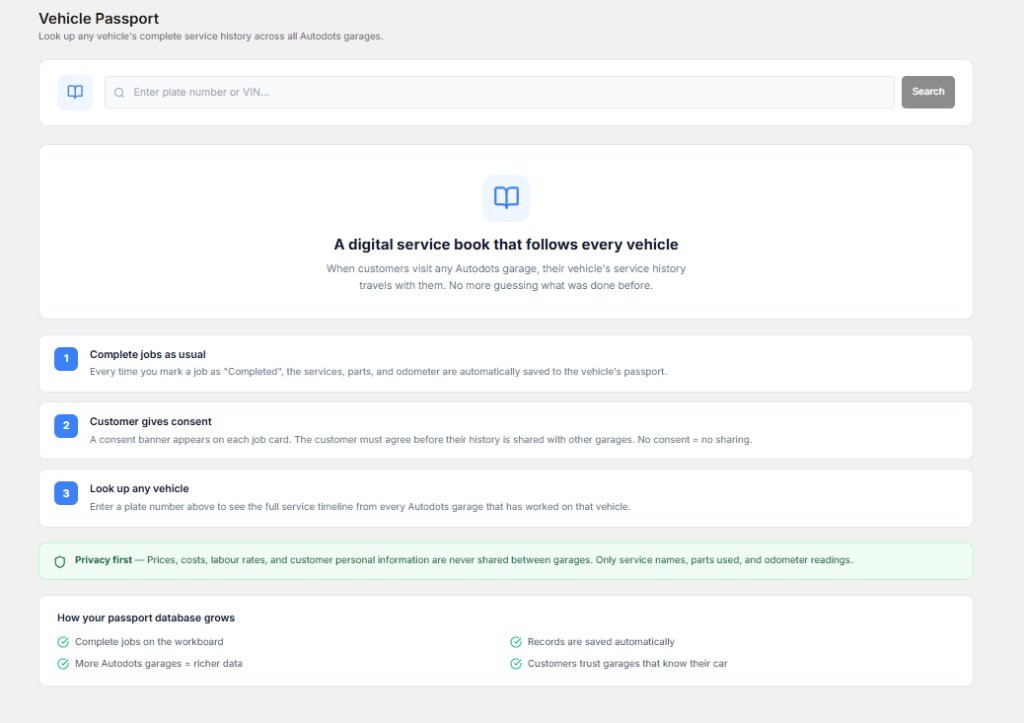
Important capabilities to compare include:
- Customer profiles and contact details.
- Vehicle profiles linked to customers.
- Previous repair and service history.
- Inspection notes and maintenance records.
- Quick search for existing customers and vehicles.
When a returning customer asks about a previous repair, employees can review the available history before answering. This saves time and helps the workshop provide more accurate information.
Customer and vehicle management should be a priority when evaluating the Best Car Repair Shop Software, especially if your garage handles many repeat customers.
3. Appointment Scheduling and Reminders
Managing appointments can become difficult when customers book through phone calls, messages, and walk-in visits. Without a clear schedule, workshops may accept too many vehicles at once or leave mechanics without enough planned work.
Appointment scheduling features help organise bookings and make daily workloads easier to understand. A shared calendar can show upcoming visits and help employees prepare for the vehicles expected that day.
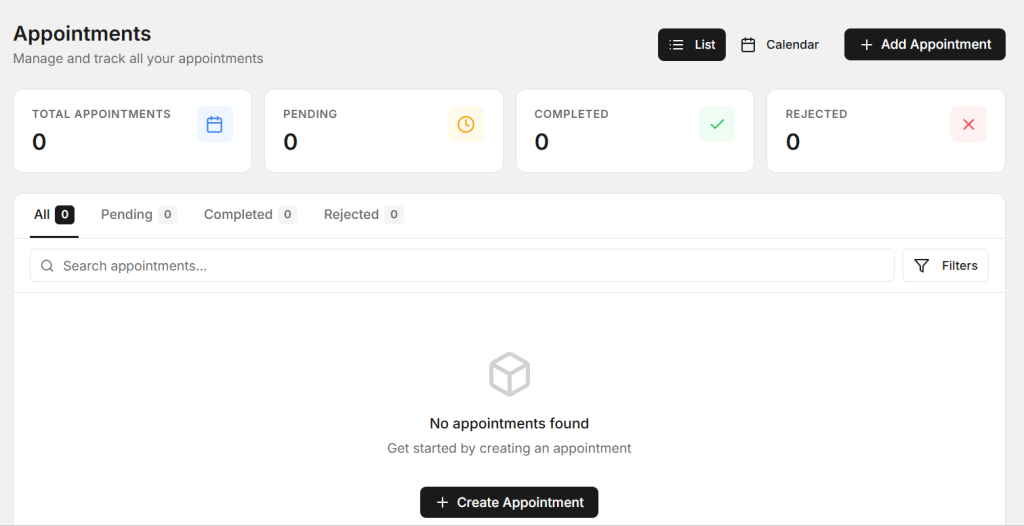
Look for features such as:
- A digital appointment calendar.
- Appointment creation and rescheduling.
- Mechanic or service-bay scheduling, where supported.
- Customer appointment confirmations.
- Automatic or manual service reminders.
Reminders can help customers remember their bookings and reduce missed appointments. Maintenance reminders can also encourage customers to return for future services when appropriate.
Before choosing a system, check whether reminders can be customised and whether the software supports your preferred communication channels.
4. Inventory and Spare Parts Management
Spare parts management directly affects repair speed and workshop costs. If a mechanic starts a job without checking whether the required part is available, the vehicle may remain in the garage while the team arranges a replacement.
Inventory software can help workshops track stock quantities, record parts used in repairs, and identify items that need reordering. This can reduce confusion and help prevent unnecessary purchases.
Compare software features such as:
- Parts catalogues and stock records.
- Recording parts used for each repair.
- Minimum stock level alerts.
- Supplier and purchase order records.
- Inventory reports and stock movement history.
For example, if a vehicle requires a new oil filter, the team can check stock before confirming the repair schedule. If the item is unavailable, staff can arrange an order and inform the customer about any expected delay.
The right inventory features can help workshops control stock more effectively and keep repair work moving.
5. Estimates, Invoices, and Payment Tracking
Accurate estimates and invoices are essential for maintaining customer trust. Customers should understand the expected cost of repairs before additional work begins. Workshops also need clear financial records to track completed jobs and outstanding payments.
Look for software that supports estimates, labour charges, parts costs, taxes, discounts, and final invoices. It should make it easy to update an estimate when the customer approves additional work.
Useful billing features may include:
- Digital estimate creation.
- Labour and parts cost calculations.
- Invoice generation.
- Payment status tracking.
- Printable or shareable invoices.
- Integration with supported accounting or payment tools.
For instance, when a repair is completed, the employee can prepare an invoice using the recorded labour and parts information. This reduces the need to enter the same details again and can help prevent billing errors.
Always confirm that the software supports your local tax requirements and the payment methods your customers use.
6. Mechanic and Employee Management
Workshop productivity depends on how effectively employees are assigned and supported. When managers do not have a clear view of workloads, some mechanics may have too many jobs while others wait for their next task.
Employee management features can help assign repairs, organise work schedules, and track task progress. Some systems also provide labour time records and productivity reports.
Compare the following capabilities:
- Mechanic profiles and role assignments.
- Repair job allocation.
- Workload and task status visibility.
- Labour time recording, where supported.
- Staff performance and productivity reports.
These features can help managers identify scheduling problems and balance work more effectively. They can also make it easier to understand where training or process improvements may be needed.
Choose a system that supports your management style without adding unnecessary administrative work for mechanics.
7. Customer Communication and Follow-Ups
Good customer communication can improve trust and reduce repeated phone calls. Customers often want updates about inspection results, repair delays, additional costs, and vehicle collection times.
Software that supports communication records and follow-up tasks can help staff remember when customers need an update. Some systems also offer automated notifications, depending on the selected features and integrations.
Look for capabilities such as:
- Appointment confirmations and reminders.
- Repair status updates.
- Follow-up task tracking.
- Service history and maintenance reminders.
- Records of customer communication.
For example, if a repair requires a new part and will take longer than expected, the service advisor can contact the customer and explain the delay. Recording the conversation helps other employees understand what has been communicated.
When comparing the Best Car Repair Shop Software, check which communication tools are included and whether extra charges apply to messages or integrations.
8. Reports and Business Analytics
Workshop owners need reliable information to make good business decisions. Looking only at the number of vehicles repaired may not show whether the business is profitable or whether daily processes are working efficiently.
Reporting features can turn repair, inventory, and billing records into useful business information. Depending on the software, reports may show completed jobs, revenue, outstanding invoices, parts usage, and employee workloads.
Useful reports may help answer questions such as:
- How many repair jobs are completed each week?
- Which jobs are taking longer than expected?
- How much money remains unpaid?
- Which spare parts are used most often?
- How many customers return for future services?
These insights can help managers identify delays, review costs, and improve scheduling. However, reports are only useful when employees enter accurate information and managers review the results regularly.
9. Cloud Access, Security, and Integrations
Many workshops now prefer digital systems that provide convenient access to information across supported devices. Cloud-based solutions may allow authorised employees to review records from different locations, depending on the platform and internet connection.
However, convenience should not come at the cost of data protection. Customer contact details, vehicle records, invoices, and business information should be handled carefully.
Before selecting a system, compare:
- Mobile and desktop compatibility.
- User roles and access permissions.
- Available security and authentication controls.
- Data backup and recovery policies.
- Connections with accounting, payment, or parts systems.
- Data export options and provider support.
Ask the provider how your records are protected, how data can be exported, and what happens if your internet connection becomes unavailable. Also check whether the software integrates with tools you already use.
These considerations help you evaluate the Best Car Repair Shop Software for both everyday convenience and long-term business needs.
How to Compare Software Before Making a Decision
After identifying the essential features, compare a shortlist of software solutions. Do not choose a system only because it has the largest number of features. Focus on the tools that solve your workshop’s current problems and support future growth.
Use the following checklist during your evaluation:
- Business size: Check whether the system suits your number of employees, vehicles, and repair jobs.
- Total cost: Compare subscriptions, setup fees, training, user limits, and optional integrations.
- Ease of use: Ask employees to test common tasks such as creating a repair order and preparing an invoice.
- Customer support: Review available training, documentation, and support channels.
- Data migration: Find out how existing customer and vehicle records can be transferred.
- Scalability: Consider whether the software can support additional staff, services, or workshop locations.
If a free trial or product demonstration is available, use it to test real workshop tasks. Ask your service advisors and mechanics for feedback before making a final decision.
Common Mistakes to Avoid When Choosing Software
Even a feature-rich system may fail to deliver good results if it does not fit the way your workshop operates. Avoid these common mistakes:
- Choosing based on price alone: A low-cost option may lack important features or require expensive add-ons.
- Ignoring employee needs: Complicated software can reduce adoption and create more work.
- Overlooking security: Review data access, backups, and account protection before moving business records online.
- Skipping training: Give employees enough time to learn the system and understand the new workflow.
- Failing to measure results: Track whether the new software improves job completion, record accuracy, and customer communication.
Start with essential features and introduce more advanced tools when your team is ready. Regularly review the process and make adjustments based on actual workshop performance.
How AutoDots Can Help Your Workshop
Automotive businesses need organised systems to manage customer records, repair jobs, and everyday workshop activities. AutoDots offers an automotive-focused platform for businesses exploring digital workshop management.
When evaluating AutoDots, compare the available features with your workshop’s needs. Consider how the platform may fit your operational workflow, help organise information, and support more consistent daily processes. Confirm the current feature set, integrations, and pricing directly before making a decision.
To explore business opportunities, visit the AutoDots partner program. You can also discover more automotive technology and workshop management insights on the AutoDots automotive blog.
Frequently Asked Questions
What is the Best Car Repair Shop Software for a small garage?
The right software depends on your budget, team size, and daily workload. A small garage may benefit most from repair order management, customer records, estimates, invoices, and appointment scheduling. Choose a solution that is easy to use and can grow with your business.
How much does car repair shop software cost?
Costs vary depending on the provider, features, number of users, and billing plan. Some solutions charge monthly subscriptions, while others may include setup fees or optional paid integrations. Compare the total cost rather than looking only at the starting price.
Can repair shop software help reduce paperwork?
Yes. Digital job cards, customer records, estimates, and invoices can reduce dependence on paper documents. Reusing existing information can also reduce repeated data entry and make records easier to find.
Is cloud-based repair shop software suitable for independent workshops?
It can be suitable for independent workshops that want convenient access to organised records and digital workflows. Before choosing a solution, check internet requirements, security measures, backup policies, and whether important features work on your devices.
How long does it take to implement repair shop software?
The implementation time depends on the size of your workshop, the amount of existing data, the complexity of the system, and staff training requirements. A small garage may be able to start with basic features relatively quickly, while larger operations may need more planning and data migration.
Conclusion
Choosing the right repair shop software can help workshops manage repair orders, customer records, appointments, inventory, invoices, employees, and business reports more effectively. Security, mobile access, and integrations are also important when comparing different solutions.
The Best Car Repair Shop Software is not necessarily the system with the most features. It is the one that solves your main operational problems, fits your budget, and makes everyday work easier for your team.
Start by identifying your biggest challenges, compare the features that matter most, and test your shortlisted options before making a commitment. With suitable software, clear processes, and proper staff training, your workshop can improve organisation, provide better customer service, and prepare for future growth.