
Running an auto repair shop requires more than skilled technicians and good repair work. A garage also needs to manage customers, vehicles, appointments, job cards, inspections, spare parts, invoices, payments, and daily workshop tasks. When these activities are handled with paper records or separate spreadsheets, small mistakes can quickly become bigger problems.
Auto Repair Shop Software KSA can help automotive businesses organize these daily activities in a more structured way. Instead of searching through different files for customer details, vehicle history, repair status, or billing information, the team can manage important records through one connected workflow.
For repair shops in Saudi Arabia, better organization can help save time, reduce repeated manual work, improve communication, and create a smoother customer experience. In this guide, we will look at six smart ways modern software can help you run your garage more efficiently.
Table of Contents
Why Auto Repair Shops Need Better Management
A busy repair shop can handle many vehicles in a single day. Every vehicle may have different repair requirements, parts, labor, inspection results, and delivery times. Without a clear system, it can become difficult to know which vehicle is waiting for inspection, which one needs customer approval, and which one is ready for delivery.
Auto Repair Shop Software KSA can help bring these activities into a more organized process. Customer information can be recorded during booking, vehicle details can be connected with the customer, and repair information can be managed through digital job cards.
This can help employees spend less time searching for information and more time focusing on customers and vehicle repairs.

6 Smart Ways to Run Your Garage Better
1. Keep Customer and Vehicle Records Organized
Customer information is one of the most important parts of a repair shop. Records may include the customer’s name, phone number, email address, vehicle registration number, vehicle model, mileage, and previous service history.
When these details are stored in notebooks or different spreadsheets, employees may have difficulty finding the correct record. Returning customers may also need to provide the same information again.
Auto Repair Shop Software KSA can help keep customer and vehicle records connected. A service advisor can search for the customer and quickly view the related vehicle information and previous repair history.
This can make vehicle check-in faster and give customers a more organized experience.
2. Make Appointment Management Easier
Appointments help a repair shop plan its daily workload. Without proper scheduling, several vehicles may arrive at the same time, technicians may become overloaded, and customers may have to wait longer.
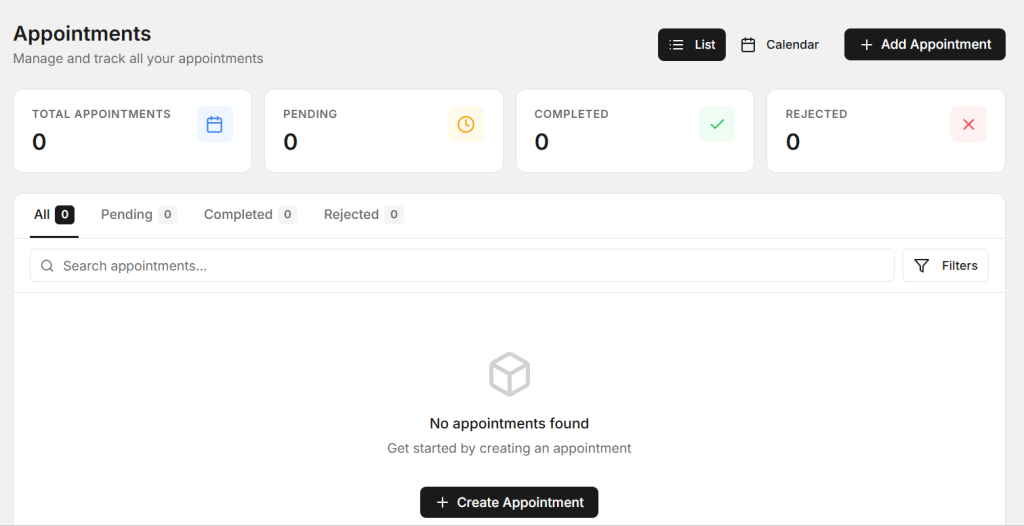
A digital appointment process can record the customer’s details, vehicle information, requested service, preferred date, and expected arrival time.
With Auto Repair Shop Software KSA, the team can keep upcoming appointments organized and get a clearer view of the day’s expected workload. This can help service advisors plan vehicle arrivals and manage technician availability more effectively.
If a customer changes an appointment, the team can update the information in the system instead of depending on separate notes or messages.
3. Use Digital Job Cards for Repairs
Job cards are an important part of the repair process. They can include customer complaints, inspection findings, repair requirements, technician notes, spare parts, labor charges, and job status.

Paper job cards may become difficult to manage when a workshop handles many vehicles. They can also be misplaced or separated from the customer’s other records.
Auto Repair Shop Software KSA can help create digital job cards that are connected with customer and vehicle information. This allows service advisors and technicians to work from the same repair details.
A clear job status can also show whether the vehicle is waiting for inspection, customer approval, spare parts, repair, quality checking, or final delivery.
4. Control Spare Parts and Inventory
Spare parts management can have a direct effect on repair time. If the required part is unavailable, the vehicle may remain in the workshop longer than expected.

A repair shop should keep accurate information about part names, quantities, prices, stock levels, and parts used on repair jobs. Frequently used parts should be monitored so they can be reordered when required.
Auto Repair Shop Software KSA can help connect inventory information with repair jobs. When a part is used, the stock record can be updated and the team can maintain a clearer view of available inventory.
Better inventory control can reduce unexpected shortages and help workshops plan repairs more effectively.
5. Make Invoicing Faster and Clearer
Billing is an important final step in every repair. Customers should be able to clearly see the services performed, labor charges, spare parts, taxes, discounts, and final amount.
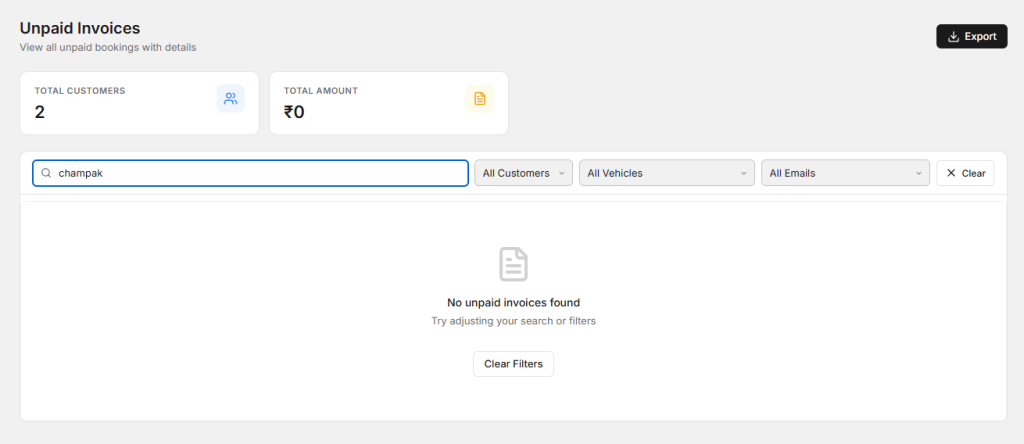
Manual calculations can take extra time and may create errors, especially when a repair includes several parts and services. Billing mistakes can also delay vehicle delivery.
With Auto Repair Shop Software KSA, invoice information can be connected with the completed job. Customer details, services, parts, and labor can be organized together, reducing repeated data entry.
Clear invoices can also help customers understand the repair cost and improve transparency between the garage and the vehicle owner.
6. Track Workshop Performance
Garage owners need to understand how their business is performing. Total sales alone may not provide enough information to identify operational problems.
Useful information can include completed jobs, pending repairs, appointment volume, parts usage, revenue, technician workload, and customer activity.
Auto Repair Shop Software KSA can help organize this information so owners and managers can review workshop activity more easily.
For example, if many jobs are delayed because a specific part is unavailable, the owner can review inventory processes. If customers are waiting too long, the workshop can review appointment scheduling and technician workload.
Improve Customer Communication
Good communication can make a major difference to the repair experience. Customers want to know what is happening with their vehicle after leaving it at the garage.
The service team should provide useful updates when the inspection is complete, additional repairs are required, a part is delayed, or the vehicle is ready for collection.
A digital repair workflow can keep customer information and job status organized. This allows service advisors to check the latest information before giving customers an update.
Clear communication can reduce unnecessary calls and help customers feel more confident about the repair process.
Keep Complete Vehicle Service History
A vehicle’s service history can be very useful when a customer returns for another repair. Previous inspections, replaced parts, repairs, and service dates can help technicians understand the vehicle more quickly.
For example, if a customer returns with a similar issue, the technician can review previous job information before starting a new inspection. This gives the technician useful background information and can reduce repeated questions.
Auto Repair Shop Software KSA can help connect vehicle history with customer records. This creates a useful digital record that can be accessed during future visits.
Reduce Manual Paperwork
Paperwork can take a significant amount of time in a busy repair shop. Employees may need to write customer details, create job cards, record parts, prepare invoices, and store old documents.
Digital records can reduce some of this repeated work. Information entered during appointment booking can be reused when creating the job card and preparing the invoice.
This can help reduce duplicate data entry and give employees more time to focus on customers and repair work.
Make Communication Between Teams Easier
Technicians and service advisors need to communicate regularly. Service advisors need to know what technicians have found, which repairs are required, which parts are needed, and whether a vehicle is ready.
If this information is shared only through verbal messages or handwritten notes, important details may sometimes be missed.
A digital job workflow can give the team access to the latest repair information. Technicians can update job details, while service advisors can review the information before communicating with customers.
Benefits of Better Auto Repair Management
- Organized customer and vehicle records
- Better appointment scheduling
- Digital job card management
- Improved spare parts control
- Faster invoice preparation
- Better customer communication
- Easy access to vehicle service history
- Less manual paperwork
- Better visibility of pending repairs
- More organized workshop operations
How to Choose the Right Software for Your Garage
Every repair shop has different requirements. Before choosing software, identify the tasks that create the most delays or manual work in your current process.
If customer records are difficult to manage, focus on customer and vehicle management. If repair tracking is the main problem, look for digital job cards and clear job status features. If inventory is difficult to control, choose a solution that supports spare parts management.
The software should also be easy for employees to understand. A system that is too complicated may create more work if the team does not use it consistently.
Choose a solution that fits your current workflow and can support the business as it grows.
How AutoDots Can Help Repair Shops
AutoDots provides digital solutions designed to help automotive businesses organize important workshop activities. These can include customer management, vehicle records, appointments, job cards, inspections, spare parts, invoicing, and other daily processes.
Auto Repair Shop Software KSA can help repair shops move away from disconnected paperwork and create a more organized digital workflow. By keeping important information connected, teams can spend less time searching for records and more time focusing on customers and vehicle service.
Automotive businesses interested in partnership opportunities can explore the AutoDots partner program to learn more.
For more automotive business guides, workshop tips, and practical industry information, visit the AutoDots blog.
Simple Steps to Improve Your Repair Shop
Start by reviewing your current process from the moment a customer contacts the garage until the vehicle is delivered. Check how appointments are recorded, how customer information is stored, how inspections are completed, and how job cards and invoices are prepared.
Identify the tasks that take the most time. These are often the best areas to improve with digital tools.
Next, create one consistent process for your employees. Everyone should know how to update customer information, record repair details, manage parts, and update job status.
Finally, review your results regularly. Ask the team where they are still losing time and make small improvements to the workflow.
Common Repair Shop Mistakes to Avoid
One common mistake is keeping customer records in several different places. This can create duplicate information and make it difficult to find the correct vehicle history.
Another mistake is failing to update job status. If a technician completes a repair but the status is not updated, the service advisor may not know that the vehicle is ready.
Repair shops should also avoid ignoring inventory updates. Incorrect stock information can cause parts shortages and unnecessary repair delays.
Finally, avoid selecting software only because it has many features. A simple system that employees understand and use regularly can be more useful than a complicated solution that creates confusion.
Frequently Asked Questions
What is Auto Repair Shop Software KSA?
Auto Repair Shop Software KSA refers to digital software solutions that help automotive repair shops in Saudi Arabia manage customers, vehicles, appointments, job cards, inspections, spare parts, invoicing, and other daily workshop activities.
Can repair shop software improve workshop efficiency?
Yes. Digital repair shop software can reduce paperwork, organize customer information, improve job tracking, simplify billing, and make important vehicle records easier to access.
Can repair shop software manage spare parts?
Many modern repair shop management systems provide inventory features that help teams record spare parts, monitor stock levels, track parts used on jobs, and maintain better control over workshop inventory.
Why are digital job cards useful?
Digital job cards keep repair information organized and allow technicians and service advisors to view complaints, inspection results, required repairs, parts, labor, notes, and job status through one workflow.
Can software improve customer service at an auto repair shop?
Yes. Organized customer records, vehicle history, appointment management, repair updates, and clear invoices can help garages provide a smoother and more professional customer experience.
Conclusion
Running a successful repair shop requires more than completing vehicle repairs. Customer records, appointments, inspections, job cards, spare parts, invoices, communication, and vehicle history all need to work together.
Auto Repair Shop Software KSA can help repair shops organize these activities through a connected digital workflow. By reducing manual work, improving job tracking, controlling inventory, simplifying invoicing, and making customer information easier to access, garages can save time and improve daily operations.
The best way to begin is to identify the tasks that create the most delays or repeated work in your garage. With a practical digital solution and a clear process, repair shops can improve efficiency, provide better customer service, and build a stronger foundation for long-term growth.