Running a Garage Management Software USA involves much more than fixing vehicles. Shop owners and managers also need to handle appointments, customer records, repair orders, estimates, invoices, parts, payments, and daily communication. When these tasks are managed manually, small mistakes can quickly become bigger problems.
Garage Management Software USA can help repair shops bring these daily activities into one organized system. Instead of using notebooks, spreadsheets, messages, and separate tools, a garage can manage important information from one place. This can save time, reduce confusion, and help the team provide a better customer experience.
Table of Contents
Why Modern Garage Management Software USA Is Important
A busy repair shop can have many vehicles at different stages of service. One vehicle may be waiting for inspection, another may need parts, while another may already be ready for pickup. At the same time, customers may be calling for updates and new appointments may be coming in.
Without a clear process, it becomes easy to lose track of important information. A digital system can give your team a better view of daily work and make it easier to know what needs attention.
Garage Management Software USA is especially useful when a shop wants to move away from manual processes and create a more connected workflow. The goal is not simply to use new technology. The goal is to make everyday garage work easier for owners, service advisors, technicians, and customers.

6 Smart Ways to Run Your Garage Better
1. Keep Customer and Vehicle Information Organized
Customer information is one of the most important parts of an auto repair business. Staff may need to check a customer’s phone number, vehicle details, previous repairs, service history, or notes before starting new work.
Keeping all this information in one organized profile can make the job much easier. When a returning customer arrives, staff do not have to search through old papers or different files. They can quickly review the vehicle history and understand what services were completed before.
This can also help technicians. Previous repair information may provide useful background before they begin diagnosing a vehicle. A clear record can make communication between the front desk and service team much smoother.
2. Make Appointment Scheduling Simple
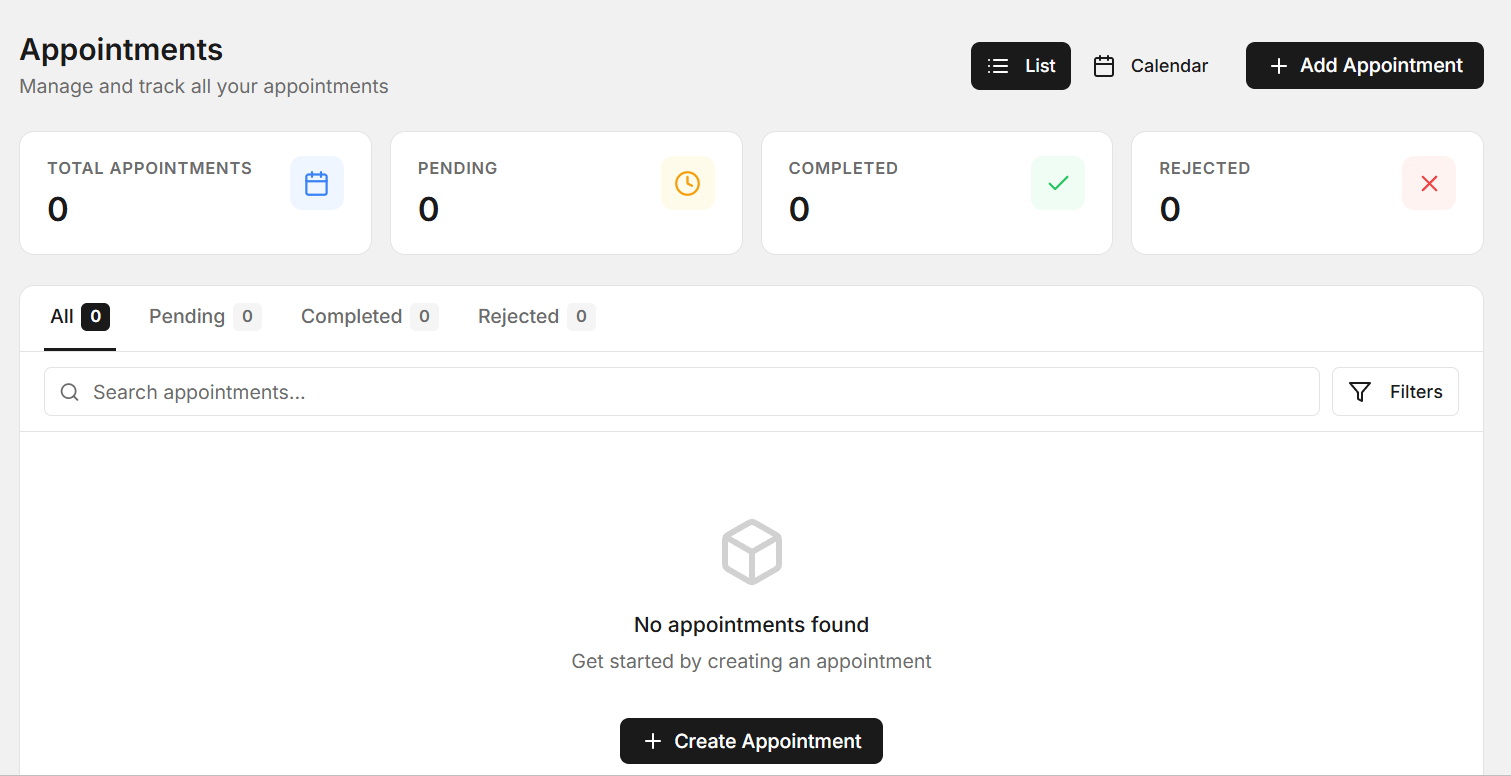
Appointments are a major part of daily garage operations. If bookings are written in different places, it can be difficult to know which technician is available or how many vehicles are expected during a particular time.
Garage Management Software USA can help organize appointments in a clearer way. Staff can view upcoming bookings, plan workloads, and prepare for expected vehicles before customers arrive.
A better scheduling process can also reduce double bookings and unnecessary waiting. When the team knows what work is planned for the day, it becomes easier to manage service bays and technician time.
3. Track Every Repair Job
Vehicle repair usually involves several steps. A vehicle may need an inspection, diagnosis, estimate approval, parts ordering, repair work, testing, and final delivery. If these steps are tracked manually, staff may have trouble knowing the current status of each vehicle.

Garage Management Software USA can help shops keep repair orders organized from the beginning of a job until completion. Staff can see which vehicles are waiting, which jobs are in progress, and which vehicles are ready for customers.
This type of visibility is useful for both small and large workshops. When everyone can see the status of a job, there is less need for repeated questions between technicians, service advisors, and managers.
4. Improve Estimates and Invoices
Customers want clear information about repair costs. Before approving work, they usually want to understand what needs to be repaired and how much the service may cost.
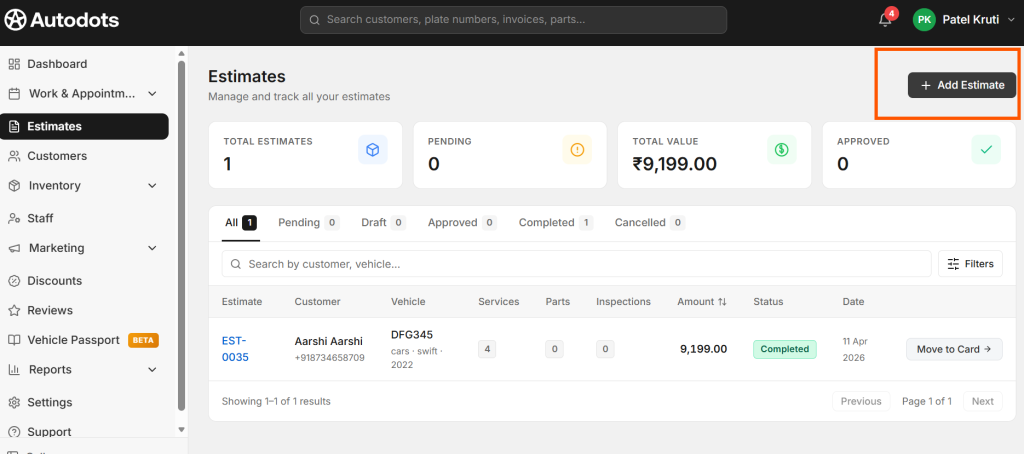
A digital system can help your team prepare estimates in a more organized way. Labor, parts, taxes, discounts, and other charges can be included in the estimate before the customer approves the work.
After the repair is complete, the same information can help staff prepare the final invoice. This can reduce manual calculations and make it easier to keep financial records organized.
Clear estimates and invoices can also improve customer trust. When charges are easy to understand, customers are less likely to feel confused about the final bill.
5. Manage Parts and Inventory
Parts availability can directly affect repair time. If a required part is missing, the vehicle may have to stay in the shop longer. This can delay other work and create an unhappy customer.

Garage Management Software USA can help a workshop keep better track of parts and inventory information. Staff can check what is available and identify items that may need to be ordered.
Good inventory management can also help prevent unnecessary purchases. Before ordering a part, employees can check current stock and avoid buying something that is already available.
6. Improve Customer Communication
Customers want to know what is happening with their vehicles. If a repair takes longer than expected, a simple update can make a big difference in the customer experience.
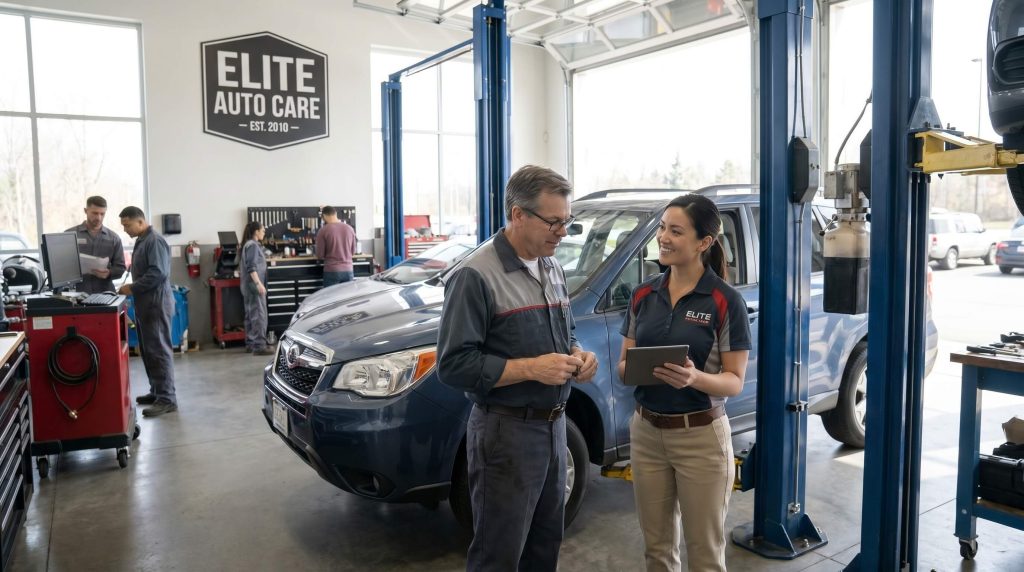
Garage Management Software USA can help organize customer information and repair status so staff can provide more accurate updates. Instead of checking several files before answering a customer, the team can review the available job information and respond faster.
Better communication can help build trust. Customers are more likely to return when they feel that a shop keeps them informed and handles their vehicle professionally.
How Digital Tools Can Save Your Team Time
Many garage employees spend a large part of their day on administrative tasks. They may enter customer information, check appointments, prepare estimates, create invoices, answer phone calls, and search for repair details.
Garage Management Software USA can bring many of these activities into a more connected workflow. When information is stored in one place, staff can spend less time searching for details and more time working on important customer and repair tasks.
Time savings may seem small for each task, but they can add up throughout the day. A few minutes saved on every appointment, repair order, invoice, or customer update can make a noticeable difference over weeks and months.
What Should You Check Before Choosing Software?
Every garage has different needs. Before choosing a software solution, shop owners should first understand the problems they want to solve.
- Is appointment scheduling taking too much time?
- Is customer information difficult to find?
- Are repair jobs hard to track?
- Do customers often call for repair updates?
- Are estimates and invoices created manually?
- Is parts inventory difficult to manage?
- Are employees using too many separate tools?
Once these problems are clear, it becomes easier to choose a system that fits the shop. A simple solution that employees can understand and use every day can be more valuable than a complicated platform with features the business does not need.
Why Ease of Use Matters
Garage teams are busy. Technicians need to focus on vehicles, while service advisors need to deal with customers and shop operations. If software is difficult to use, employees may avoid it or use only a small part of its features.
That is why a simple workflow is important. Staff should be able to understand the basic functions without spending too much time learning the system.
A good digital process should support the way your garage already works while helping improve areas that cause delays. The purpose of technology is to make work easier, not add another layer of confusion.
Benefits for Growing Auto Repair Shops
As a garage grows, the amount of information it handles also increases. More customers mean more appointments, more repair orders, more invoices, and more vehicle history.
Garage Management Software USA can help a growing shop keep this information organized. Instead of changing the entire process every time the business gets busier, a structured system can provide a foundation for daily operations.
Owners can also get a clearer picture of what is happening in the business. Organized information can help them understand workloads, customer activity, repair progress, and other important areas.
Explore More Automotive Business Resources
If you want to learn more about automotive technology and business solutions, visit the AutoDots Partners page. It can help you explore partnership-related information and learn more about solutions connected with the automotive industry.
You can also explore the AutoDots Blog for more useful articles, ideas, and information related to automotive businesses and technology.
Frequently Asked Questions
What is Garage Management Software USA?
Garage Management Software USA is a digital system designed to help auto repair businesses manage daily activities such as customers, vehicles, appointments, repair orders, estimates, invoices, inventory, and communication.
Can small garages use digital management software?
Yes. Small repair shops can use digital tools to organize customer information, appointments, repair jobs, and invoices. The key is choosing a solution that matches the size and needs of the business.
Can software help improve customer service?
Yes. When staff can quickly find vehicle information, repair status, estimates, and appointment details, they can answer customer questions more quickly and provide clearer updates.
Can software help technicians?
Yes. Technicians can benefit from organized repair orders and easier access to vehicle and job information. This can reduce confusion and help the team follow a clearer repair process.
Is expensive software always better?
No. The most expensive option is not automatically the best option. Shop owners should focus on useful features, ease of use, support, reliability, and how well the system solves their actual business problems.
How can I decide which system is right for my garage?
Start by listing the biggest problems in your current workflow. Then compare solutions based on the features that directly solve those problems. It is also useful to consider how easily your employees can learn and use the system every day.
Conclusion
Running an auto repair shop successfully requires good organization as well as strong technical skills. From appointments and customer records to repair orders, invoices, inventory, and communication, every part of the workflow can affect the customer experience.
Garage Management Software USA can help bring these activities into one more organized process. It can reduce repetitive administrative work, improve job visibility, support better communication, and give garage owners a clearer view of daily operations.
The best way to improve your garage is to start with the areas that create the most problems today. Look at your scheduling, repair tracking, invoicing, inventory, and customer communication. Then choose tools that can make those processes simpler and easier for your team.
Take the Next Step
Take a few minutes to review your current garage workflow and identify one task that takes more time than it should. Improving that single process can be a useful first step toward a more organized and efficient repair shop.