
Getting customers to book vehicle service can be difficult when the booking process is slow or unclear. Many customers want to choose a convenient time, share basic vehicle details, and confirm their service without making several phone calls. A simple online booking process can make this easier for both customers and garage staff.
Garage Online Booking System can help garages manage service appointments in a more organized way. Customers can request a service at a suitable time, while the garage team can see upcoming bookings and prepare for the expected workload.
Online booking is not only about getting more appointments. It can also help reduce missed calls, improve customer convenience, organize daily work, and create a smoother service experience. In this guide, we will discuss eight smart ways to use online booking to get more garage bookings.
Table of Contents
Why Garage Online Booking System Matter
Customers are becoming more comfortable using online services for everyday needs. They may prefer booking a vehicle service from their phone rather than calling a garage during working hours.
A Garage Online Booking System gives customers another simple way to request a service. Instead of waiting for someone to answer a call, they can select a suitable service and provide their basic details through an online form or booking page.
For the garage, online bookings can also make appointment planning easier. The team can review upcoming services and prepare technicians, service bays, and required parts more effectively.
8 Smart Ways to Get More Garage Bookings
1. Make Booking Easy From Your Website
Your website is one of the first places where potential customers may look for information about your garage. If customers have to search for a phone number and call just to ask for an appointment, some may leave without booking.
Add a clear booking option to important pages of your website. The button should be easy to find and should take customers directly to the booking process.

A Garage Online Booking System can make this process more convenient by allowing customers to provide their vehicle details and service requirements without unnecessary steps.
Keep the form simple. Ask only for information that is actually needed to create the appointment. A shorter and clearer form can encourage more people to complete their booking.
2. Offer Convenient Appointment Times
Customers have different schedules. Some may prefer morning appointments, while others may want to visit after work or during the weekend.
Offering a reasonable selection of available time slots can make your garage more convenient compared with a garage that accepts appointments only during limited hours.

Before opening appointment slots, check your workshop capacity. Make sure the number of bookings matches the available technicians and service bays. Too many bookings at the same time can create delays and affect customer satisfaction.
A well-planned online calendar can help the team balance customer demand with available workshop capacity.
3. Add Booking Options to Social Media
Many potential customers discover local garages through social media. If your business has an active social media presence, make it easy for interested customers to move from your page to the booking process.
You can mention available services and direct customers to your online booking page. For example, a post about regular car servicing can include a simple message encouraging customers to book their next service online.

The goal is to reduce the number of steps between customer interest and appointment confirmation. The easier the process is, the more likely a customer may complete the booking.
4. Promote Services With Clear Information
Customers need to understand what they are booking. Avoid using confusing service names that only experienced technicians understand.
Use simple descriptions for common services such as general servicing, oil changes, brake checks, AC service, battery checks, wheel alignment, and other services offered by your garage.
You can also explain what is normally included in each service. This helps customers choose the right option and reduces confusion when they start the booking process.
Clear service information can make your booking page more useful and can help customers make decisions without calling the garage for every basic question.
5. Send Appointment Reminders
A booking is useful only when the customer actually arrives for the appointment. Missed appointments can create empty service slots and affect the garage’s daily planning.
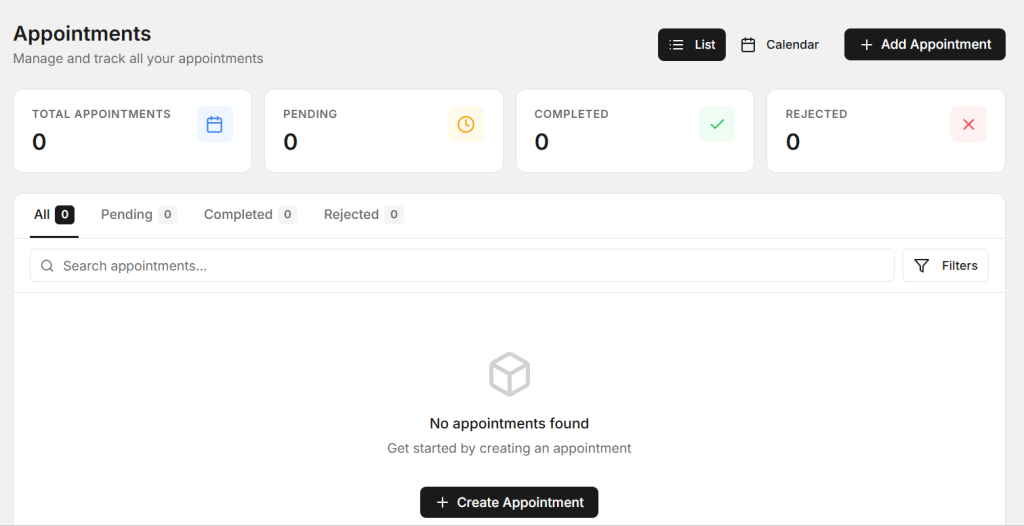
Appointment reminders can help customers remember their selected date and time. A reminder can include the customer’s appointment details, vehicle information, service type, and simple instructions if required.
A Garage Online Booking System can make appointment management more organized by keeping upcoming bookings in one place. This can help the team track scheduled vehicles and communicate with customers more efficiently.
Reminders should be helpful rather than excessive. A clear reminder at an appropriate time is usually enough to keep the appointment fresh in the customer’s mind.
6. Make Mobile Booking Simple
Many customers will access your website using a smartphone. If the booking form is difficult to use on a small screen, customers may leave before completing it.
Make sure the booking page works well on mobile devices. Buttons should be easy to tap, fields should be easy to complete, and the customer should clearly understand what to do next.
Avoid asking for too much information at the beginning. You can collect additional details later if they are necessary for the service.
A simple mobile experience can help more customers complete bookings when they are away from a computer.
7. Use Customer Reviews to Build Confidence
New customers often want to know whether a garage can provide reliable service before making an appointment. Customer reviews can help build confidence.
Show genuine reviews and feedback where potential customers can easily find them. You can also highlight useful information about your technicians, services, experience, and workshop facilities.
When customers see positive experiences from other vehicle owners, they may feel more comfortable trying the garage for the first time.
You can also ask satisfied customers to leave honest feedback after their service. This can gradually improve your online presence and help new customers discover your business.
8. Follow Up With Existing Customers
Getting new customers is important, but existing customers can also provide a valuable source of repeat bookings. After a vehicle service, keep useful records about the customer’s vehicle and previous work.
When the next service or maintenance period is approaching, a simple reminder can encourage the customer to return.
Garage Online Booking System can support a more organized appointment process by keeping customer and vehicle information together. This can help service advisors understand when customers may need another service.
Follow-ups should provide useful information rather than feeling like constant advertising. A helpful maintenance reminder can be more effective than sending unrelated promotional messages.
How Online Booking Saves Time for Garage Staff
Phone calls can take a significant amount of time, especially when customers call during busy workshop hours. Service advisors may need to ask for customer details, vehicle information, requested service, preferred time, and other basic information.
Online booking can collect much of this information before the customer arrives. The service team can then review the appointment and contact the customer only when additional information is required.
This can reduce interruptions and allow employees to focus on customers who are already at the garage or vehicles that are currently being serviced.
Connect Bookings With Job Cards
An appointment is only the beginning of the service journey. Once the vehicle reaches the garage, the booking information can become useful for creating a job card.
The customer complaint, vehicle details, requested service, and appointment information can help the service advisor prepare the repair job.
When booking and job management work together, employees can reduce repeated data entry. This can make the transition from appointment to vehicle inspection and repair smoother.
Keep Customers Updated After Booking
Communication should continue after an appointment is created. Customers may need confirmation that their booking was received and may also need reminders before the visit.
After the vehicle arrives, communication can continue with inspection updates, repair approvals, progress information, delay notifications, and final delivery details.
A consistent communication process helps customers understand what is happening with their vehicle. It can also reduce the number of calls asking for basic status updates.
Track Which Services Get More Bookings
Booking information can provide useful insights into customer demand. The garage can review which services receive the most appointments and which days or time slots are busiest.
For example, if general servicing receives many bookings on weekends, the garage can plan technician availability accordingly. If certain services are rarely selected, the business can review how those services are presented to customers.
This type of information can help garage owners make better decisions about staff scheduling, service promotion, and workshop capacity.
Benefits of a Better Online Booking Process
- More convenient appointment booking
- Fewer missed customer calls
- Better daily workshop planning
- Reduced appointment confusion
- Easy access to customer information
- Better vehicle service records
- Improved customer communication
- More opportunities for repeat bookings
- Less manual appointment work
- Better use of technician time
These benefits can help garages create a more organized booking process while making it easier for customers to choose and schedule their services.
How AutoDots Can Help Modern Garages
AutoDots provides digital solutions designed to help automotive businesses manage important garage and workshop activities. Modern tools can help teams organize customer information, vehicle records, appointments, job cards, inspections, inventory, billing, and other daily operations.
A Garage Online Booking System can be useful for garages that want to make appointment scheduling easier and create a more connected service workflow. When booking information is properly organized, the team can prepare for upcoming vehicles and provide better customer service.
Businesses interested in automotive technology and partnership opportunities can explore the AutoDots partner program to learn more.
For more automotive business guides, garage tips, and useful workshop technology information, visit the AutoDots blog.
Simple Tips to Get More Online Bookings
Start by checking your current booking process. Ask yourself how many steps a customer needs to complete before an appointment is confirmed.
Remove unnecessary fields and make the booking page easy to understand. Clearly show the services available and provide suitable appointment times.
Make sure the booking option is visible on your website and other online channels where customers may discover your garage. A booking link that is difficult to find can reduce completed appointments.
Keep your appointment calendar updated. If customers select time slots that are not actually available, it can create confusion and damage trust.
Common Online Booking Mistakes to Avoid
One common mistake is creating a booking form with too many questions. Customers may not want to spend several minutes entering information just to request an appointment.
Another mistake is not updating available time slots. An online booking page should reflect the actual capacity of the garage as closely as possible.
Garages should also avoid ignoring booking requests. If a customer submits an appointment but does not receive confirmation, they may not know whether the booking was successful.
Finally, do not forget mobile users. A booking page that works well on a desktop but is difficult to use on a smartphone can lose potential customers.
Frequently Asked Questions
What is a Garage Online Booking System?
A Garage Online Booking System is a digital solution that allows customers to request or schedule vehicle service appointments online while helping garage staff organize upcoming bookings.
How can online booking help a garage get more customers?
A simple online booking process makes it easier for customers to schedule services at a convenient time. It can also reduce missed calls and give potential customers another way to contact the garage.
Can customers book vehicle services from their phones?
Yes. A mobile-friendly booking page can allow customers to select a service, provide vehicle information, choose an available time, and submit their appointment request from a smartphone.
Can online bookings be connected with job cards?
Yes. When booking information is connected with the service workflow, customer and vehicle details can help the team create a job card and prepare for the vehicle’s arrival.
Are appointment reminders useful for garages?
Yes. Appointment reminders can help customers remember their selected date and time. They can also help reduce missed appointments and make daily workshop planning easier.
Conclusion
A simple and convenient booking process can make a big difference to a modern garage. Customers want an easy way to choose a service and appointment time, while garage teams need a clear view of upcoming work.
Garage Online Booking System can help connect customers with the garage before they arrive. It can make appointment scheduling easier, reduce manual calls, support better planning, and create opportunities for repeat bookings.
The key is to keep the process simple. Make booking easy on mobile devices, show clear services, offer suitable time slots, send useful reminders, and keep customer information organized. With these steps, a garage can create a smoother booking experience and make it easier for more customers to schedule their next service.