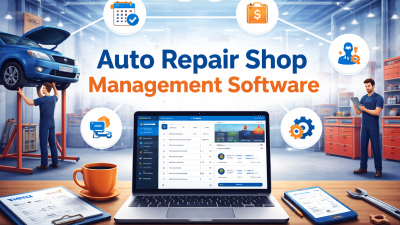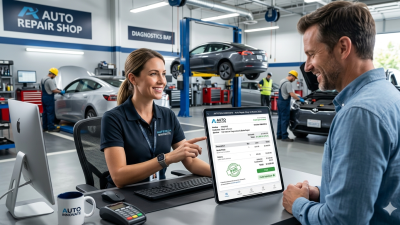
Managing invoices is an important part of running a successful auto repair shop. Every day, workshop teams handle repair jobs, labour charges, spare parts, customer approvals, and payments. When invoices are prepared manually, the process can take valuable time and may lead to calculation errors, missing charges, or delayed payments.
One-Click Invoicing for Auto Repair Shops helps simplify billing by allowing workshops to generate invoices using information already recorded in digital job cards. Instead of entering the same details repeatedly, staff can prepare professional bills, share them with customers, and maintain organized payment records.
In this guide, we will explore seven practical ways to improve workshop billing, explain the features that matter most, and show how AutoDots connects invoicing with other workshop management activities.
Table of Contents
1. Generate Invoices Directly from Digital Job Cards
One of the biggest challenges in workshop billing is entering repair information more than once. After a technician finishes a job, the service advisor may need to copy customer details, vehicle information, labour charges, and spare parts into a separate invoice.
One-Click Invoicing for Auto Repair Shops simplifies this process by connecting billing with digital job cards. When the repair information is recorded correctly, the workshop can use those details to prepare an invoice without repeatedly entering the same information.
For example, after completing an oil change, the team can use the recorded service details, labour charges, and parts to prepare the customer’s bill. Staff can then review the final invoice before sharing it.
Read more about this workflow in the AutoDots guide to digital job cards for garages.

2. Reduce Manual Billing Errors
Manual invoicing can lead to incorrect totals, missing labour charges, duplicate entries, and mistakes in spare part prices. These problems can create confusion for customers and require staff to spend extra time correcting invoices.
Digital invoicing can reduce repetitive data entry and help calculate totals using saved prices and structured invoice fields. Depending on the system configuration, it can also help apply the appropriate tax settings and discounts.
With One-Click Invoicing for Auto Repair Shops, staff can work from recorded repair information instead of relying on handwritten notes or separate spreadsheets. This makes billing more consistent and easier to review.
However, automation does not replace the final review. Before issuing an invoice, confirm that the customer details, parts, labour, discounts, and applicable taxes are correct.
3. Share Professional Invoices Quickly
Once a repair is complete, customers should receive a clear invoice without unnecessary waiting. Printing bills, scanning documents, or manually preparing messages can slow down the vehicle delivery process.
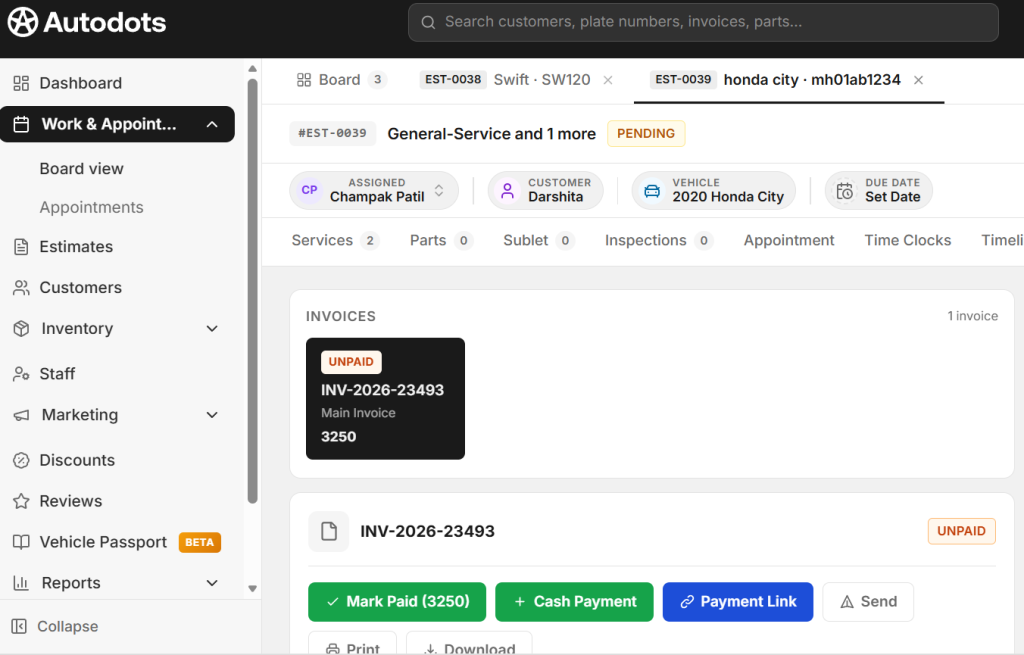
A digital invoicing workflow can make it easier to share bills electronically. Depending on the available features, workshops may be able to send invoices through WhatsApp, email, or SMS, or provide a printed copy when required.
One-Click Invoicing for Auto Repair Shops can help service advisors reduce administrative steps and provide customers with billing information more conveniently.
A professional invoice should clearly display the workshop’s details, customer information, vehicle details, services performed, parts supplied, applicable taxes, and the total amount payable. Clear descriptions help customers understand what they are paying for.
For more information about digital billing workflows, explore the AutoDots article about auto repair shop software with invoicing.
4. Track Payments and Outstanding Invoices
Preparing invoices is only one part of managing workshop finances. Owners also need to know which customers have paid, which invoices remain outstanding, and how much money the business is waiting to receive.
Digital invoicing tools can help maintain payment status records and identify unpaid bills. This information makes it easier for workshop managers to follow up on outstanding amounts and review the financial position of the business.
Using One-Click Invoicing for Auto Repair Shops alongside payment tracking can help teams maintain better control over their billing records.
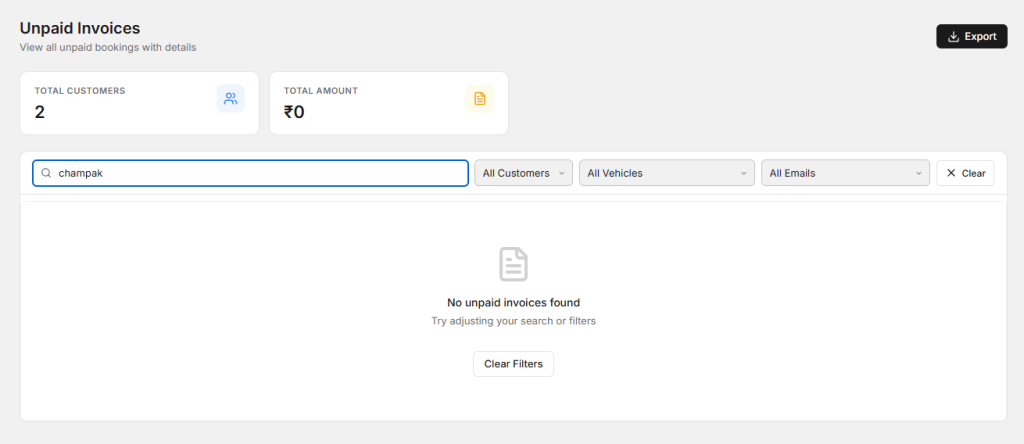
For example, a workshop can review unpaid invoices at the end of each week and contact customers when payment reminders are appropriate. Staff should record deposits, partial payments, refunds, and completed transactions accurately.
Remember that total invoiced revenue is not the same as money received. Reviewing both figures gives owners a clearer picture of cash flow.
5. Connect Parts, Labour, and Tax Information
Auto repair invoices often include multiple charges, such as technician labour, replacement parts, diagnostic services, consumables, discounts, and taxes. Managing these items manually can make billing more complicated, especially when a repair involves several components.
Workshop software can help organize these details and use saved pricing information to prepare invoices. When invoicing is connected with inventory records, staff can also check whether the parts billed match the items recorded against the repair job.
One-Click Invoicing for Auto Repair Shops makes this process more convenient when the software connects job cards, parts records, and billing information.
Workshop owners should regularly review labour rates, supplier prices, discount policies, and tax settings. Invoices must follow the legal and tax requirements that apply in the workshop’s location.
6. Maintain Complete Customer and Vehicle Service Histories
Accurate service histories help workshops provide better customer service. When a customer returns, staff may need to check previous repairs, replacement parts, warranty-related information, or earlier invoices.
Keeping invoices connected to customer and vehicle records makes this information easier to retrieve. Instead of searching through old paper documents, authorized team members can look up previous transactions and understand the vehicle’s service history.
One-Click Invoicing for Auto Repair Shops becomes more useful when billing forms part of a wider workshop management system rather than operating as a separate tool.
AutoDots supports digital job cards and organized customer and vehicle records as part of its workshop management offering. You can learn more through the AutoDots guide to paperless job cards for auto repair shops.
7. Use Billing Reports to Improve Business Decisions
Invoices contain valuable information about workshop performance. By reviewing billing records, owners can understand revenue trends, outstanding payments, frequently requested services, and the value of completed repair jobs.
Depending on the software, reports may include daily sales, monthly revenue, unpaid invoices, labour income, parts revenue, tax summaries, and customer payment trends. These insights can help managers identify areas that need attention.
One-Click Invoicing for Auto Repair Shops can support better financial visibility when invoicing is connected with reporting and payment records.
For example, a report may show that unpaid invoices are increasing or that a particular service generates a significant share of workshop revenue. Owners can use this information to improve payment follow-ups, review pricing, and plan future business activities.
Review reports regularly and ensure that invoices and payments are recorded accurately. Reliable data is essential for making useful business decisions.
Essential Features to Look for in Invoicing Software
Every workshop has different requirements. A small garage may need straightforward billing and customer records, while a larger service centre may need integrated job cards, inventory tracking, technician management, and detailed financial reporting.
Before choosing software, look for these useful features:
- Digital job card integration: Use existing repair information when preparing invoices.
- Automatic calculations: Calculate labour, parts, discounts, and applicable taxes accurately.
- Digital invoice sharing: Send invoices electronically through supported communication channels.
- Payment tracking: Monitor paid, partially paid, and outstanding invoices.
- Customer and vehicle records: Keep billing information connected to service histories.
- Financial reports: Review revenue, payments, and unpaid amounts.
- Data security: Check user permissions, backup options, and protection for customer information.
- Local compliance: Ensure invoices meet the applicable tax and business requirements.
Also compare pricing, ease of use, staff training, and customer support. The right solution should fit your current workflow and support your workshop as it grows.
How AutoDots Can Help Your Workshop
AutoDots brings important workshop activities together through digital tools designed for automotive businesses. Its workshop management features include digital job cards, invoicing, estimates, appointment scheduling, customer records, inventory management, and WhatsApp integration.
For billing, connecting invoices with digital job cards can help workshops reuse recorded repair details instead of entering the same information again. Digital invoices can be shared through supported communication channels, while payment records and reports help owners keep track of business activity.
AutoDots also supports online appointment booking and customer communication, helping workshops organize service requests alongside their daily repair operations. The exact features available may depend on the product configuration.
To understand how these features work together, read the AutoDots guide to digital invoice management. You can also explore more workshop management advice on the AutoDots automotive blog.
Frequently Asked Questions (FAQs)
1. What is one-click invoicing for auto repair shops?
It is a digital billing process that helps workshops prepare invoices quickly using information such as customer details, labour charges, and parts recorded during a repair. The available automation depends on the software.
2. How does digital invoicing save time?
Digital invoicing can reduce repetitive data entry, calculate totals automatically, and reuse information from repair orders. This allows staff to spend less time preparing bills manually.
3. Can invoicing software reduce billing mistakes?
Yes. Saved prices, structured invoice fields, and automated calculations can reduce common manual errors. Staff should still review every invoice before issuing it.
4. Can AutoDots generate invoices from digital job cards?
AutoDots’ published invoicing content describes generating invoices from completed digital job cards using recorded repair details, including labour and parts. Refer to the AutoDots invoicing guide for more information.
5. Can digital invoices be shared with customers?
Yes. Depending on the software and available settings, invoices can be shared electronically through channels such as WhatsApp or email. Workshops can also provide printed invoices when needed.
6. Is invoicing software useful for small garages?
Yes. Small garages can benefit from faster billing, organized customer records, and easier payment tracking. They should select a solution that matches their workload, budget, and required features.
Conclusion
One-Click Invoicing for Auto Repair Shops helps workshops simplify billing, reduce repetitive data entry, improve invoice accuracy, share bills faster, track payments, maintain service histories, and review financial performance.
However, efficient invoicing depends on accurate repair records and consistent processes. Workshop teams should confirm customer approvals, check parts and labour charges, apply the correct taxes, and record payments promptly.
By connecting invoicing with digital job cards and other workshop management tools, automotive businesses can reduce administrative work and provide a more professional customer experience. Explore the relevant AutoDots blog resources to understand how integrated digital workflows can help your workshop work smarter.
Ready to simplify your workshop management? Register for AutoDots and start managing your workshop more efficiently.
For more helpful tips, visit the AutoDots Blog to explore more auto repair guides.