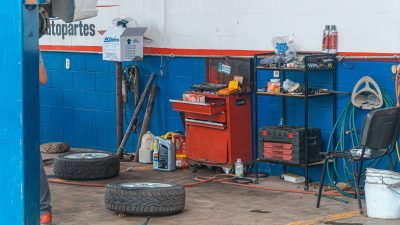
Managing spare parts and workshop supplies is an important part of running a successful auto repair business. A workshop may have hundreds of items such as engine parts, filters, brake components, oils, bulbs, batteries, belts, and other supplies. If stock is not controlled properly, parts can go missing, customers may have to wait, and money can get stuck in unused inventory.
Auto Repair Inventory Management Software can help workshops organize parts, track stock movement, reduce manual work, and know what is available when a repair job starts. A clear inventory process also helps service advisors and technicians work with better information.
In this blog, we will discuss seven simple ways to control auto repair stock. These methods can help small garages and growing workshops keep inventory organized and reduce common stock problems.
Table of Contents

What Is Auto Repair Inventory Management Software?
Auto Repair Inventory Management Software is a digital system that helps a workshop manage its spare parts and other inventory items. It can help staff record parts, monitor quantities, track stock coming in and going out, and connect parts with repair jobs.
Instead of depending on paper registers or different spreadsheets, your team can keep inventory information in one organized system. Staff can check whether a part is available before promising a repair to a customer.
A good inventory process also helps managers understand which parts are used regularly and which items have been sitting on shelves for a long time.
Why Inventory Control Matters for Auto Workshops
Parts are directly connected to repair work. If a required part is not available, a vehicle may stay in the workshop longer than planned. At the same time, keeping too many slow-moving parts can use valuable money and storage space.
Auto Repair Inventory Management Software helps create better visibility into stock levels and part movement. This can make it easier to balance availability with cost.
- Know which parts are available.
- Reduce the chance of stock shortages.
- Track parts used on repair jobs.
- Reduce manual inventory records.
- Identify slow-moving items.
- Make purchasing decisions easier.
- Improve workshop organization.
7 Ways to Control Auto Repair Stock
1. Keep All Parts in One Digital Record
The first step toward better inventory control is creating a complete record of the parts your workshop uses. Each item should have useful information such as part name, part number, category, quantity, supplier, purchase price, and selling price when required.

When parts are recorded properly, staff do not have to search through different files to understand what is available. A digital record also makes it easier to update stock when new parts arrive or existing parts are used.
With Auto Repair Inventory Management Software, your team can keep important inventory details together and make stock information easier to access.
2. Track Stock When Parts Arrive
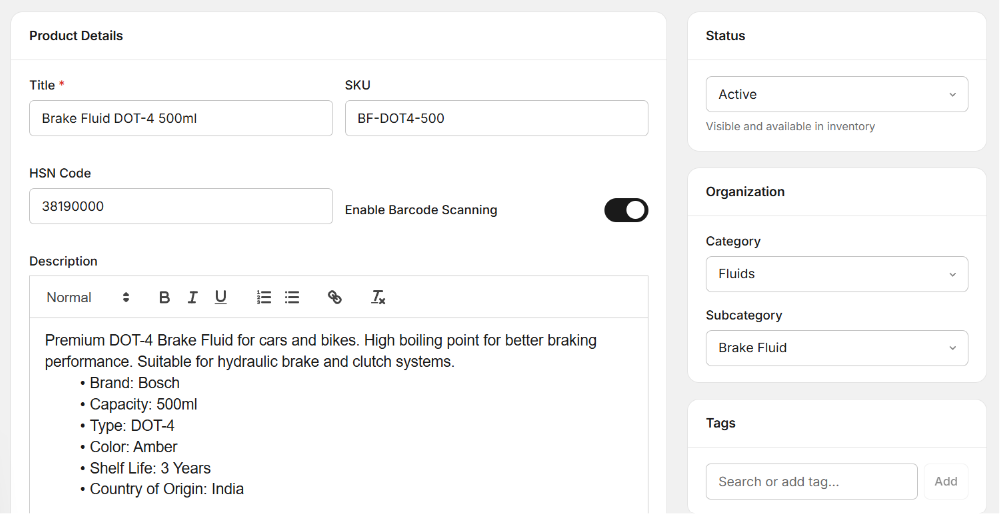
Inventory control should begin when new parts reach your workshop. Check the received items against the purchase details and record the correct quantity in your inventory system.
For example, if you ordered ten oil filters and received ten, update the stock accordingly. If only eight arrived, the system should show the correct quantity so your team does not promise parts that are not actually available.
It is also useful to record supplier information and purchase details. This can help managers review purchasing history and identify reliable suppliers.
3. Connect Parts With Repair Jobs
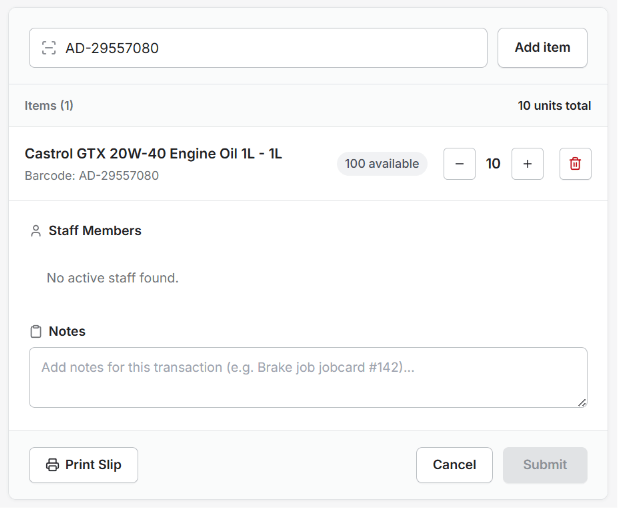
One of the most useful inventory practices is connecting parts with the repair jobs where they are used. When a technician uses a brake pad, air filter, spark plug, or other part, the stock record should reflect that movement.
This gives your team a better understanding of how quickly different parts are being used. It also makes it easier to understand the total parts cost of a repair job.
Auto Repair Inventory Management Software can help connect inventory usage with workshop operations, reducing the need for separate manual records.
4. Set Minimum Stock Levels
Some parts are used much more frequently than others. If a popular item reaches zero stock, your workshop may not be able to complete an important repair on time.

Set minimum stock levels for commonly used parts. When the quantity gets close to that level, your team can plan a new purchase before the item runs out.
For example, a workshop may regularly use oil filters, brake pads, wiper blades, bulbs, or engine oils. These items may need closer stock monitoring than rarely used components.
This simple approach can help reduce emergency purchasing and unexpected repair delays.
5. Monitor Fast-Moving and Slow-Moving Parts
Not every item in your inventory moves at the same speed. Some parts may be used every day, while others may remain on the shelf for months.
Review your stock regularly to identify fast-moving and slow-moving items. Fast-moving parts need careful replenishment because they can run out quickly. Slow-moving items need attention because they can take up storage space and tie up money.
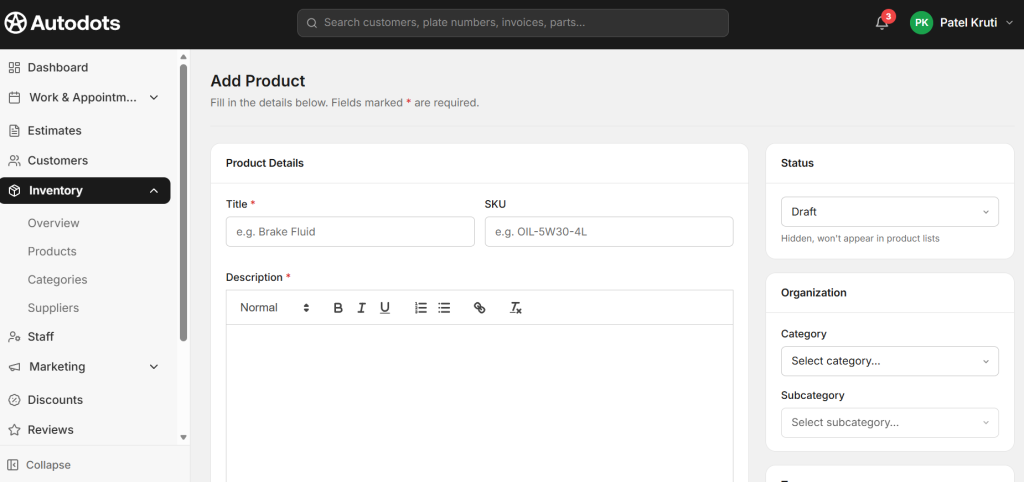
With Auto Repair Inventory Management Software, managers can use stock information to understand which items need more attention.
This information can also help when deciding how much of each item to purchase. Instead of buying the same quantity of every part, you can make purchasing decisions based on actual workshop usage.
6. Avoid Duplicate Parts and Incorrect Entries
Inventory records can become difficult to manage when the same part is added more than once under different names. For example, one employee may enter a part by its full name while another uses a short name or a different part number.
Create simple naming rules for your inventory. Use consistent part names, categories, and part numbers. Train your team to check existing records before creating a new item.
Correct data is important because even the best inventory system cannot provide useful information when the original entries are incorrect.
7. Review Inventory Regularly
Digital stock records are useful, but physical stock checks are still important. Parts can sometimes be damaged, misplaced, returned, or used without being recorded correctly.
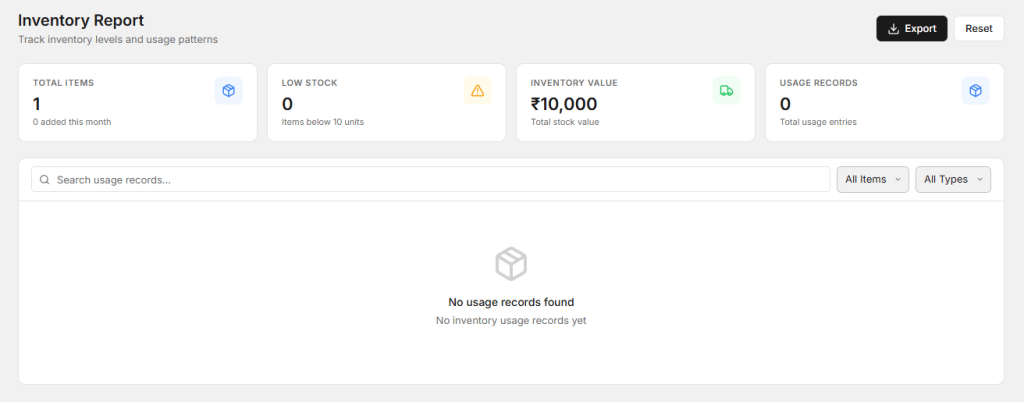
Schedule regular inventory checks. Compare the physical quantity on the shelf with the quantity shown in your system. If there is a difference, find the reason and correct the record.
Regular reviews can help your team find inventory problems before they become bigger issues.
Benefits of Better Inventory Management
A well-organized inventory process can improve many parts of workshop operations. Technicians can find required parts more easily, service advisors can provide better information to customers, and managers can make more informed purchasing decisions.
Better stock control can also reduce unnecessary purchases. When your team knows what is already available, there is less chance of ordering items that are already sitting in the workshop.
- Better stock visibility.
- Fewer unexpected shortages.
- Less unnecessary purchasing.
- Better parts cost tracking.
- More organized storage.
- Faster access to commonly used parts.
- Better control over workshop expenses.
How Inventory Affects Customer Service
Inventory problems can directly affect customers. If a part is unavailable, the customer’s vehicle may remain in the workshop longer. Delays can lead to repeated calls and a poor service experience.

Good Auto Repair Inventory Management Software can help your team know whether important parts are available before repair work is planned. This makes it easier to set realistic expectations with customers.
When a part needs to be ordered, your service advisor can also explain the situation clearly. Customers are more likely to understand a delay when they receive useful and honest information.
How to Build a Simple Stock Control Process
Your inventory process does not need to be complicated. Start with a few basic steps that every employee can follow.
- Record every new part when it arrives.
- Use clear part names and numbers.
- Update stock when parts are used.
- Connect parts with repair jobs.
- Set minimum stock levels for important items.
- Review fast-moving and slow-moving stock.
- Perform regular physical stock checks.
When these steps become part of the daily routine, inventory management becomes easier and more reliable.
How AutoDots Can Help Your Workshop
AutoDots provides digital tools designed to help automotive businesses manage important workshop activities. A connected workflow can help teams organize customers, vehicles, repair jobs, parts, technicians, invoices, and other daily tasks.
Using Auto Repair Inventory Management Software as part of your workshop process can make it easier to keep stock information connected with repair operations. This can give your team better visibility and help reduce manual inventory work.
If you want to explore more opportunities for your automotive business, visit the AutoDots partner program. You can also find more workshop tips, automotive guides, and business ideas on the AutoDots automotive blog.
Common Inventory Mistakes to Avoid
One common mistake is failing to update stock when a part is used. Even a small number of missing entries can make inventory records inaccurate over time.
Another mistake is purchasing too many slow-moving parts. Before placing a large order, review previous usage and current stock levels.
Workshops should also avoid keeping parts without clear labels. Proper labeling can make it easier for staff to find items and reduce the chance of using the wrong part.
Finally, do not ignore regular physical stock checks. Digital records and physical inventory should match as closely as possible.
Frequently Asked Questions
What is auto repair inventory management?
Auto repair inventory management is the process of recording, tracking, purchasing, storing, and using spare parts and workshop supplies in an organized way.
How can inventory software help an auto garage?
It can help track available parts, record stock movement, connect parts with repair jobs, monitor stock levels, and provide better information for purchasing decisions.
Why should parts be connected to repair jobs?
Connecting parts with repair jobs helps the workshop know which items were used and can make parts cost tracking and inventory updates easier.
What are fast-moving inventory items?
Fast-moving items are parts or supplies that are used frequently. Examples can include common filters, oils, bulbs, wiper blades, and other regularly replaced items.
How often should a workshop check physical inventory?
The right schedule depends on the size and activity of the workshop. Regular checks can help identify missing, damaged, misplaced, or incorrectly recorded parts.
Conclusion
Good inventory control is essential for keeping an auto repair workshop organized and ready for daily repair work. When parts are not tracked properly, workshops can face shortages, unnecessary purchases, repair delays, and extra costs.
Auto Repair Inventory Management Software can help your team create a clearer process for recording parts, tracking stock movement, managing minimum stock levels, connecting parts with repair jobs, and reviewing inventory performance.
The best approach is to keep inventory management simple and consistent. Record parts correctly, update stock whenever items move, review your inventory regularly, and use real workshop data to guide purchasing decisions. With these steps, your workshop can keep better control of stock while providing faster and more reliable service to customers.