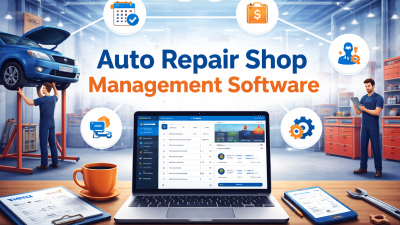
Managing vehicle repairs involves many tasks, from creating job cards and assigning technicians to tracking spare parts and updating customers. When these activities are handled manually, important details can be missed, repair work may be delayed, and customers may have to wait longer than expected. Automotive Work Order Management Software helps workshops organize repair jobs, monitor progress, and manage daily operations more efficiently.
With a structured digital process, workshop owners can improve team coordination, reduce paperwork, and maintain accurate service records. Whether you operate a small garage or a large automotive service center, the right tools can make repair management easier. Here are seven smart ways to manage vehicle repairs more effectively.
Table of Contents
1. Create and Organize Digital Work Orders
A work order is an important record that contains details about a vehicle, the customer’s concerns, required repairs, assigned technicians, and estimated costs. When workshops rely only on handwritten notes or paper job cards, information can become difficult to find or update.
Automotive Work Order Management Software can help create digital work orders and keep important repair information organized in one place. Staff can record vehicle details, describe reported problems, add inspection notes, and document the work that needs to be completed.

Digital records also make it easier for service advisors and technicians to understand the requirements before starting a repair. Instead of searching through piles of paperwork, authorized team members can access the relevant job information more quickly.
Smart tip: Use a consistent work order format for every vehicle. Include customer details, vehicle identification information, reported issues, inspection findings, and approved repair work.
2. Assign Repair Jobs to the Right Technicians
Efficient job assignment helps workshops complete repairs on time. However, assigning work can become challenging when several vehicles arrive together or when technicians have different skills and experience levels.
A digital work order process helps managers identify which jobs are waiting, which technicians are available, and which repairs require specialized knowledge. Depending on the available features, managers may also be able to review workloads and update assignments when priorities change.

Using Automotive Work Order Management Software can make job responsibilities clearer. Technicians can understand their assigned tasks, while service managers can monitor progress and identify jobs that need additional support.
For example, routine maintenance can be assigned to a suitable available technician, while complex diagnostic work can be directed to someone with the required experience. This approach helps reduce confusion and supports a more balanced workload.
3. Track Every Repair from Start to Finish
Repair jobs often move through several stages, including vehicle inspection, fault diagnosis, customer approval, parts ordering, repair work, quality checks, and final delivery. Without clear tracking, workshop staff may struggle to determine the current status of a vehicle.
A digital tracking process allows staff to update work orders as repairs move forward. Managers can identify jobs that are waiting for approval, parts, technician availability, or final inspection.
Automotive Work Order Management Software can help make these stages more visible when job status tracking is available. This gives workshop managers a clearer view of ongoing work and helps them respond to delays before they create bigger problems.
It also improves communication with customers. When staff can check the latest job status, they can provide more accurate updates about repair progress and expected completion times.
4. Improve Spare Parts and Inventory Coordination
Missing spare parts are a common reason for repair delays. A technician may complete the diagnosis but remain unable to continue because a required component is unavailable. Poor inventory records can also lead to unnecessary purchases or excess stock.
Connecting work orders with inventory records can help workshops identify the parts required for each repair. Staff can check stock availability, record parts used, and identify components that need to be reordered.

When Automotive Work Order Management Software includes inventory management features, workshops can coordinate repair jobs with spare parts more effectively. This helps managers plan purchases and identify potential shortages earlier.
For better results, maintain accurate stock records and review frequently used components regularly. Recording parts against the correct repair job also makes it easier to understand repair costs and monitor material usage.
5. Manage Repair Estimates and Customer Approvals
Clear estimates help customers understand the expected cost of a repair before work begins. If repair details and charges are not recorded properly, customers may become confused about labour costs, replacement parts, or additional services.
A well-organized work order process should include the initial diagnosis, recommended repairs, estimated costs, and customer approval. If technicians discover another problem during the repair, the workshop should document the additional work and obtain approval before proceeding.
Automotive Work Order Management Software can help staff keep estimates, approval details, and repair notes connected to the relevant job when these features are supported.
This process encourages transparency and reduces misunderstandings. It also helps workshop teams maintain a clear record of what the customer originally approved and which additional services were authorized later.
6. Keep Customers Updated Throughout the Repair
Customers appreciate knowing what is happening with their vehicles. They want clear information about inspection results, repair costs, parts availability, and expected delivery times. When communication is inconsistent, customers may repeatedly contact the workshop for updates.
Organized work orders help service advisors access repair information and respond to customer questions more confidently. Depending on the system, workshops may also be able to send appointment reminders, repair notifications, or updates when a vehicle reaches an important service stage.
With Automotive Work Order Management Software, customer and repair information can be easier to locate when the relevant records are maintained in the system. This can reduce time spent searching for details and support more consistent communication.
Workshops should still communicate directly when a repair takes longer than expected or the estimated cost changes. Honest updates help build trust and encourage customers to return for future maintenance and repairs.
7. Use Work Order Reports to Improve Performance
Workshop managers need accurate information to understand how effectively their teams are working. Useful measures include the number of completed jobs, average repair time, delayed work orders, labour hours, parts usage, and revenue generated by repair services.
When these details are recorded consistently, reports can reveal patterns that might otherwise go unnoticed. For example, repeated delays may indicate problems with parts availability, scheduling, job assignment, or approval processes.
Automotive Work Order Management Software with reporting capabilities can help owners review these patterns and make better operational decisions. Managers can use the available information to improve workflows, distribute work more effectively, and identify opportunities for staff training.
Review performance regularly rather than waiting for a major problem. Even small improvements to job tracking, scheduling, and inventory coordination can make a meaningful difference to daily workshop operations.
How to Choose the Right Work Order Software
Every workshop has different requirements. A small independent garage may need basic digital job cards and repair tracking, while a larger service center may need technician scheduling, inventory management, customer records, invoicing, and detailed reports.
Before selecting a solution, consider these important factors:
- Easy work order creation: Check whether staff can quickly record vehicle details and repair requirements.
- Job status tracking: Look for a clear way to monitor repairs from registration to completion.
- Technician management: Consider whether the system helps assign jobs and monitor workloads.
- Inventory coordination: Check whether parts records can be connected with repair jobs.
- Customer records: Look for tools that help maintain vehicle histories and customer communication details.
- Reporting features: Choose useful reports that support practical business decisions.
- Security and support: Review data protection, user permissions, training, and available technical assistance.
It is also important to compare pricing, ease of use, and the time required to train your team. The best solution is one that fits your current workflow and can support your business as it grows.
How AutoDots Can Help Your Workshop
Managing repair work efficiently requires organized processes, accurate records, and clear communication between workshop staff. AutoDots supports automotive businesses exploring digital solutions for workshop operations and service management.
By reviewing your current repair process, you can identify tasks that consume too much time, create unnecessary paperwork, or cause avoidable delays. Digital tools can help improve visibility into daily activities and support a more organized customer service experience.
To learn more about automotive business opportunities, visit the AutoDots partner program. You can also explore helpful automotive industry articles on the AutoDots automotive blog.
Frequently Asked Questions (FAQs)
1. What is work order management software for automotive workshops?
It is software that helps workshops create repair orders, record vehicle information, assign technicians, track job progress, and maintain service records. Depending on its features, it may also support inventory, billing, and reporting.
2. Why are digital work orders better than paper job cards?
Digital work orders can make information easier to find, update, and share with authorized staff. They can also reduce repetitive paperwork and help workshops maintain more consistent repair records.
3. Can work order software help reduce repair delays?
Yes. Clear job tracking, better scheduling, and improved parts coordination can help workshops identify delays earlier. Results depend on how the software is configured and used by the team.
4. Can small garages use work order management software?
Yes. Small garages can begin with essential features such as digital job cards, customer records, and repair status tracking. They can choose additional features as their operational needs increase.
5. How does work order software improve customer satisfaction?
It can help staff access repair information faster, provide clearer updates, document approved work, and maintain service histories. These improvements can make the repair process more transparent for customers.
6. What should a workshop check before buying software?
Workshops should evaluate ease of use, essential features, pricing, data security, reporting capabilities, staff training, and customer support. The selected solution should address the workshop’s most important operational challenges.
Conclusion
Automotive Work Order Management Software can help workshops manage repairs by organizing digital work orders, assigning technicians, tracking job progress, coordinating spare parts, documenting customer approvals, improving communication, and reviewing performance reports.
However, technology works best when it supports a clear and consistent repair process. Start by identifying the biggest challenges in your workshop, select tools that match your needs, and train your team to maintain accurate records. With better work order management, your workshop can reduce avoidable delays, improve productivity, and deliver a more reliable customer experience.